Loopy Pro: Create music, your way.
What is Loopy Pro? — Loopy Pro is a powerful, flexible, and intuitive live looper, sampler, clip launcher and DAW for iPhone and iPad. At its core, it allows you to record and layer sounds in real-time to create complex musical arrangements. But it doesn’t stop there—Loopy Pro offers advanced tools to customize your workflow, build dynamic performance setups, and create a seamless connection between instruments, effects, and external gear.
Use it for live looping, sequencing, arranging, mixing, and much more. Whether you're a live performer, a producer, or just experimenting with sound, Loopy Pro helps you take control of your creative process.
Download on the App StoreLoopy Pro is your all-in-one musical toolkit. Try it for free today.
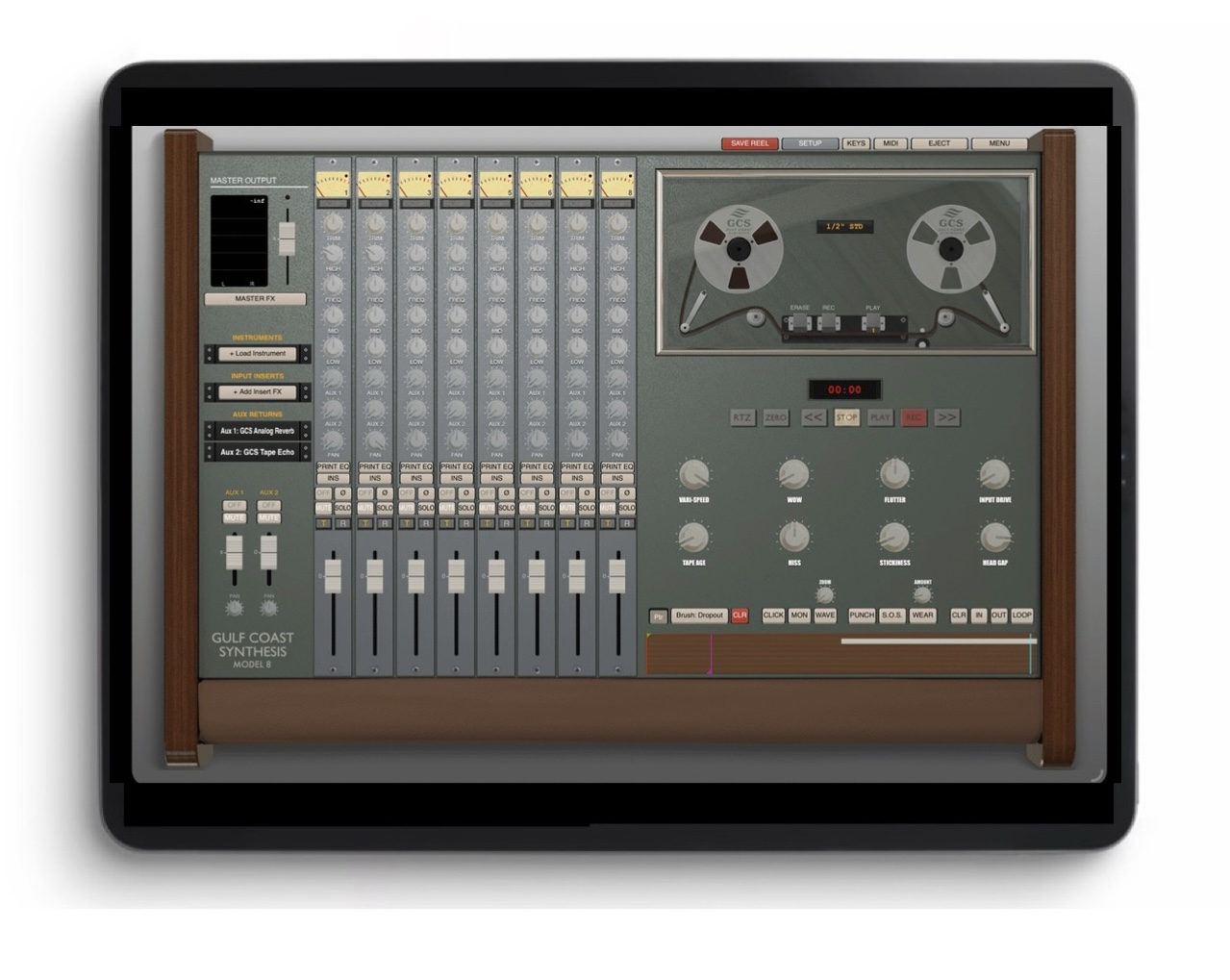
GCS Model 8 by Gulf Coast Synthesis (Released on iOS)

https://apps.apple.com/app/gcs-model-8/id6762236830
GCS Model 8 is a tape recording DAW which allows recording workflow and audio that recreates old reel to reels. It’s built with a custom physics engine that models how the tape moves across the rollers, heads, capstan, etc for an extremely realistic sound. You can choose between cassette, 1/4",' 1/2" and 1", and do things like mess with the tape as you record to warble it, record in varispeed and reverse, and essentially any trick that's possible on real tape.
In addition, you can draw defects onto the tape like crinkle, flutter, drop outs, etc and set it to auto age as you play it so it degrades over time.
It supports third party AUv3 plugins, but also has built in tape echo, analog reverbs like spring, compressors, chorus etc. It also comes with software synths based off favorites like Prophet 10, Moog, Acetone 60's drum machine, and an Ondes Martenot expressive synthesizer.
And to clear any confusion, you can do 8 track, 16 track, and 24 track sessions.
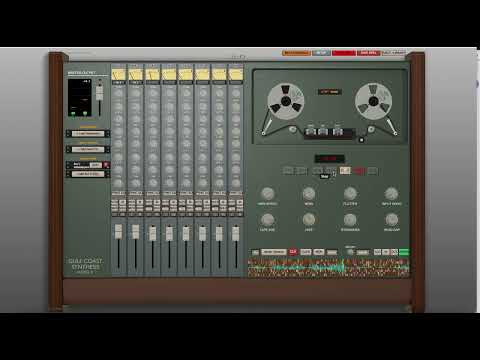
Here’s a GCS Model 8 tape loop demo:
Comments
Ondes Martenot? Colour me interested! Love me some Messiaen proto-ambient vibes, and tape emulation will really set that off.
Here’s some pre release details
You should try it! Its probably my favorite software instrument to use with it. Here's the testflight link for beta testers:
https://testflight.apple.com/join/Q76VVGJM
Thanks for sharing. Congrats on the project. It sounds really interesting, excited to try out the tape drawing feature. Cheers!
This sounds like something I would really like , and would be a nice change of pace for me vs GarageBand and Logic
This is about as close to a real reel to reel as you're going to get. Great for folks that want to go dawless.
The tape sound and tape behaviour is impressive,
I was not able to rebuilt it that way with any other tool. ;-)
@GulfCoastSynthesis Is a routing matrix built it if I select a AU 3 instrument bring up keys play keys I see metering on track one. If I hit play record on the tape and continue playing nothing is recorded? Also can we only pick L or R ch not both for stereo?
Did you arm the track for record.
Ha Ha that’s probably it cheers
It’s weird using this app. Hitting record without a count in.
I used to have a 4 track recorder and that was the case back in the day. Just arm the track and hit play.
was ready to disregard this as something outside of my needs/interests, but the video really got me thinking of some cool possibilities
would love to see what happens when I take MIDI, sequence editing etc out of my workflow
If the dev is on here. Can you implement midi learn.
If the dev is on here. Can you implement midi learn.
Yep @GulfCoastSynthesis is on here.
Interesting but UI elements are very tiny, it would be best to get rid of the wooden decorations for instance.
Thanks jwmmakerofmusic
Every aspect has midi learn implemented already, or do you mean a midi editor? I won’t be adding a timeline like logic or pro tools for midi sequencing since I’m preserving a true tape machine workflow
Hi! You can go into the menu and change the ui to minimal ui for a much more iPad friendly with larger buttons , which is also more modern for those who like that style. There’s dark mode and light mode.
Yes midi learn.
This looks like something I’ve wanted for ages. It also makes me wonder if I’d get along better with a “vertical DAW” vs the traditional horizontal flow.
Yep that's all already implemented on the main interface and for my built in instruments. I've actually been building a hardware controller so that you never have to look at a computer, which will look exactly like the DAW ui.
You should give it a shot!
Pics please
I am currently just working on the PCB/microcontroller aspect
Manual here
https://gulfcoastsynthesis.com/model8_manual_1.8.pdf
Of course, mate. This app looks to be exciting.
FYi this is very out of date and basic, working on a real manual that's up to date currently.
Thanks.
Thank you! It's better indeed! Still small but makes interaction easier.
I also like the demo song, is it available somewhere? (Bandcamp maybe?)
Cheers!