Loopy Pro: Create music, your way.
What is Loopy Pro? — Loopy Pro is a powerful, flexible, and intuitive live looper, sampler, clip launcher and DAW for iPhone and iPad. At its core, it allows you to record and layer sounds in real-time to create complex musical arrangements. But it doesn’t stop there—Loopy Pro offers advanced tools to customize your workflow, build dynamic performance setups, and create a seamless connection between instruments, effects, and external gear.
Use it for live looping, sequencing, arranging, mixing, and much more. Whether you're a live performer, a producer, or just experimenting with sound, Loopy Pro helps you take control of your creative process.
Download on the App StoreLoopy Pro is your all-in-one musical toolkit. Try it for free today.
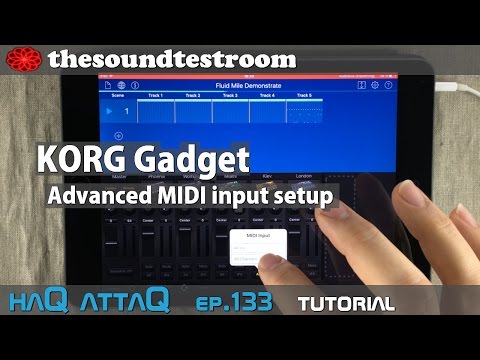
KORG Gadget Advanced MIDI input setup – haQ attaQ 133

KORG Gadget Advanced MIDI Input routing is just one of the several improvements that the latest Gadget update brings us. But I find this one to be one of the most useful new features!
In this tutorial I running midi out data from Fugue Machine. I am then demonstrating, how to utilize the new advance midi input routing inside KORG Gadget.
haqattaq #gadget #midi #tutorial
Comments
And if you like to use the scene-oriented/all-in-one workflow from Gadget you can just record your midi sequences into it.
EDIT: @jakoB_haQ forgot to say thanks for your huge work for iOS music world. Doing music I like. Keep it on!
Thank you Mister Haq. The ability to run Fugue and swap out sounds in Gadget as it's doing so, testing, altering, blending, tweaking, all in real time, is huge.
Looks like this is applies only for midi notes , i tried to use my midi maps for cc's with a beatstep ( i was already doing that before just had to press/unpress the midi button) and turns out doesn't work. Only chanel one.
You should be able to point midi cc's (as well as notes) at Gadget's different synths now (just make sure that you have the cc's pointing at the correct channel for the Gadget you want to control.
Yes, your right!
Looks like in beatstep edtitor aside from global midi channel you need also to choose the specific channel for each knob. Thanks!
Cool - glad you sorted it...
Is there a way to send midi notes from taipei on one track channel over to a instrument on another track channel but over the same midi channel, from one track channel to another?