Loopy Pro: Create music, your way.
What is Loopy Pro? — Loopy Pro is a powerful, flexible, and intuitive live looper, sampler, clip launcher and DAW for iPhone and iPad. At its core, it allows you to record and layer sounds in real-time to create complex musical arrangements. But it doesn’t stop there—Loopy Pro offers advanced tools to customize your workflow, build dynamic performance setups, and create a seamless connection between instruments, effects, and external gear.
Use it for live looping, sequencing, arranging, mixing, and much more. Whether you're a live performer, a producer, or just experimenting with sound, Loopy Pro helps you take control of your creative process.
Download on the App StoreLoopy Pro is your all-in-one musical toolkit. Try it for free today.
BEST Cubasis update ever?! │ haQ attaQ 253

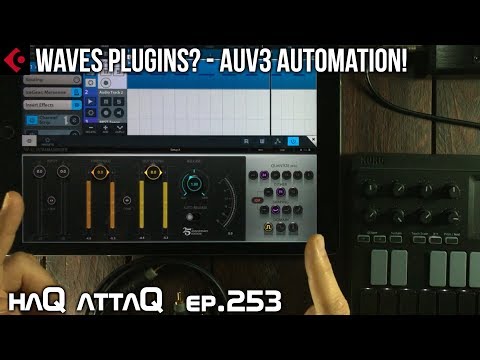
Is this the BEST CUBASIS update ever?! This version brings a whole lot to the table, stuff that a lot of Cubasis users have been wishing for! In this review I am highlighting the stuff I find to be the most EPIC in this update!
haqattaq
Comments
...indeed...it’s very good...“but“ something is missing (for me at least): still not for iPhone :-(...keep on developing:-)
Updated but i am finding it unusable while creating midi notes with playhead running on iPad Pro 10.5 running latest iOS.
I have 3 instances of Zeeon AU loaded and while i create notes on the fly it seizes up and i can’t load instrument panel. I have to reset and all my patch info is reset to INIT.
I don’t know if it’s a specific patch but the one that seems to cause it constantly is Brice’s BB Sequence Me 3 in the latest update to Zeeon.
.
Regarding the Zeeon patch (Sequence Me 3), I tested it out in GB with no issues. Total shot in the dark, but I’m curious if the problem exists in the way Cubasis handles the tempo synced LFOs in that patch. Maybe try setting the LFOs to TRIG or SHOT and see if things still lock up?
Don’t know if this is relevant, as I’m on an Air2. I had issues after updating Cubasis when using Zeeon. I then reloaded Zeeon in all my instances and the problem stopped.
Would have been nice to see/hear you using these filters in action, and perhaps comparing them to FF. But no doubt Doug will take care of this in due course.
Has @LFS been notified about this? (If not he is now).
Zeeon is such an amazing AUv3 synth it should be priority to have it working
I believe @jakoB_haQ in the video said that he would, in fact, do separate videos for each of the new Waves plug-ins.
Already in touch with Jarek from BeepStreet...
Best,
Lars
I'm sorry for being off topic,but is there really still no way to create subgroups/mixbuses in cubasis or am I missing something?
Jakob,
We love you...
Big thanks for bringing up this great Cubasis 2.3 / Waves IAP video!
Please make sure to keep up the positive vibes!
Hope we‘ll meet in person someday...
Thanks again,
Lars
As I stated in the video, I feel that each waves plugin deserves a video of their own.
And so I will be making videos in the future.
Your question isn't off topic, it's very relevant and no there are no way of creating subgroups/mixbuses yet.
I hope this will be addressed in the next update because man I want it too!
Word!essential feature!
BTW, your videos are awesome,all of them!
I must say, Cubasis is just remarkable. The updates are thorough and innovative, the developer is super-responsive, plus I really enjoy working within the app.
Thanks, Lars.
Yeah, and with the advent of AUv3 automation the pressure on 'Line' and 'Curve' tools to edit the automation must be on the horizon. The Cubase 'Sampler Track' could replace the current Cubasis Mini-Sampler and the 'adaptive grid' would silence my longing for a triplet grid
Splendid
>
Indeed. I look forward to those.
A taster of what each plug-in sounded like would have piqued interest even further. The video said review, but was more like an advert.
Great update, but I still have one big gripe with Cubasis: its interface is not still optimized for iPad Pro 12.9. It's a smaller interface blown up to fill the larger screen, so I personally feel a bit "claustrophobic" while working in it, especially when I have sensibly designed synths (like Zeeon) on screen that have very well space-balanced GUIs, and in comparison Cubasis' own elements feel very chunky and somehow toy-like. Keep in mind I'm a graphic designer and also a bit obsessive with pixels and GUIs, so YMMV
never mind.
>
Good album, that.
N00B Alert: Playing with this (once again), inspired by the effort (and vid). Forgive my utter numptyness: Time stretch samples? Have something at 100 and want it down to 90. Opened the wave in the thingie, but can't see the how of it. Is this something Cubasis offers?
@JohnnyGoodyear I think this might be what you're looking for!
Indeed. And thank you. Amongst all the warm and friendly chatter hereabouts concerning the relative friendliness of this fine place in a world of keyboard warriors I particularly appreciate the patience offered to fools (self) who ask obvious questions (I felt silly, again, once I was pointed to the big button which says 'STRETCH!'
  )
)
Thanks so much for posting this video, it helps clear up many things for my aging mind
Jakob, you are getting that American trailer voice. Just saying.