Loopy Pro: Create music, your way.
What is Loopy Pro? — Loopy Pro is a powerful, flexible, and intuitive live looper, sampler, clip launcher and DAW for iPhone and iPad. At its core, it allows you to record and layer sounds in real-time to create complex musical arrangements. But it doesn’t stop there—Loopy Pro offers advanced tools to customize your workflow, build dynamic performance setups, and create a seamless connection between instruments, effects, and external gear.
Use it for live looping, sequencing, arranging, mixing, and much more. Whether you're a live performer, a producer, or just experimenting with sound, Loopy Pro helps you take control of your creative process.
Download on the App StoreLoopy Pro is your all-in-one musical toolkit. Try it for free today.
IPad music production compared to surface pro like devices?

Hello, I just ordered an iPad to get into the touch screen music scene lol I've been on desktops far too long. I had considered getting a surface pro but it just didn't make sense cause my desktop is so powerful already, and for a secondary device I figured the iPad would have more interesting touch screen options and stuff. But I wonder how a full daw like bigwig or fl studio would behave being controlled with a pen and fingers. I had this image of holding a surface pro and just writing and composing everything with just a pen and the piano roll, mapping shift and control and right click to the pen buttons. Does anybody have any experience with using any of the Windows based touch devices out there with daws?how does it compare to auria,cubasis,etc on iOS?
Comments
You can have a look at MoltenMusicTechnology about Surface for music production. He makes the best videos about it. F.e. this here.....
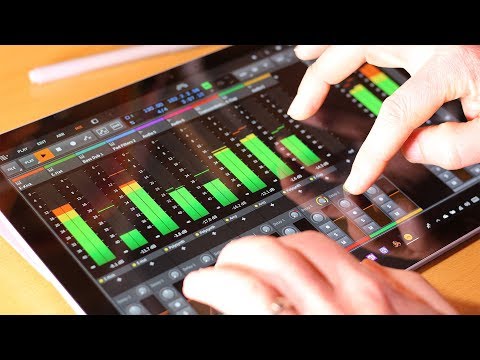
I didn´t tried it myself but maybe it´s not so bad at all.
It’s all about the apps. iOS has allbthe great apps.
True. I think iOS has the much better multi-touch tools. But if you are searching for Kontakt or a full fleged DAW....no.
Otherwise i like to let iOS devices handle the multi-touch and my notebook the heavy and more complex stuff.
So you might already made the right decision
I own a surface pro, and while i love the idea of the laptop there aren’t any good touch based DAWS for it other than Bitwig. I use Ableton on OSX and on Windows it doesn’t render properly on the High DPI Surface Pro screen so it makes it unbearable to use.
I love producing on iOS. I don’t miss anything.
Just get Astropad for your iPad and you can use any OSX based DAW on it via screen mirroring.
Oh ....... I hadn’t considered that the surface books are running full fledged windows os. I was thinking mobile. Like android.
Yes I suppose if you are trying to run desktop apps then surface may be the way to go.
Personally, my laptop/desktop workflow is separate from my mobile workflow.
Or get Logic and use the Garage Band smart controllers via the remote app to play your VST etc.
The options are endless these days.
I’ve got SP3, and use Bitwig, MultitrackStudio (MTS), and FL, on it, all of which are set up nicely for touch, and there’s a few iOS/multi platform apps (other than MTS which is iOS, PC and Mac) which are fun on the SP: Sunvox, Caustic, Pixitracker, Mazetools Soniface, even Nanostudio.
If you already have a laptop you like and an iPad, I’d say you’re probably good to go as is. I got the SP to replace my destroyed laptop, when Bitwig touch had just gone live so I went for the second touch platform. (SP might be something to revisit next time you’re in the market for a laptop)
Bitwig, like most PC and Mac DAWs easily outstrips iOS DAWs in terms of power, features, and access to top plugins, but iPad offers such a broad range of special, small, fast tools, which are easily powerful enough to satisfy while also being easy to learn and use.
There are plenty of fantastic synths on iOS, even some that originated on PC and Mac, and others that are on par with PC and Mac stuff, or actually started on iOS then moved to those other platforms.
@Littlewoodg hey thanks, what do you think about the piano roll in FL Studio with surface pen? With a mouse I am really fast, I use scroll, shift and ctrl I think to do all the stuff, I'm able to write a whole song out looping piano roll and moving notes around, I thought doing that on a tablet like device would be so useful, and I'd have access to all my library of kontakt and stuff for instruments. dunno if IOS has anything like FLS piano roll, but even other daws dont have a piano roll as intuitive or fast, that would be my main reason for getting a surface. Does the high resolution work properly with it? I should just get a USB thumbdrive and go install it in the store to try it lol
the tablet paradigm works great on spontaneous actions with it's intuitive and direct response.
But not so well on sustained efforts... your (say) one pound hand at the end of a 2 foot lever (shoulder/arm) is a serious weight to be controlled - opposed to have it rested on the table and shifting the mouse for a couple of inches in any direction.
If a desktop software has a smart mouse control implemented, you can handle it for hours - impossible on a(ny) tablet.
It's not about the better device, but the one that's most convenient in a given context.
@Telefunky it depends on taste.. i did a lot full tracks (everything including mastering) only on iPhone/iPad last 7 years, and enjoyed it a lot.. don't miss mouse, actually it is exactly oppostite - hate it now )
)
maybe it's about brain rewiring, these two platforms are very differnt, completely dfferent paradigm, so it's near to impossible to be effective on both... you simply have to choose.. i choosed touchscreen :-))
No, you don´t need to choose. Just use the best of both.
I like editing with mouse in a DAW and drag and drop FX, samples and whatever around. A lot other things works great too and touch is the horror for some things.
But apps like Finger Fiddle are just amazing and you only can get that on iPhone/iPads.
That is true. I´m a big and strong guy normally but i had trouble to hold my iPad Air for long time and it hurts my shoulder and arms (beeing already stroked from work) and i have to lay it down while i can put a notebook on my legs and use the trackpad for hours.
There was my next problem. A 12.9" would be too big to hold over my head for long time and so i had to use it on the table or laying on my legs too. This works but a notebook is much more comfortable here.
Even smartphones kills people necks today because they starring down to it the whole day.
We will see a whole new generation of young people with problems in their backs
Even holding my iPhone often in a maybe unnatural way while it´s charging and my 3 meter headphones cable is hanging in, it is not a joy to use after 10 minutes.
It´s hard to recommend a thing because we are all like to create music in another way and workflow, on other places and like other ergonomics.
Often it take me weeks and months to really know what works best for me.
ISTM, that there are two paths you can go by, but in the long run, there’s still time to change the road you’re on.....no, wait a minute, that was Led Zep.
More seriously...
Either, Apple hires someone - and there must be someone, somewhere in the world - who has vision, and expands the hardware running IOS to a level where it can truly compete with the desktop. So that would be a minimum 512 ssd hd, minimum 8gb RAM, full connectivity via ports including an SD card slot.
Or, Apple licenses a third party, most likely Parallels, to make and maintain an IOS emulation that will work on Mac and PC desktop/ laptop hardware. Effectively an IOS Coherence Mode, whereby IOS apps can run side by side with desktop apps, and fully interact with them.
The first solution keeps things inside Apple’s ringed fence, but requires will, commitment and vision that all seem to be entirely lacking with Apple under the control of Mr Cook: a clever and highly competent businessman, with about as much innovative talent as a bag of spuds.
The second solution moves the problem on to someone else, could be lucrative, is very good news for music making and other creative pursuits that involve IOS, but also risks people abandoning Apple hardware.
Which is why the most likely outcome is for Cupertino to toss the occasional bone, in the form of Garage Band and/or Logic Pro X for IOS, but otherwise ignore both of the above paths, in favour of selling iPhones.
Unless, of course, history repeats, and Apple sales continue to fall, until they are forced to look again. Then the days of future passed may visit once again, leading to a revolution in thinking.
@dendy it's not about taste or rewiring established habits - it's sheer physics and nothing else.
Even if you like tablets, I seriously doubt you can handle just one hour of precise editing at sample accuracy without a grid.
Of course you may not need that at all, but it's a fairly profane thing if sources are live tracked and not readymade loops.
The original poster (in my estimation) does a similiar thing with note shifting in a pianoroll environment. I mentioned my experience because it's not immediately obvious.
I tried almost every IOS app that cuts audio and don't transfer stuff from IOS (which captures all my recordings) to PC and back just because it's amusing
I do .. as is said i'm perfectly satisfied with editing notes on iPad .. if i need precise shifts i zoom with fingers, move notes, zoom out with fingers .. super quick, super precise ..
i like touchscreen as control device for DAW a very much and actualy i found it MORE precise than mouse.. i hate work with mouse now, i cannot use desktop daw anymore cause i feel now like without one hand when i'm trying to do somehting in desktop daw using mouse ))
))
Respect for the patience (while i was quite happy to do all that myself on a 3.5" touch screen).
Of course it makes a huge difference depending from DAW to DAW.
NanoStudio is still the only iOS DAW where it was a joy to use.
Otherwise i see it vice versa still. It´s like i had to draw with my fingers dipped into color instead of using a brush or pencil.
Nanostudio in first place of course But also BM2 is for me pretty useable (thanks to lot of copied UI elements from NS :-)) - on other side BM3 doesn't work for me at all, it's pure pain to work with it)
Did they remove the handles form BM3? That would be a step back for sure.
I really can´t wait for NanoStudio 2. The synths looks so nice and if everything else would be the same it would already be my iOS DAW for sure.
Logic on my mac and NanoStudio on iPhone/iPad.....best things ever
They not just removed handlers.. they completely changed app structure, far away from traditional daw, they copied a lot things from iMaschine 2 and build whole app on akai sampler paradigm .. they also removed a lot handy features from BM2 .. BM3 is completely unusable a user unfriendly for me, cannot work with it more than 5 minutes whithout going upset
Yeah!
Molten Music technology guy Robin Vincent doesn’t respect ios music making at all. He doesn’t take it seriously. He even says so in at least one of his videos.
I was also on the fence . Almost got taken in by Birwig on the touch screen but went for an iPad Pro 12.9. Don’t regret one bit and imagine e where we’ll be In two years, much less five .
@Anisonsei resolution for FL (and other stuff, Live too) looks very nice on Surface. (The note above about Live not looking good, might be referring to newer SPs I have a 3...)
in terms of interface, I end up using touchscreen, QWERTY entry (I use tracker software too: Sunvox, Aodix), and the touchpad (on the keyboard, which is more of a tablet style interface than a clicker type pad, it’s tuned up to be a scaled down version of the tablet screen, super light touch, and fast given the ratio of travel and distance that translates to action on the main screen. Nice physics here) I also bought a BT mouse, which is slick but I rarely use it. I accidentally ran the pen through the washing machine, and never fixed it. Don’t miss it, never really got into it. Some people love the pen method, my artist friends in particular (drawing software for PC has no peer)
The four methods for control available (tablet screen, keyboard touchpad screen, QWERTY, BT mouse) allow a lot of choice and flexibility. The pen is probably cool too, which makes 5 options. Nice to have options...
I find that I move pretty unsystematically among the four methods of interface when working on projects, depending on the software. FL introduced an onscreen keyboard in one of the last updates, so it got even more touch friendly. MTS already had one, and Bitwig has keys, pads, and the Linnstrument style playing surface too. And the clip launch screen, which FL also now has...
In terms of editing I probably use the mini touchscreen that is the touchpad as much as the big touchscreen. I don’t use the mouse as much, but that may be because I’m not very experienced with it (my first music software was on iPad in 2010, which then led me to laptop and desktop stuff. I’d probably be more mouse based if I started on desktop laptop)