Loopy Pro: Create music, your way.
What is Loopy Pro? — Loopy Pro is a powerful, flexible, and intuitive live looper, sampler, clip launcher and DAW for iPhone and iPad. At its core, it allows you to record and layer sounds in real-time to create complex musical arrangements. But it doesn’t stop there—Loopy Pro offers advanced tools to customize your workflow, build dynamic performance setups, and create a seamless connection between instruments, effects, and external gear.
Use it for live looping, sequencing, arranging, mixing, and much more. Whether you're a live performer, a producer, or just experimenting with sound, Loopy Pro helps you take control of your creative process.
Download on the App StoreLoopy Pro is your all-in-one musical toolkit. Try it for free today.
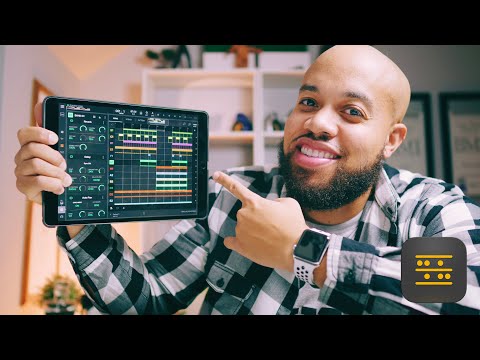
Beatmaker 3 video by Henny Tha Bizness

Comments
Better not be more flag football!
Man that was really thorough! Awesome!
Great stuff!
A nice ease in to an initially overwhelming ( read complex and comprehensive) app.
33 minutes of good.
that's tha Bizness
Bloody great.
+1, this is really good!
I dig the shit out of Henny's videos. We may not create the exact same genre of music but he showed here how fast initial ideas can be expanded upon and fleshed out, regardless of genre.
I picked up a few things that will make me use BM3 a little more, especially that sampler, its just so deep.
And if this doesn't make you want an Apple Pencil I don't know what else would. Especially doing arrangements & swapping around parts. I want one.
The Apple Pencil is also da bizness etc.
Nice video!
But, please @Shazamm , change the name of this from Beakmaker to Beatmaker (easier to find in an search)...
Tis a damn good introductory video.
One thing that I think needs to be emphasized with BM3 is that there are multiple ways to do the same thing and finding the way that is right for you is part of the deal. For example, for programming drums I don’t bother with the pads very often, as big and juicy as they are. I just use these little ‘play buttons’ 90% of the time to trigger/record as I like instant access to also being able to edit the pattern at the same time as it cuts down on the screen diving for me and I am more tweaker than player at heart.
Love his stuff.
Really such a great video. And such a positive person!
Got 30 seconds in, couldn't concentrate on anything but his hands flying all over the place, pass.
i bet you do that in life too lol
I will take that bet for any amount of money you like
Great stuff from Henny as always!
Dope ! Great stuff, thank you Henny!
A great video.
Nice tip there, @AudioGus. Seems like one has to right-swipe on those little play buttons while recording? If I tap then the event isn't recorded, only auditioned.
Huh, cool! i must be a right swiper by default as I never noticed that, thanks for the tip, it just got even better.
Actually, turns out this method is completely unreliable on my old iPad. Pressing those small play buttons, sometimes it records, sometimes it does not. Sometimes there is a sound, sometimes there isn´t. Often the colour changes but no sound ... not quite useful here Is it because my old iPad 4 can´t handle it? But CPU only shows 1 % usage when the simple pattern is playing. I´m surprised you can use this technique!
I tried rebooting the ipad, but the issues remained.
I also realize that Henny is kind of channeling DeeRay Davis (who is channeling Bernie Mac) on Kanye West’s “Late Registration.”
Great suggestions! Wish there was a short tut on this workflow.
Huh, yah could very well be an older ipad issue. Tap for audition, swipe right to record (when record is activated of course), works well for me, even at 50-80% CPU spikes. Could be that there are non-cpu hardware components that handle screen interaction that are not up to snuff on the older pads.