Loopy Pro: Create music, your way.
What is Loopy Pro? — Loopy Pro is a powerful, flexible, and intuitive live looper, sampler, clip launcher and DAW for iPhone and iPad. At its core, it allows you to record and layer sounds in real-time to create complex musical arrangements. But it doesn’t stop there—Loopy Pro offers advanced tools to customize your workflow, build dynamic performance setups, and create a seamless connection between instruments, effects, and external gear.
Use it for live looping, sequencing, arranging, mixing, and much more. Whether you're a live performer, a producer, or just experimenting with sound, Loopy Pro helps you take control of your creative process.
Download on the App StoreLoopy Pro is your all-in-one musical toolkit. Try it for free today.
Comments
Blimey, that is good. Not as expensive as I thought it’d be either.
Check also V-module.
Have you got a link for that? The download link seems to be broken
you mean vsynth? https://www.facebook.com/vsynth74/
You are right is broken. Maybe it was integrated into max8? It was based on vizzie and free.
https://cdm.link/2011/08/playing-3d-geometries-like-instruments-v-module-for-ableton-max-for-live/
Mmm I think it isn’t the same... look at the cdm link to see what I was talking about.
Thanks, no worries.
That EboSuite looks amazing - being able to integrate video into Live and treat it the same as audio is incredible. Not sure how it'd work on my old 2012 laptop though, and there's a fair bit of faffing around converting clips to do, so one for my future considerations list.
Oh ok thanks. Don't recall ever seeing this one. I guess it's from 2011 also.
@MonzoPro @paradiddle
It's like BEAP modules but for video (vizzie) improved by Fabriccio Poze to suit it's needs and released free. I believe somewhere in Max7 or 8 getting absorbed by Max itself but I'm talking by memory so maybe totally wrong,
edit:
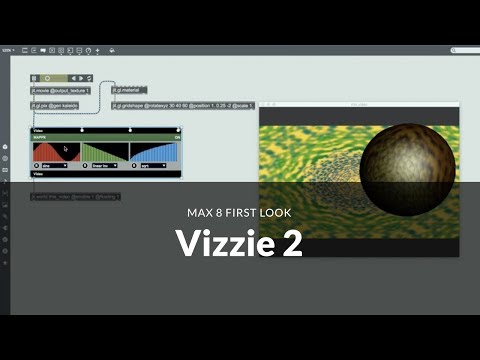
Maybe Vizzie 2 made it unnecessary.
I will love to know what happened to v-module now...
So do you guys have any recommendations for a decent vj app for iOS? Just mixing some video samples with video effects on top.
TouchViZ works well and can be controlled by MIDI or OSC. You can import your own videos and has a wide variety of effect modes with adjustable parameters.
@YannisHatzi Check out the Glitch Clip discussion in this forum.
Thank you guys! I will check them out!
I own TouchViZ and here's a little warning for anyone thinking he'll be able to fully control TouchViZ via MIDI: Please read this table carefully. When I purchased the app three years ago, I hoped for updated MIDI control but it just didn't happen.
https://hexler.net/docs/touchviz-midi-reference
For example, being able to control the video clip position via MIDI CC is one of the essential controls for doing rhythmic video scrubbing. TouchViZ can't do that. It can send but not receive.
For the more advanced graphical stuff and because of GPU power requirements, I would always use a desktop machine with much more sophisticated solutions available.
Nonetheless I'm still interested in such apps on iPad if they have better MIDI control than TouchViZ.
I found the Takete developer super helpful and friendly. Do you have a link to the arrogant conduct and/or can you elucidate please?
Just to be clear, you can use MIDI to control a wide range of the effect controls in TouchViZ even though clip position isn’t one of them (clip speed is). Even though it doesn’t do what you want, others might find it suitable for their needs.
That's why I linked to the MIDI control reference so everyone can read and judge for themselves.
Takete 2.0 now in app store
Yeah it's a shame about no midi control of the clip positions, I asked for it too. What's worse though I think is the lack of trimming of in/out points of the clips, this is even more important imo as it means you have to trim your edits in another app. Still a good AV sketch app for the price though, but I wouldn't use it live personally.
Bumping this because I’m a big fan-
Also for those having difficulty with importing files from camera roll, the developer is putting out a fix shortly. Meanwhile move your video from camera roll into iCloud Files storage and import from there
At $45 it's a bit steep given the reported "holes" in feature set. That is, I'd expect all pro level features included for $45 on iOS. I'm conflicted on this because I believe we need to support devs and pay a fair price. Given that this app doesn't nail the use case or functionality that I'm seeking I am struggling to pull the trigger...
I get it, you’d have to want to do the kind of performance it’s made for. Is very much it’s own thing, and as that it’s actually pretty hole-free...
What’s the best way to contact the developer? I tried emailing but it didn’t seem to want to send
jonathan.papert(at)refinedstochastic.com
I reported the import issue and he hit me up within a days time. The hot fix was live in 2 days...
Awesome thanks! He got back to me pretty quick and a fix is coming
Cool
He said he’s glad to get the feedback
where does the video content come from? is there a directory of clips to load or can you import pre-made footage?
There’s some premade clips that come with it but you can import clips from your camera roll or the files app as well