Loopy Pro: Create music, your way.
What is Loopy Pro? — Loopy Pro is a powerful, flexible, and intuitive live looper, sampler, clip launcher and DAW for iPhone and iPad. At its core, it allows you to record and layer sounds in real-time to create complex musical arrangements. But it doesn’t stop there—Loopy Pro offers advanced tools to customize your workflow, build dynamic performance setups, and create a seamless connection between instruments, effects, and external gear.
Use it for live looping, sequencing, arranging, mixing, and much more. Whether you're a live performer, a producer, or just experimenting with sound, Loopy Pro helps you take control of your creative process.
Download on the App StoreLoopy Pro is your all-in-one musical toolkit. Try it for free today.
Rozeta LFO > AUM channel insert fx?
![[Deleted User]](https://images.v-cdn.net/banned_large.png)
The user and all related content has been deleted.
Comments
Try this:
AUM > MIDI CTRL > select CHAN with Shaper FX > choose parameter and CC # > open Rozeta LFO and configure with same CC #.
Then AUM > MIDI ROUTE > route Rozeta LFO to MIDI Control.
Load Shaper as an AU effect. Connect Rozeta LFO to Midi Control in the AUM midi matrix. Open the Midi Control section for the channel you have Shaper loaded on.. you should find all of the Shaper parameters listed. Connect the parameters to Rozeta LFO by setting the correct Midi channel and CC#.
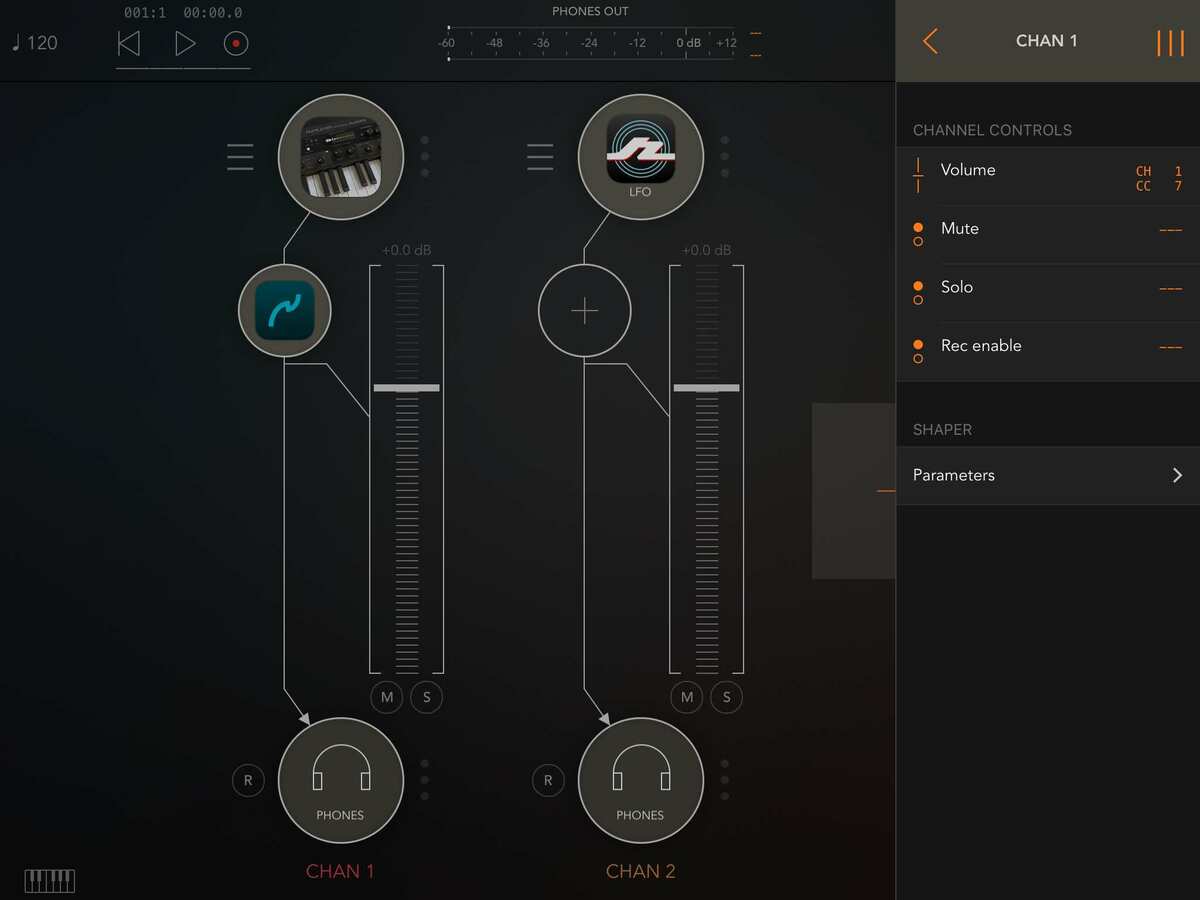
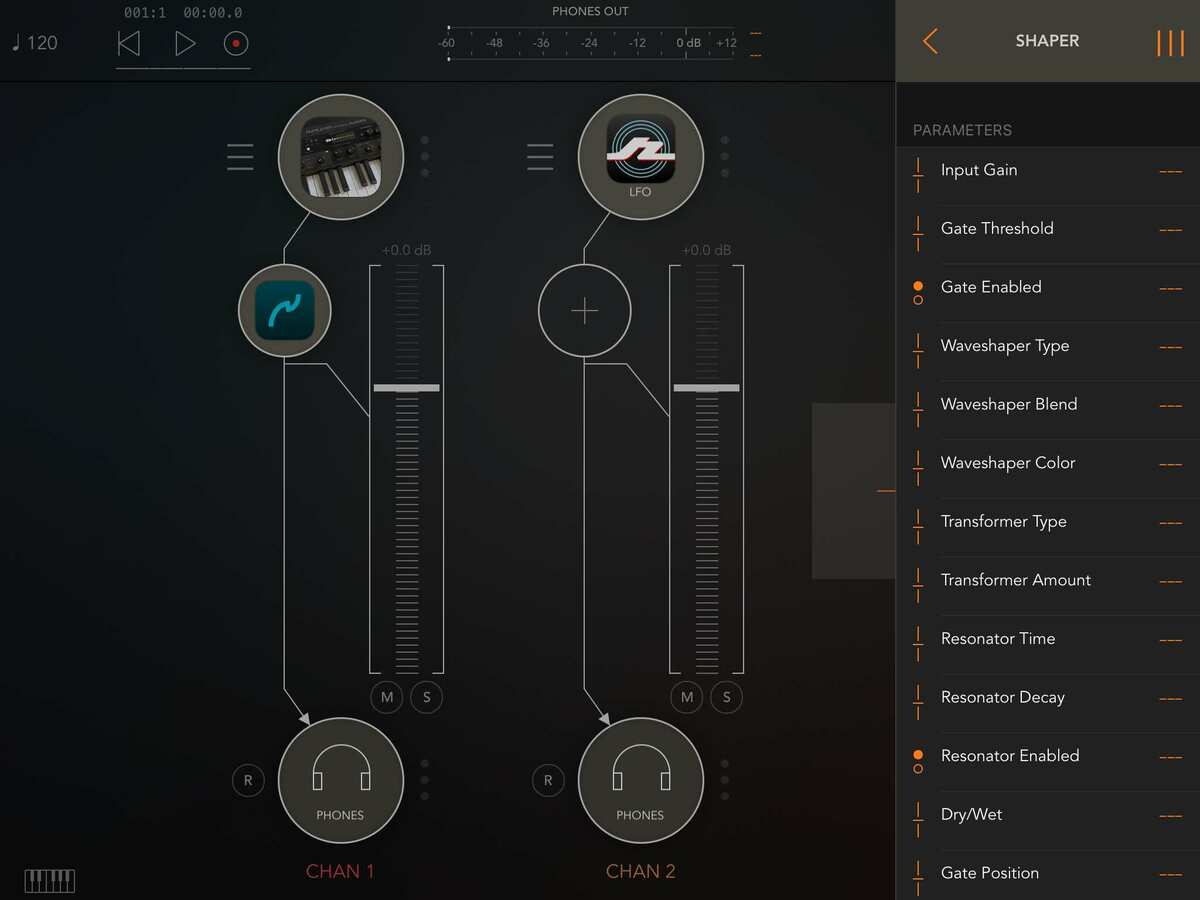
Your welcome. Try to use the AU version to get to the parameters in this way for most AU plugins. The IAA version of Shaper had me scratching my head, trying to figure out how to route midi to it too. But the AU workflow in AUM is pretty consistent across all AU plugins.
If it's an AU, you can also click on the AUM channel label at the bottom of the channel, and access all the modulatable parameters from there. That's usually how I wind up doing it.