Loopy Pro: Create music, your way.
What is Loopy Pro? — Loopy Pro is a powerful, flexible, and intuitive live looper, sampler, clip launcher and DAW for iPhone and iPad. At its core, it allows you to record and layer sounds in real-time to create complex musical arrangements. But it doesn’t stop there—Loopy Pro offers advanced tools to customize your workflow, build dynamic performance setups, and create a seamless connection between instruments, effects, and external gear.
Use it for live looping, sequencing, arranging, mixing, and much more. Whether you're a live performer, a producer, or just experimenting with sound, Loopy Pro helps you take control of your creative process.
Download on the App StoreLoopy Pro is your all-in-one musical toolkit. Try it for free today.
Help - Sync issues AUM/DM1/Patterning

Hi all,
I have been getting very frustrated for last few weeks with clock sync issues using above apps. Using DM1 & Patterning as IAA’s in AUM. Using AUM clock & transport controls.
After about 4 mins the two are drifting slightly out of sync which gets worse as time goes on. I have tried changing various settings in AUM and Patterning in regards to clock / sync with no joy (nothing to change in this regard in DM1 when used as IAA).
Anyone got any ideas or able to replicate / fix this issue?
Many thanks in advance.
Comments
I’ve been struggling with this issue as well. All my other apps appear to get the clock right, but DM1 reliably drift out of time. I recorded a screen cap of the issue in AUM. I’ve checked that my settings on DM1 are “Receives notes from IAA - Notes On” and “Receives tempo from IAA - Tempo On”. So I believe everything should be working. I’m starting to suspect there is a bug in DM1, but would love to hear if other people are getting it to sync reliably.
Unable to post video directly, so here it is on my youtube: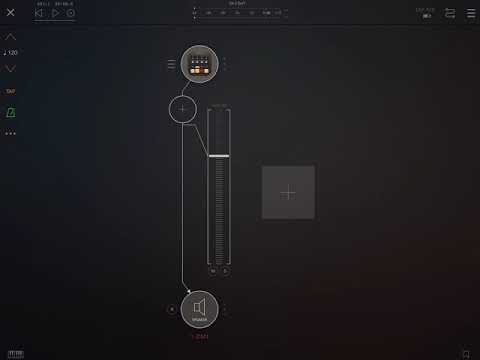
Spoke with the developer who is now aware of the issue. This is likely due to IAA changes made in iOS 13. Hopefully not too long before the issue is resolved and a fix is pushed out.
Check your Sample rate in AUM.
If it isn’t set to 44.1, tempo sync will be off with DM1.
If my sampler rate is set to 48, DM1 sounds like it is playing slower than AUM metronome, but at 44.1 it sounds right on.
Good suggestion @CracklePot , I just took a look and saw that the AUM sample rate is set to 48 kHz. However when I go to switch it to 44.1 kHz I get a message from AUM: "Could not set sample rate, Either the hardware does not support the selected sample rate, or another application is currently controlling it."
I did a hard reset of my iPad Pro to clear all applications and get to a fresh start but I still encountered this message. I'll have to continue to look into it.
IPad pros and most iOS devices made in the last few years (other than iPad gen 6) run at 48k unless an audio interface or certain headphones are connected. Many apps restrict the sample rate to the hardware sample rate.
I have an Air2. I can only change it if I have no apps running, then only open AUM and change the sample rate immediately. It only lets me change it once as well. If I try to change it back, I get the same error message you get. If I close AUM and re-open it, I can change it back, but only get to change it once at the beginning of the session.
Since you have a Pro, you may have to use a USB audio device to change the sample rate. People have been reporting problems with newer devices being locked at “default 48kHz” and having issues with various music apps. There should be a lot of info about this issue out there. If not, just ask about it specifically on this forum. I see people mention the issue all the time.
Thanks @CracklePot and @espiegel123 for the info and suggestions.
I attempted to launch AUM fresh and set the sample rate to 44.1kHz immediately but no luck. Upon fresh launch, AUM appears to be set for 44.1 kHz but it also display 48 kHz in the UI. I have a screenshot below.

I also attempted this same process with the usb-c to 3.5mm adapter as I've read that sometimes seems to allow you to actually select 44.1 kHz. But no luck, still unable to switch.
I figure this is some transition pains with iOS 13 and the pro hardware. Hopefully the devs will be able to sort a fix out at some point.
Things that seem to work for me currently at 48 kHz with AUM:
Relevant thread discussing being locking 48 kHz on certain iPad devices - https://forum.audiob.us/discussion/35440/is-new-10-2-ipad-stuck-at-48-khz#latest