Loopy Pro: Create music, your way.
What is Loopy Pro? — Loopy Pro is a powerful, flexible, and intuitive live looper, sampler, clip launcher and DAW for iPhone and iPad. At its core, it allows you to record and layer sounds in real-time to create complex musical arrangements. But it doesn’t stop there—Loopy Pro offers advanced tools to customize your workflow, build dynamic performance setups, and create a seamless connection between instruments, effects, and external gear.
Use it for live looping, sequencing, arranging, mixing, and much more. Whether you're a live performer, a producer, or just experimenting with sound, Loopy Pro helps you take control of your creative process.
Download on the App StoreLoopy Pro is your all-in-one musical toolkit. Try it for free today.
Fugue Machine AU Demo — 4 instances hosted in AUM, controlling Prophet 08, Ob-6, and Minitaur

Posted this in the composition thread, but it's more of a demo.
Here's the video:
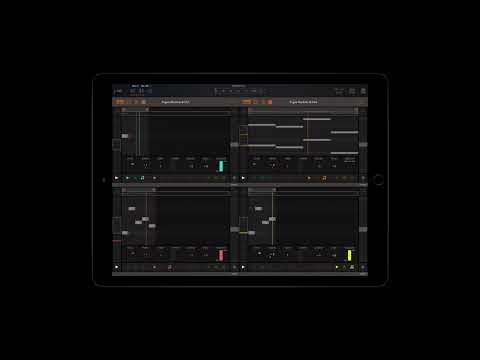
Setup:
- Top left sending to an 808 kick.
- Bottom left to a Minitaur.
- Top right to a Prophet 08.
- Bottom right to an OB-6.
- Everything fed into Space and TimeFactor and mixed in a QU.
Comments
Off topic request here, @Alexandernaut any chance you could add a way to make presets made in the main app accessible in the AU?
I saved a preset in the main app, tried to use it in the AU in AUM and only saw the factory presets in the AUM window menu (upper left) with no preset menu in FM like the main app menu (upper right).
Maybe you could simply add the presets menu in the main app to the AU?
Tell us how you connect it all. The Mio?
Beautiful my good man. Beautiful. 👊🏼™️
And vice versa.
Reason a common preset save section is useful is because sometimes certain set ups don't work for whatever reason, and it would suck to be working on a preset for a long time only to realize you're going to have to switch to IAA from AU (or vice versa).
@e121
In the main app, swipe right on a preset, and press copy.
In the AU, at the bottom of the ... menu, select paste.
This puts the notes in the player, but use AUM preset save to save it. If you use the AU in another host, you have to copy/paste/save again in that host.
You can copy/paste back to the main app from the AU, too. Just reverse the order. Once you hit copy in the AU, paste will become available when you swipe right on a pattern slot in the main app.
Thanks @CracklePot and yeah @e121, that's the way to do it for now. I figured that's a pretty good solution to start with, but perhaps I'll consider a more global solution... 🤔
yeah man! The mio10. Absolutely love that thing.
More specifically, the iPad is simply connected to the mio10 directly, and all the ports show up in AUM with custom names.
Here's a screenshot of the MIDI routing:

thank you thank you 😌
Missed that, thank you.
Am I missing something? I thought these were the presets from the Standalone?
I think they meant the user presets from the standalone. So for the patterns that you make to show up in the au, rn the only way is via copy/paste.