Loopy Pro: Create music, your way.

What is Loopy Pro?Loopy Pro is a powerful, flexible, and intuitive live looper, sampler, clip launcher and DAW for iPhone and iPad. At its core, it allows you to record and layer sounds in real-time to create complex musical arrangements. But it doesn’t stop there—Loopy Pro offers advanced tools to customize your workflow, build dynamic performance setups, and create a seamless connection between instruments, effects, and external gear.

Use it for live looping, sequencing, arranging, mixing, and much more. Whether you're a live performer, a producer, or just experimenting with sound, Loopy Pro helps you take control of your creative process.

Download on the App Store

Loopy Pro is your all-in-one musical toolkit. Try it for free today.

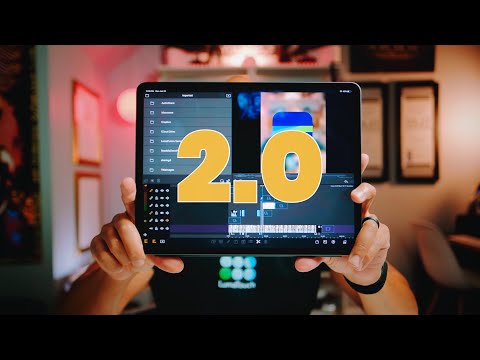
Lumafusion 2 update

2»

Comments

  • The $14.99 price is because they wanted to do a 50% off sale in their 2nd largest market Korea, but they had to make it global. So, as soon as the 50% off sale is over the price will be $29.99.

    I’m not certain when the sale is over but I think it’s about a week.

    So, if you want it... best grab it now. :)

  • Just got it for $20.99 Canadian, good time to upgrade from iMovie.

  • From their site (press release part) :
    https://luma-touch.com/luma-touch-launches-highly-anticipated-upgrade/

    « Customers purchasing LumaFusion before June 27, 2019 will receive a 50% discounted price of $14.99 USD. »

    @skiphunt said:
    The $14.99 price is because they wanted to do a 50% off sale in their 2nd largest market Korea, but they had to make it global. So, as soon as the 50% off sale is over the price will be $29.99.

    I’m not certain when the sale is over but I think it’s about a week.

    So, if you want it... best grab it now. :)

  • edited June 2019

    @nic_b_nice said:
    Updated and now it crashes upon opening. Hard reboot of my iPad and still nothing. I don’t want to delete and reinstall the app because I have projects I don’t believe were ever backed up. So, yay I’m screwed.

    I know this isn’t the most recent post and you’v probably solved it, but for anyone else, I just had this issue. On iOS 11. I went into files and the Lumafusion folder and moved the offending project and it now opens up fine.

  • Henny Tha Bizness
    LUMAFUSION 2.0 - THE BEST GETS SO MUCH BETTER!! 👍🏼👍🏼👍🏼

  • Whoot! Blending modes arrived!

  • @royor said:
    Henny Tha Bizness
    LUMAFUSION 2.0 - THE BEST GETS SO MUCH BETTER!! 👍🏼👍🏼👍🏼

    This is an old video

  • edited October 2019

    @MobileMusic said:

    @royor said:
    Henny Tha Bizness
    LUMAFUSION 2.0 - THE BEST GETS SO MUCH BETTER!! 👍🏼👍🏼👍🏼

    This is an old video

    Yes, it was posted in June on YT and in this thread.

    But Lumafusion did just get a Blending Modes update a few days ago, so whoot!

  • @AudioGus said:

    @MobileMusic said:

    @royor said:
    Henny Tha Bizness
    LUMAFUSION 2.0 - THE BEST GETS SO MUCH BETTER!! 👍🏼👍🏼👍🏼

    This is an old video

    Yes, it was posted in June on YT and in this thread.

    But Lumafusion did just get a Blending Modes update a few days ago, so whoot!

    Yeah, I thought this video is about the new updates

  • Is it just me?! I find these icons in the GUI so similar and it makes it so hard for me to use it effectively... I use it not every day so I am in need of intuitive icons and I have really problems to Find the stuff I want to do. Pretty similar to GarageBand: I know this feature is there, I know the GUI of that particular screen but I loose my way there, time and time again :/

  • edited October 2019
    The user and all related content has been deleted.
  • @tja said:

    @david_2017 said:
    Is it just me?! I find these icons in the GUI so similar and it makes it so hard for me to use it effectively... I use it not every day so I am in need of intuitive icons and I have really problems to Find the stuff I want to do. Pretty similar to GarageBand: I know this feature is there, I know the GUI of that particular screen but I loose my way there, time and time again :/

    Graphic designers should not make the decisions.
    Icons need to be simple, as similar as possible to established standards and need to work intuitively.
    In ANY way, an accompanying text is appropriate!!!
    Not only JUST the graphic.

    Please no one get me wrong here. Luma is a friggin powerhouse of video editing and I am so so happy I have it.
    But I wish it was a bit more intuitive

  • I love it, I just finished up a video on it last night. I really like the workflow for it

  • edited November 2019

    I was jut thinking… I wonder how well Lumafusion performs as strictly and audio editor?

    It handles lots of separate tracks. Up to 12 I think. Has some basic effects built-in. Easy to adjust length, split, add a crossfade transition, fade in/out, easy to move things around, solo/mute each track, AND you have keyframing for each audio clip too!

    I haven’t tried yet, but it seems like audio compositing use alone could be as good (if not better) than anything else out there.

    Had been playing with Auditor over the last couple of days and was wishing Auditor had the keyframing for levels, etc. that Lumafusion has. Then, I remembered that if you don't add video... you can actualy manage 12 layers of audio-only in LF.

  • @skiphunt said:
    I was jut thinking… I wonder how well Lumafusion performs as strictly and audio editor?

    It handles lots of separate tracks. Up to 12 I think. Has some basic effects built-in. Easy to adjust length, split, add a crossfade transition, fade in/out, easy to move things around, solo/mute each track, AND you have keyframing for each audio clip too!

    I haven’t tried yet, but it seems like audio compositing use alone could be as good (if not better) than anything else out there.

    Had been playing with Auditor over the last couple of days and was wishing Auditor had the keyframing for levels, etc. that Lumafusion has. Then, I remembered that if you don't add video... you can actualy manage 12 layers of audio-only in LF.

    As a standalone audio editor, LF is not very helpful. It only lets you make edits at frame boundaries. That isn't enough granularity to be useful in most cases and would restrict you to tempi that have an integer relation to the frame rate.

  • edited November 2019

    @espiegel123 said:

    @skiphunt said:
    I was jut thinking… I wonder how well Lumafusion performs as strictly and audio editor?

    It handles lots of separate tracks. Up to 12 I think. Has some basic effects built-in. Easy to adjust length, split, add a crossfade transition, fade in/out, easy to move things around, solo/mute each track, AND you have keyframing for each audio clip too!

    I haven’t tried yet, but it seems like audio compositing use alone could be as good (if not better) than anything else out there.

    Had been playing with Auditor over the last couple of days and was wishing Auditor had the keyframing for levels, etc. that Lumafusion has. Then, I remembered that if you don't add video... you can actualy manage 12 layers of audio-only in LF.

    As a standalone audio editor, LF is not very helpful. It only lets you make edits at frame boundaries. That isn't enough granularity to be useful in most cases and would restrict you to tempi that have an integer relation to the frame rate.

    I haven't tried to go that fine yet. But, for taking some audio clips on multiple layers... cropping them... adjusting layer and clip levels.... crossfades w/fade in/out, etc. it seems very useful to me. Not as granular control as Auditor I'm sure... but for general compositing... along with the keyframing of not only levels on each clip, but for the 9 or so builtin effects as well... it look like it could be very useful. At least to me.

    And, I think they could make just a few changes that could make it an audio compositing contender in it's own right.

    I think I'll try a workflow of exact trimming of my clips... then export them out to Lumafusion for general compositing with some keyframed levels and keyframed built-in effects.

    At that point... I might as well just use Auria Pro I reckon.

  • @skiphunt said:

    @espiegel123 said:

    @skiphunt said:
    I was jut thinking… I wonder how well Lumafusion performs as strictly and audio editor?

    It handles lots of separate tracks. Up to 12 I think. Has some basic effects built-in. Easy to adjust length, split, add a crossfade transition, fade in/out, easy to move things around, solo/mute each track, AND you have keyframing for each audio clip too!

    I haven’t tried yet, but it seems like audio compositing use alone could be as good (if not better) than anything else out there.

    Had been playing with Auditor over the last couple of days and was wishing Auditor had the keyframing for levels, etc. that Lumafusion has. Then, I remembered that if you don't add video... you can actualy manage 12 layers of audio-only in LF.

    As a standalone audio editor, LF is not very helpful. It only lets you make edits at frame boundaries. That isn't enough granularity to be useful in most cases and would restrict you to tempi that have an integer relation to the frame rate.

    I haven't tried to go that fine yet. But, for taking some audio clips on multiple layers... cropping them... adjusting layer and clip levels.... crossfades w/fade in/out, etc. it seems very useful to me. Not as granular control as Auditor I'm sure... but for general compositing... along with the keyframing of not only levels on each clip, but for the 9 or so builtin effects as well... it look like it could be very useful. At least to me.

    And, I think they could make just a few changes that could make it an audio compositing contender in it's own right.

    I think I'll try a workflow of exact trimming of my clips... then export them out to Lumafusion for general compositing with some keyframed levels and keyframed built-in effects.

    At that point... I might as well just use Auria Pro I reckon.

    I think you aren't understanding. There is a frame level grid. You can't get clips to line up with beat divisions unless the tempo is such that your beat and measure divisions fall on frame boundaries.

  • The problem with Lumafusion and most other video editing apps
    is that they only permit editing at frame divisions such as
    25fps / 29.7fps / 30fps etc, etc and that's both audio and visuals.
    The only film/video program that I have ever come across
    that has subframe editing was and still is Vegas which
    can also be set to the tempo of the piece you work on.
    Snapping to film frames makes making music videos/films
    annoying to do especially when getting the audio to sync up.

    I haven't been able to do it yet on iOS but I'm looking
    at getting the video editor plugin for Auria Pro and
    seeing if I can do it that way.

    Still, Lumafusion as an audio editor???
    For basic mixing yes, for deep work???
    like @espiegel123 has said

    '...That isn't enough granularity to be useful in most cases and would restrict you to tempi that have an integer relation to the frame rate.

  • edited November 2019

    @espiegel123 said:

    @skiphunt said:

    @espiegel123 said:

    @skiphunt said:
    I was jut thinking… I wonder how well Lumafusion performs as strictly and audio editor?

    It handles lots of separate tracks. Up to 12 I think. Has some basic effects built-in. Easy to adjust length, split, add a crossfade transition, fade in/out, easy to move things around, solo/mute each track, AND you have keyframing for each audio clip too!

    I haven’t tried yet, but it seems like audio compositing use alone could be as good (if not better) than anything else out there.

    Had been playing with Auditor over the last couple of days and was wishing Auditor had the keyframing for levels, etc. that Lumafusion has. Then, I remembered that if you don't add video... you can actualy manage 12 layers of audio-only in LF.

    As a standalone audio editor, LF is not very helpful. It only lets you make edits at frame boundaries. That isn't enough granularity to be useful in most cases and would restrict you to tempi that have an integer relation to the frame rate.

    I haven't tried to go that fine yet. But, for taking some audio clips on multiple layers... cropping them... adjusting layer and clip levels.... crossfades w/fade in/out, etc. it seems very useful to me. Not as granular control as Auditor I'm sure... but for general compositing... along with the keyframing of not only levels on each clip, but for the 9 or so builtin effects as well... it look like it could be very useful. At least to me.

    And, I think they could make just a few changes that could make it an audio compositing contender in it's own right.

    I think I'll try a workflow of exact trimming of my clips... then export them out to Lumafusion for general compositing with some keyframed levels and keyframed built-in effects.

    At that point... I might as well just use Auria Pro I reckon.

    I think you aren't understanding. There is a frame level grid. You can't get clips to line up with beat divisions unless the tempo is such that your beat and measure divisions fall on frame boundaries.

    Yes, I get it... but I think that my use is different that yours. I'm wanting to composite and layer recordings. Mostly field recordings and maybe something "musical" layered in to.

    I'm NOT trying to edit anything on beat. But yeah, I can see how if you need to do that, being frame-based would be an issue. It doesn't apply to my use though.

  • edited November 2019

    @Gravitas said:
    The problem with Lumafusion and most other video editing apps
    is that they only permit editing at frame divisions such as
    25fps / 29.7fps / 30fps etc, etc and that's both audio and visuals.
    The only film/video program that I have ever come across
    that has subframe editing was and still is Vegas which
    can also be set to the tempo of the piece you work on.
    Snapping to film frames makes making music videos/films
    annoying to do especially when getting the audio to sync up.

    I haven't been able to do it yet on iOS but I'm looking
    at getting the video editor plugin for Auria Pro and
    seeing if I can do it that way.

    Still, Lumafusion as an audio editor???
    For basic mixing yes, for deep work???
    like @espiegel123 has said

    '...That isn't enough granularity to be useful in most cases and would restrict you to tempi that have an integer relation to the frame rate.

    the video plugin for Auria Pro works pretty well. The trick is to export low res from Lumafusion to use/load as your visual guide in Auria. Then export your audio back out into Lumafusion for final output.

    You don't really need hi res for reference and an HD reference video file in Auria will hit the cpu bigtime. The export of video/audio in Auria isn't great. That's why it's better to export your mix back out of Auria and into Lumafusion for output.

  • @skiphunt

    That's what I though, much like the early days of
    video editing and rendering proxies to get things done.

    Okay, video editing plugin for Auria Pro is next on the needed list.

  • Not that this is what anyone here is trying to do, but just out of tangential interest, here’s a thing:

    https://www.vjamm.com/support_av_bpm.php?lang=en.html

Sign In or Register to comment.