Loopy Pro: Create music, your way.
What is Loopy Pro? — Loopy Pro is a powerful, flexible, and intuitive live looper, sampler, clip launcher and DAW for iPhone and iPad. At its core, it allows you to record and layer sounds in real-time to create complex musical arrangements. But it doesn’t stop there—Loopy Pro offers advanced tools to customize your workflow, build dynamic performance setups, and create a seamless connection between instruments, effects, and external gear.
Use it for live looping, sequencing, arranging, mixing, and much more. Whether you're a live performer, a producer, or just experimenting with sound, Loopy Pro helps you take control of your creative process.
Download on the App StoreLoopy Pro is your all-in-one musical toolkit. Try it for free today.
Cubasis on IPhone 6s plus 🤣

I was able to do the installation but almost nothing works 😂😂

Comments
How did you do it?
Voodoo!
Might be usable using AirPlay and laser pointer on a big screen TV...
But seriously this just shows how insane the idea of running iPad apps on an iPhone as is as they are today...
Sure the target device may have enough plenty of pixels for 1:1 representation of the app but that doesn't mean it's usable
I prefer Ableton Live over MS Remote Desktop
You should join Team @LFS
😂😂 just a bit of googling around
Real talk.
Cubasis on iphone in my humble opinion makes no sense.
i Have no coding experience nor do i know how to code .wish i did 😂😂😂
Lol. Ever just screenshot an app on the iPad and open the image on the iPhone to get a taste of the shitty experience?
That's why iPhone needs keyboard and mouse support.
On the train, though?
I guess if iPhone is all you have, but if you have an iPad too it seems better suited to those sort of bulky input devices.
Ahh I'm just being an idiot. I am in the 'mouse and keyboard will hurt touch' camp. Not to say I am right but it is my kneejerk fearling...
Now that you mention it, I feel that same unease.
This is not a screenshot, it’s actually Cubasis on my iPhone.
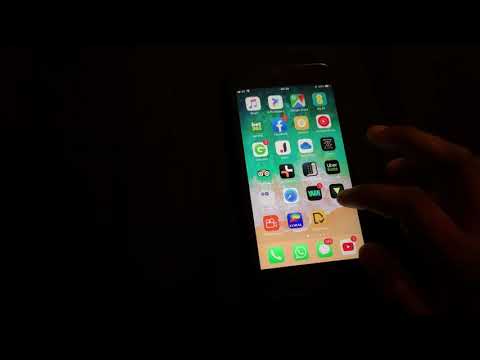
Here you go, in this video you can see me scrolling through my iPhone apps and showing the Cubasis app while I launch it.
I didn’t mean to imply that is what you did.
I just have done it a few times with my iPod Touch just to amuse myself, and was wondering if anybody else had.
Ops my Bad.😊
Nah, my bad for being vague. 😊
I actually thought your video was cool. I had no idea that was possible.
How did you install it? Are you a beta tester for the super-secret iPhone version with access to TestFlight?
I don'r believe we will see cubasis anytime soon on iphone and as a beta tester he would sign a NDA and not allowed to talk about.
So i assume it's jailbroken device and pirated app.
Apologize if i'm wrong
This MacWorld article explains one method to install iPad apps on the iPhone using a jailbroken iPhone.
https://www.macworld.co.uk/how-to/ipad/will-iphone-apps-games-run-ipad-how-play-run-universal-3492378/
Scroll down to the bottom of the article for iPad app to iPhone instructions.
To sum it up it's probably not worth the effort since very few of the iPad apps will actually function correctly if at all on an iPhone.
And what does the boys from Steinberg have to say? their silence is deafening..
Sure would like to have iBassist on my iPhone...😎
And, can you do a port from windows 10 to iOS.. sure would love to have FlStudio up in here.. since you’ve got the voodoo..
A😂😂😂🤣 I’m not a hacker nor nothing like that.
I’m not a beta tester.
I have an issue with Cubasis and LayR (AU) stuttering when moving the mixer fades or when editing notes.
LayR works fine in other daws just not in Cubasis.
This issue was not present until version 2 upwards.
I told Lars about it and they couldn’t reproduce the issue but the developer of LayR could reproduce the issue.
So being curious and wanting to show Lars that the issue was not present in some Early versions, I decided to search around and come across a site that has lots of cracked apps
I’m not into Piracy.
I do own Cubasis legally.
I was able to download version 1.99 but unfortunately couldn’t install it because I have and iPad Pro 11, that version doesn’t support my iPads chip.
I then decided to download the 2.3.1 and was able to install it but the stuttering issue was still there.
Out of Curiosity, I installed the app on my iPhone 6 s plus just to see what it would look like.
I’ve also installed Auria pro 😂😂🤣 and to my surprise, in Auria you can easily tap, zoom in and out, etc, the only issue is that the app doesn’t fit the screen and some icons are hidden, I bet if I could get it to fit the screen, it would work 😂😂
Again I repeat.
I’m not a hacker, and not into Piracy.
I’m just a curious guy
You don’t need a jailbroken device for this.