Loopy Pro: Create music, your way.

What is Loopy Pro?Loopy Pro is a powerful, flexible, and intuitive live looper, sampler, clip launcher and DAW for iPhone and iPad. At its core, it allows you to record and layer sounds in real-time to create complex musical arrangements. But it doesn’t stop there—Loopy Pro offers advanced tools to customize your workflow, build dynamic performance setups, and create a seamless connection between instruments, effects, and external gear.

Use it for live looping, sequencing, arranging, mixing, and much more. Whether you're a live performer, a producer, or just experimenting with sound, Loopy Pro helps you take control of your creative process.

Download on the App Store

Loopy Pro is your all-in-one musical toolkit. Try it for free today.

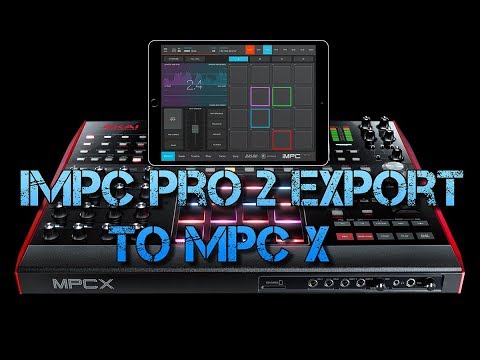
iMPC Pro 2 export to MPC X Live or MPC Software

In this video I show you how you can make a beat on your iPad using iMPC Pro 2 and export straight to your MPC X Live or MPC software.
Comments

  • Has anyone tried this?

  • It's broken with chop samples for me. The slices are not saved correctly and mute groups are not translated.

  • When I tried it some time ago , all envelopes where ignored and pitch ,when exporting.

  • @Korakios said:
    When I tried it some time ago , all envelopes where ignored and pitch ,when exporting.

    Same here.

  • @Shazamm said:
    Has anyone tried this?

    Yeah I mainly use it if I’m not using audio units with IMpc pro if I’m going to export to the desktop version . I really wish Impc Pro had key groups and an auto sampler like the desktop, so we can make patches out of Auv3 synths and play them in songs then export them to the desktop. And also wish it was 24 bit. I’d pay for those features via iap and Impc would be in my top 5. I also wish it was a little more stable, it does crash more than other DAW’s for me personally. I do like and appreciate being able to send tracks to my desktop/hardware but for the most part I just use my MPC.

  • @hansjbs said:

    @Korakios said:
    When I tried it some time ago , all envelopes where ignored and pitch ,when exporting.

    Same here.

    I haven’t even tried all that I just make a scratch beat and do all my effects mutes in the MPC X. For my workflow midi nots and kits was all I really needed. That sucks though

  • edited October 2019

    @Strizbiz said:

    @Shazamm said:
    Has anyone tried this?

    Yeah I mainly use it if I’m not using audio units with IMpc pro if I’m going to export to the desktop version . I really wish Impc Pro had key groups and an auto sampler like the desktop, so we can make patches out of Auv3 synths and play them in songs then export them to the desktop. And also wish it was 24 bit. I’d pay for those features via iap and Impc would be in my top 5. I also wish it was a little more stable, it does crash more than other DAW’s for me personally. I do like and appreciate being able to send tracks to my desktop/hardware but for the most part I just use my MPC.

    When you export as stems it bounces AUv3’s to audio files if that helps any. My MPC X stays in the studio I might buy a live but iMPC pro app seems to do what I need so far. I also never use song mode Auria Pro makes it so much easier for me to create songs.

  • edited October 2019

    @hansjbs said:
    It's broken with chop samples for me. The slices are not saved correctly and mute groups are not translated.

    I just tried that and it worked fine not sure what happened. Speaking on the chops

  • @Shazamm said:

    @hansjbs said:
    It's broken with chop samples for me. The slices are not saved correctly and mute groups are not translated.

    I just tried that and it worked fine not sure what happened. Speaking on the chops

    Maybe I’ll give it another try last I tried pitch, slices, mute groups, envelopes were all messed up.

  • @Shazamm said:

    @Strizbiz said:

    @Shazamm said:
    Has anyone tried this?

    Yeah I mainly use it if I’m not using audio units with IMpc pro if I’m going to export to the desktop version . I really wish Impc Pro had key groups and an auto sampler like the desktop, so we can make patches out of Auv3 synths and play them in songs then export them to the desktop. And also wish it was 24 bit. I’d pay for those features via iap and Impc would be in my top 5. I also wish it was a little more stable, it does crash more than other DAW’s for me personally. I do like and appreciate being able to send tracks to my desktop/hardware but for the most part I just use my MPC.

    When you export as stems it bounces AUv3’s to audio files if that helps any. My MPC X stays in the studio I might buy a live but iMPC pro app seems to do what I need so far. I also never use song mode Auria Pro makes it so much easier for me to create songs.

    Yeah, I’m aware, but it still exports 16bit stems , I know that doesn’t matter for a lot of people but I prefer 24bit and if I’m exporting stems from an app It usually ends up in Logic. My setup is pretty portable, I have the MPC Studio Black and an MpK Mini2 . The truth is IMPC Pro 2 just doesn’t do it for me right now, I would say my top 5 IOS DAW’s are Cubasis, BM3, NS2, GarageBand and now Roland ZenBeats, not in any particular order.
    As far as Desktop goes MPC is definitely my main Daw and I love the Studio Black because it’s portable and coming from being an MPC 2000 user for like 10 years I feel more at home with the old school MPC workflow of it, but I see getting an MPC Live at the end of the year maybe, my brother has the MPC Touch, and I like the workflow , but I still like that old school MPC led on the studio, lol.

  • @Strizbiz said:

    @Shazamm said:

    @Strizbiz said:

    @Shazamm said:
    Has anyone tried this?

    Yeah I mainly use it if I’m not using audio units with IMpc pro if I’m going to export to the desktop version . I really wish Impc Pro had key groups and an auto sampler like the desktop, so we can make patches out of Auv3 synths and play them in songs then export them to the desktop. And also wish it was 24 bit. I’d pay for those features via iap and Impc would be in my top 5. I also wish it was a little more stable, it does crash more than other DAW’s for me personally. I do like and appreciate being able to send tracks to my desktop/hardware but for the most part I just use my MPC.

    When you export as stems it bounces AUv3’s to audio files if that helps any. My MPC X stays in the studio I might buy a live but iMPC pro app seems to do what I need so far. I also never use song mode Auria Pro makes it so much easier for me to create songs.

    Yeah, I’m aware, but it still exports 16bit stems , I know that doesn’t matter for a lot of people but I prefer 24bit and if I’m exporting stems from an app It usually ends up in Logic. My setup is pretty portable, I have the MPC Studio Black and an MpK Mini2 . The truth is IMPC Pro 2 just doesn’t do it for me right now, I would say my top 5 IOS DAW’s are Cubasis, BM3, NS2, GarageBand and now Roland ZenBeats, not in any particular order.
    As far as Desktop goes MPC is definitely my main Daw and I love the Studio Black because it’s portable and coming from being an MPC 2000 user for like 10 years I feel more at home with the old school MPC workflow of it, but I see getting an MPC Live at the end of the year maybe, my brother has the MPC Touch, and I like the workflow , but I still like that old school MPC led on the studio, lol.
    ![](https://forum.audiob.us/uploads/editor/iw/

    Oh yeah that’s true

  • @hansjbs said:

    @Shazamm said:

    @hansjbs said:
    It's broken with chop samples for me. The slices are not saved correctly and mute groups are not translated.

    I just tried that and it worked fine not sure what happened. Speaking on the chops

    Maybe I’ll give it another try last I tried pitch, slices, mute groups, envelopes were all messed up.

    Nice let me know how it goes for you

  • There are a few things I dont like When you export to MPC desktop it doesnt name the song properly it just calls it MPC Export and then you have to rename it in Files app

Sign In or Register to comment.