Loopy Pro: Create music, your way.
What is Loopy Pro? — Loopy Pro is a powerful, flexible, and intuitive live looper, sampler, clip launcher and DAW for iPhone and iPad. At its core, it allows you to record and layer sounds in real-time to create complex musical arrangements. But it doesn’t stop there—Loopy Pro offers advanced tools to customize your workflow, build dynamic performance setups, and create a seamless connection between instruments, effects, and external gear.
Use it for live looping, sequencing, arranging, mixing, and much more. Whether you're a live performer, a producer, or just experimenting with sound, Loopy Pro helps you take control of your creative process.
Download on the App StoreLoopy Pro is your all-in-one musical toolkit. Try it for free today.
Setup for Behringer FCB1010 into Tonestack

Hi peeps, so here is my situation. Recently bought a Behringer FCB1010 along with the Yamaha MD-BT01 midi to bluetooth converter to replace my Positive Grid BT4.
I’ve been struggling for about two weeks now to setup the FCB1010 and I’ve finally admitted defeat.
So if there is anyone out there that is successfully using this setup please help!!! Can you please run me through it step by step.
Here is the rig rundown. Guitar-iTrack Solo- iPad- Tonestack (running Bias Amp in Tonestack).
First problem I’m encountering: I got the Yamaha MD-BT01 app on the iPad and it shows up in the Bluetooth MIDI settings of Tonestack, and even after it says that its connected in Tonestack the red light is still on on MD-BT01, it turns green whenever I press a foot-switch on the FCB1010. Is this normal? Does that mean the MD-BT01 is working properly?
Secondly: I want to be able to switch different effects on and off and I want to be able to use the expression pedals for volume swells/wha/octave/ext within a Tonestack rig that I have built. But configuring it with the FCB1010 has been a challenge. I’ve tried programming a switch to the same CC value as the pedals on Tonestack with no success. Please help!!! Here I’ll need a detailed explaination please.
Comments
Hi Peep,
The Yamaha app is only for updating the firmware. Just make the bluetooth connection from audiobus or aum.
Secret Base Design has an app for programming the fb1010.
Hope that helps :-)
For programming the FCB1010 I use the FCB1010 Control Center; see: https://www.fcb1010.uno/ . It's made for FCB1010 with UNO-chip, but works also for the 'original' FCB1010. I don't know about the Yamaha MD-BT01, but for me the FCB1010 (after programming the switches and pedals) does exactly what you also want to do, but I've connected the FCB1010 with DIN-midicables (IN and OUT) to my audiointerface.
@SonicScalpel
Not used either the hardware or app in a while but I do remember that the app made things a whole world easier.
https://apps.apple.com/gb/app/fcbff-your-guitar-midi-foot-controllers-best-friend/id896310133
Maybe try using MidiLearn in ToneStack to make the connections.
It is way easier than manually setting up all those connections.
Is it possible to program without a Midi interface/cables?
Yes, you can; but it's rather difficult; see:
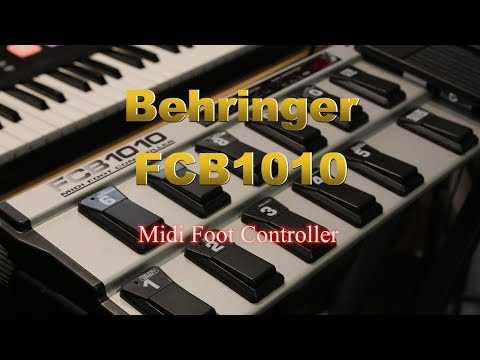
But you have the yamaha bt midi interface. That should work without cables. Maybe you have to make the connection first with another program that does the bt midi connection.
Hi folks. I'm making some progress. I've been able to get my FCB1010 to communicate via bluetooth to iPad into Tonestack. My aim is not to be able to switch between presents within Tonestack, I want to be able to switch different FX units/pedals on/off within a particular preset. Here are a few problems I'm encountering.
I'm programming the CC values of a switch on the FCB1010 for example to 10, but when I hit the same switch in Midi Learn mode in Tonestack, it detects the switch but with a different CC value for example 26. Why would this be?
When in Learn mode in Tonestack only some of the switches register a CC value after hitting them. I'm having trouble figuring out how to use the FCB1010 to just switch FX units on/off within a preset in Tonestack. Do I need a Uno chip for this? If I enter for example present 01 and set all the different pedals to different CC values, how do I access these different switches to make them correspond to FX units in Tonestack?