Loopy Pro: Create music, your way.
What is Loopy Pro? — Loopy Pro is a powerful, flexible, and intuitive live looper, sampler, clip launcher and DAW for iPhone and iPad. At its core, it allows you to record and layer sounds in real-time to create complex musical arrangements. But it doesn’t stop there—Loopy Pro offers advanced tools to customize your workflow, build dynamic performance setups, and create a seamless connection between instruments, effects, and external gear.
Use it for live looping, sequencing, arranging, mixing, and much more. Whether you're a live performer, a producer, or just experimenting with sound, Loopy Pro helps you take control of your creative process.
Download on the App StoreLoopy Pro is your all-in-one musical toolkit. Try it for free today.
Use Geoshred as a MIDI source?

I'm trying to create MIDI -> AU3 setups in Audiobus, using Geoshred as a MIDI source.
Has anyone gotten this to work reliably ?
Very hit-and-miss here. DRC works fine straight away, but so far this is the only synth I can get to work. Others like Moog Model D don't seem to work at all, no matter what I do poking around in the settings. Moog Model D works just fine if I connect it directly outside Audiobus.
Comments
For synths that aren't working have you made sure they have background audio turned on for those synths that have such a switch?
Yeah I did! Thanks @espiegel123
Still stumped...
It works fine from me from GeoShred to Model D. Do you have both Model D and GeoShred’s MIDI input and output set correctly?
How about post screen shots of all the related configuration screens. Perhaps, you forgot to set one of the routings. I tried with iOS 12.3.1. In GeoShred, did you set both choose a configuration from the list AND tap in the MIDI icon to choose the MIDI Out destination? And make sure to set up the MIDI In and Out in Moog Model D.
@espiegel123 Yay got it working! Thanks for your persistence.
Seems like using 'virtual midi in' rather than 'geoshred' is the key.
Unfortunately I've now realised that audiobus can't save geoshred states! So I'm kind of back to square one in terms of creating my live setup 🤷♂️
IAA or AU version?
@wim Not sure, but it's not listed as being able to save states on the audiobus site.
That applies to running as a standalone (IAA). Try running it as an AU which is done by loading the AU version in AUM or Audiobus or other host.
AUs usually do state saving.
@espiegel123 OK cool! I'll give this a go..
Thanks
Oh wow yeah this seems to do it! Could only test on my phone just now but I'll try it for real on iPad back home. Amazing! One step closer...
That should work. MIDI setup is different, but probably simpler than with the IAA/Core MIDI setup I think you were using. The AU version should state save. If it doesn't, then there's a bug to report to the developers.
We have lots of application notes on MIDI In/Out, AUv3 for how to setup things. The Moog Model D Video is here:
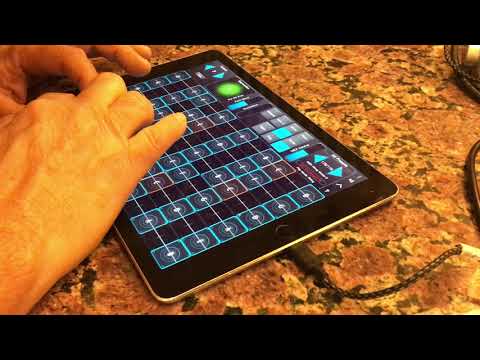
All the app notes can be found here. We answer questions at [email protected] :