Loopy Pro: Create music, your way.
What is Loopy Pro? — Loopy Pro is a powerful, flexible, and intuitive live looper, sampler, clip launcher and DAW for iPhone and iPad. At its core, it allows you to record and layer sounds in real-time to create complex musical arrangements. But it doesn’t stop there—Loopy Pro offers advanced tools to customize your workflow, build dynamic performance setups, and create a seamless connection between instruments, effects, and external gear.
Use it for live looping, sequencing, arranging, mixing, and much more. Whether you're a live performer, a producer, or just experimenting with sound, Loopy Pro helps you take control of your creative process.
Download on the App StoreLoopy Pro is your all-in-one musical toolkit. Try it for free today.
Question about using sends in NS2
![[Deleted User]](https://secure.gravatar.com/avatar/1bc91f2a0f21b928c443d575cb87199e/?default=https%3A%2F%2Fvanillicon.com%2F3380e293de739f5ca852c1e8a2e4f8a2_200.png&rating=g&size=200)
When should or shouldn't you send individual mixer tracks to the main mix? I notice the default set up and the included template with sends don't have sends routed from individual tracks to main mix. From my rudimentary knowledge of mixers I would think everything should be routed to the main mix unless I'm sending tracks to a bus to share effects before the main mix.
Comments
You don’t need to explicitly send, this can easily be done with groups. By default, tracks send audio to their parent track.
The squiggle in the first picture shows that tracks are grouped. The squiggle in the second picture shows that a track sends audio to its group parent. Hope this helps..
You don't use sends for sending track to main mix, unless you don't want to do it from some special reason :-)
Sends are used for two things:
There is simple example template in NS with two send tracks and 4 instrument tracks, each one routed to those send tracks... check it for better understanding of this concept..
How gets a given project one or more send channels?
just add another track (eventually without instrument - just plain empty track) and simply use it as send channel... you are no limited, you csn have as much send track as you device can handle...
in NS, every track can be send into any number of other tracks
you can read more abou send/return logic in NS here:
https://www.blipinteractive.co.uk/nanostudio2/user-manual/Mixer.html#track-sendreturns
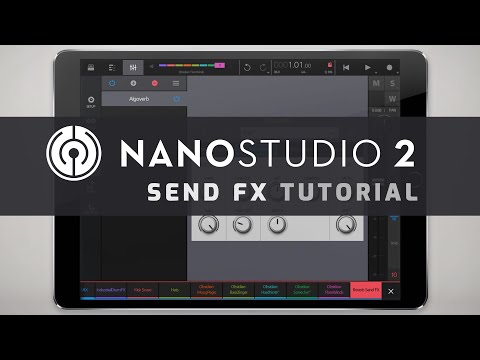
and in this tutorial:
👌🏾👍🏽
And the fun part is you can add a send-return relationship from both ends, either as a return or a send. That makes adding many returns or sends to/from the same channel a breeze. So, instead of going through 10 channels to add sends to the same reverb, just go to the reverb channel and add returns. No jumping around the mixer.
I use this tip all the time. Soooo handy.
Thanks. By default I don't get any audio on the master track. I'm setting up a master bus compressor and EQ so in that case I assume I should send tracks to master?
can you upload project file ? this sounds strange, there is definitely nod needed to use sends for this..
Thanks but I think I've figured it out. Somehow I broke the parent/child relationships when I was dragging around tracks to rearange the order so I didn't have that minimize child tracks button on my master. I went back and grouped tracks and now audio is running into Main Mix without using any sends. Thanks for your help!
Hah, i've done just this. Good catch!
Yes, it’s a bit too easy to drag a channel out of the Main Mix group. It can lead to all kinds of surprises.