Loopy Pro: Create music, your way.
What is Loopy Pro? — Loopy Pro is a powerful, flexible, and intuitive live looper, sampler, clip launcher and DAW for iPhone and iPad. At its core, it allows you to record and layer sounds in real-time to create complex musical arrangements. But it doesn’t stop there—Loopy Pro offers advanced tools to customize your workflow, build dynamic performance setups, and create a seamless connection between instruments, effects, and external gear.
Use it for live looping, sequencing, arranging, mixing, and much more. Whether you're a live performer, a producer, or just experimenting with sound, Loopy Pro helps you take control of your creative process.
Download on the App StoreLoopy Pro is your all-in-one musical toolkit. Try it for free today.
Midi Control problems need help

Try to setup some basic midi control with Korg nanoKontrol via Bluetooth. The connection is fine, I can assign midi cc with midi learn function, works as expected so far. But it turns out failed to properly control at last.  (Just no responses, whatever I trigger the midi button I just assigned)
Footage here:
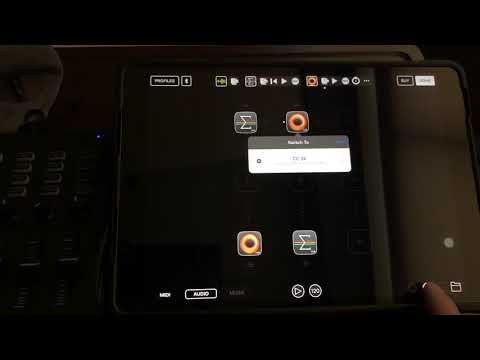
Do I miss some setting things to do in this case?
Thanks 
Comments
Are you sure your KORG controller is set up to send the correct value for CC #34?
You might need to edit using it the controller editor for Win/Mac.
Hi , I had checked couple times, and set different knobs/ keys for test (momentary/ toggle)
I will borrow another midi controller to do some test , to see if my nanokontrol got some fix to do or not
You can use a midi monitor app or plugin of some sort to see what MIDI is coming in.
I tried Midiflow to make sure Audiobus could receive the control change
And what MIDI did it show that the Korg was sending?
Switch-to only works for AU plugins in AUM. You can't use it for Loopy HD, which is IAA. However, switch-to will work in Audiobus for IAA apps that have Audiobus support, including Loopy.
I assume you're running Loopy HD in Audiobus already. If so then just do the midi learn there instead and it should work.
thanks, I’ll give it a try after finishing my work travel, and thanks for all of you guys’ input
@wim said: