Loopy Pro: Create music, your way.
What is Loopy Pro? — Loopy Pro is a powerful, flexible, and intuitive live looper, sampler, clip launcher and DAW for iPhone and iPad. At its core, it allows you to record and layer sounds in real-time to create complex musical arrangements. But it doesn’t stop there—Loopy Pro offers advanced tools to customize your workflow, build dynamic performance setups, and create a seamless connection between instruments, effects, and external gear.
Use it for live looping, sequencing, arranging, mixing, and much more. Whether you're a live performer, a producer, or just experimenting with sound, Loopy Pro helps you take control of your creative process.
Download on the App StoreLoopy Pro is your all-in-one musical toolkit. Try it for free today.
iSEM App ios - clicking noise between sounds on 12.9 Ipad Pro 1st gen - Video example
Here is the video explaining what the problem sounds like.
I would appreciate some help, pls.
Best regards
Comments
Hi, at first i tried to find the use patch, but didn‘t find it. Then i tried to rebuild the patch, couldn‘t get it to sound like yours but nevertheless it didn‘t click - until i switched off polyphony at the keyboard settings.
iSem still seems to switch voices (seen on the voice prog page) when poly is off, but just cuts off the old voice resulting in a click. The click also happen, if i enable the Arp in mono mode.
iPad Pro 10.5, IOS 13.2.3
@Gtelefon iSem can be quite clicky with bass/arp sounds. Try turning up the VCA attack a bit more to see if that helps. Also might be down to the filter envelope ... try softening the attack a little with that too.
Thank you very much for your help, I really appreciate it, Guys, although I am too newbee to find where my vca and filter envelope are. Perhaps I could recreate this patch on some other ios synth which is less problematic, any idea?
I'd recommend taking a few minutes to learn where the filter and vca are and how to set the envelopes up. Every synth will have a learning curve and iSEM is pretty straightforward compared to many.
An @espiegel123 says it’s worth learning as much about synth basics as possible as these will apply to most synths in some way.
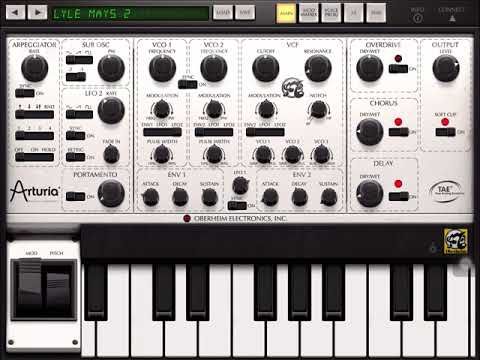
For now, these are the controls to focus on in iSEM.
No. 1 is the Attack of the VCA Envelope ... try turning this up a bit to reduce the clicking. This will soften the attack so you’ll need to find a point where it sounds right ... if you remove all the click then the attack might be too soft.
No. 4 indicates that the cutoff of the VCF (voltage controlled filter) is modulated by Envelope 2 (ENV2), and the amount of modulation that ENV2 is applying to the filter cutoff is set using dial No.3. Try turning this to the vertical position to remove any click caused by sudden changes in the filter cutoff - the classic “squelch” in acid bass sounds.
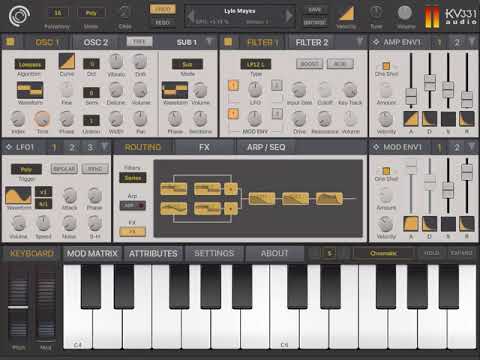
@craftycurate thank You very much for such a beautiful illustration.. With teachers like that it's so easy to get into it when it becomes a very fascinating puzzle, which I found its been for the last couple of days for, me thank you. Studying info which was included in the app, you are right, @espiegel123. Unfortunately I tried the knobs on the arturia ISEM but it didn't work. Then I got a Synthmaster one iOS app and here is what I got to by now, it's much more bearable but thank you all for your help. I still need to learn how to do this vibrato not dying at the end of my sound.
Good job!