Loopy Pro: Create music, your way.
What is Loopy Pro? — Loopy Pro is a powerful, flexible, and intuitive live looper, sampler, clip launcher and DAW for iPhone and iPad. At its core, it allows you to record and layer sounds in real-time to create complex musical arrangements. But it doesn’t stop there—Loopy Pro offers advanced tools to customize your workflow, build dynamic performance setups, and create a seamless connection between instruments, effects, and external gear.
Use it for live looping, sequencing, arranging, mixing, and much more. Whether you're a live performer, a producer, or just experimenting with sound, Loopy Pro helps you take control of your creative process.
Download on the App StoreLoopy Pro is your all-in-one musical toolkit. Try it for free today.
Cubasis 3 - loop loading time stretching?

Hello!
Hoping any Cubasis 3 user could answer this question but if not hopefully @LFS could tell me
In the current version of Cubasis 3, when you import/paste an audio loop does it automatically time stretch to the current tempo?
Does it automatically time stretch to the correct speed if you change the tempo of the project after the audio file is imported?
Also I saw something in the big report about ‘hiccups’ at the beginning of loops- what does this mean? Is it a problem for all users or only specific circumstances?
Thanks so much!
Comments
Hi @annahahn,
Thank you for your message.
Time-stretch works similar in Cubasis 2 and Cubasis 3.
Drum loops from our factory library (Media/Audio/Drum Loops), already have their dedicated bpm information embedded in the file. When importing these, all it takes is to set time-stretch to "Auto" to make them follow the tempo of your song.
If you import your own audio files where the tempo could not be detected, simply double tap the file to open it in the Audio Editor. Here, please enter the bpm information manually, by double tapping the bpm button located top right. Once done, please proceed with the steps mentioned above.
Hope that helps.
Best,
Lars
Thanks so much for this @LFS
So to clarify, if Cubasis can detect the bpm of my own sample during import it will be time stretched automatically? Does the sample remain correctly in time if the project bpm is changed or does it need to be manually adjusted for every loop after a project bpm change?
Also- do inter app connection via AB3 work well with the current version or are they buggy? I have never owned any version of Cubasis because I work on an iPhone XS max not an iPad but I am very eager to switch. Just a bit hesitant as I keep seeing these horrible reviews and bug reports and am scarred to drop $50 on something that is broken.
Hi @annahahn,
We do not automatically activate time-stretch for audio files, to keep CPU usage low.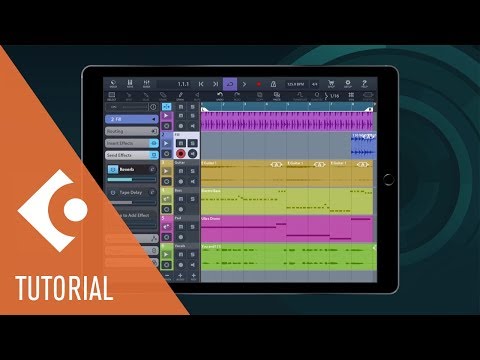
But all it takes is to activate time-stretch and choose auto or manual mode.
You might want to check out our tutorial for more details:
I leave this up to other users to comment.
Some users seems to be satisfied with Cubasis 3, while others reported issues.
It is planned to release a maintenance update to address several reported issues.
Hope that helps.
Best,
Lars
Great thanks so much for this Lars! Do you know when the maintenance update will be released?
Hi @annahahn,
Thanks for your message.
Please note that updates will be announced once they become available.
The update is highly prioritised, but it will take some time to have the issues addressed and tested.
Best,
Lars
“Highly prioritized”. I feel like I’m at the hospital waiting for my new baby to be born!😆 A little excited..