Loopy Pro: Create music, your way.
What is Loopy Pro? — Loopy Pro is a powerful, flexible, and intuitive live looper, sampler, clip launcher and DAW for iPhone and iPad. At its core, it allows you to record and layer sounds in real-time to create complex musical arrangements. But it doesn’t stop there—Loopy Pro offers advanced tools to customize your workflow, build dynamic performance setups, and create a seamless connection between instruments, effects, and external gear.
Use it for live looping, sequencing, arranging, mixing, and much more. Whether you're a live performer, a producer, or just experimenting with sound, Loopy Pro helps you take control of your creative process.
Download on the App StoreLoopy Pro is your all-in-one musical toolkit. Try it for free today.
Looking for experience similar to GarageBand piano roll and midi editor
Hi, I love the midi editor in GarageBand. It's the most intuitive for me. In NanoStudio, I struggle to do basic things. In Cubasis 2, I also struggle. BeatMaker, it's ok, probably second best.
Is there any way to make any of the other midi editors in DAWs or apps to be similar to GarageBand?
Or, is there any other app with an editor that is like GarageBand? GarageBand does not run well, I crash it a lot, but it's so easy for me to build in there versus any other apps.
I feel like NanoStudio needs a mouse to work well. Anyone have any ideas? I have a 10.5" iPad, which I bought to increase the possibilities in GarageBand and it did not help. I want to use GarageBand, but the best way for me to do that is to move it to Logic at a certain point. I'd like to be able to use an iPad and try to stay on the iPad until the bitter end.
Comments
NanoStudio works well even on a phone, so I find it strange that you think it needs a mouse.
I really need to hit the books on NS2. It's recommended by many of the most productive
Music Producers on the Forum. It must be doing a lot right... I'll start working through the YouTube Training and get ready for Audio to be added sometime in the next few years.
But I can probably get a lot one just using NS2 and AUv3 apps with a plumbing/mixer app
for audio needs.
Xequence would work really well for your MIDI editor as it is universal. Combined with Gadget 2, you can get the full Garageband experience. There's Gadget 2 LE for free and Gadget 2 is also on sale.
Mouse support is also available on iOS 13 (well sorta).
It works, yes, but creating and editing is very messy for me. Accidental actions, struggling to get a flow going. GarageBand, as limited as it is, is conducive to how I think and it's very easy for me to get going.
I've been interested in Xequence, I forgot I also own Gadget 2. I might try Xequence and see if the workflow fits.
For reference, here is something I was working on in GarageBand on my iPad. I feel that I have a basic level of skills and knowledge:
https://clyp.it/1dvoiykq
I struggle to make progress in other apps, even though I can do more (via sends, automation, etc.)
I love this. Lots of interesting components are there, from the calm plucky guitar, to the bass and drum reminding you that it is a different track, and the diverse soundscape. I would ask for a breakdown of the track, but that may be a bit difficult lol.
Adding to my original point, I was in a similar state with different apps. But I’ve now decided to work with the tools I have.
Since you have Gadget, why not try that MIDI sequencer BUT (and here’s the clincher), do NOT forget about GarageBand. Gadget allows you to export loops and MIDI; Create your loops in Gadget and send it directly to GarageBand so that you’re combining the best of both worlds. Don’t spend too much time trying to learn a particular tool. I recommended Xequence because its MIDI is universal and can be used in diverse apps to get them to be in sync, but I still rely on GarageBand for most of my production.
Now, because I like giving conflicting information, I also recommend looking at Ampify apps and using them with GarageBand. GrooveBox is an app that has a similar interface to GarageBand with its simplicity. And it’s free. Here’s a video I did earlier this week showing that -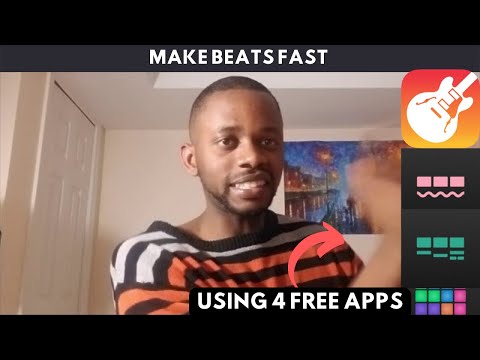
@Samflash3 Wow, that was the nicest feedback I’ve ever gotten haha. The guitars are sampled from a song by Kaki King, it was supposed to be a sampling competition but I didn’t actually enter the contest.
I really appreciate seeing your workflow and hearing insights. I’ve never given Blocs or Groovebox much attention so now I’m planning to try them out this weekend.
And thank you for the good advice. I’m gonna try out Xequence this weekend as well.
Thank you, I really appreciate you taking the time out to give me some solid advice and for listening to the link and saying nice things.
Haha, no worries. Believe in yourself and hopefully we'll see your work out there.
I'm also planning on posting some more useful iOS videos to help people out. Plus it's a whole lot easier to link a video than to try and type and explain everything (haha).
@samflash3 I have been considering making videos for a while. It's definitely easier to link a video than type an essay ha... But yeah, I think I have some interesting techniques I have picked up over the years...I've been a musician for a long ass time. I might try to make a video this weekend...
Also, I sent a link to your YouTube page to a friend who is interested in iOS music making, so thank you. And thank you for the encouragement and advice.