Loopy Pro: Create music, your way.
What is Loopy Pro? — Loopy Pro is a powerful, flexible, and intuitive live looper, sampler, clip launcher and DAW for iPhone and iPad. At its core, it allows you to record and layer sounds in real-time to create complex musical arrangements. But it doesn’t stop there—Loopy Pro offers advanced tools to customize your workflow, build dynamic performance setups, and create a seamless connection between instruments, effects, and external gear.
Use it for live looping, sequencing, arranging, mixing, and much more. Whether you're a live performer, a producer, or just experimenting with sound, Loopy Pro helps you take control of your creative process.
Download on the App StoreLoopy Pro is your all-in-one musical toolkit. Try it for free today.
Ipad as an Arranger Keyboard? How to? Your ideas?

Obviously the iPad can be used as a
- DAW (Garageband, etc.), Synth, Drummachine or Mixer, etc. This is well known.
But how can you an iPad (with MIDI-keyboard) be used as an arranger keyboard?
I found this video on youtube :
Can just an ipad and keyboard controller replace your arranger keyboard?
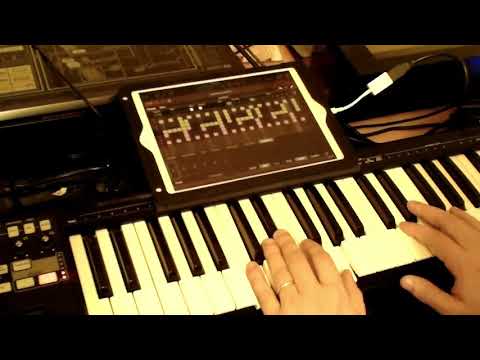
A genius approach using AUM and iStepPolyArp.
Do you have any other brilliant ideas?
How is your approach for an iPad arranger Keyboard?
We are talking about “auto-accompaniment.” (e.g. for Chords, Rythm, Bassline, etc.)
The approach should be easy and fun to use.
And no: a looper is no “auto-accompaniment.”
What is an arranger keyboard?
Arrangers have evolved into a necessary tool for the professional performing musician, and have even made their way into the studio. The main difference between a workstation and an arranger is that the arranger keyboard has built-in “auto-accompaniment.” In other words, with the push of just a few buttons, the keyboard will provide backing tracks that automatically match the style, rhythm, and tempo of what you’re playing. This has become a unique tool for composers who have to produce music quickly in a style they may not be familiar with. Even songwriters who don’t know how to program drums or play guitar can use the arranger to hear their songs being played by a band, without having to call in musicians. Finally, for the working solo performer, the arranger can add new dimension to your sound by giving you the advantage of sounding like a full band.
copied from sweetwater: https://www.sweetwater.com/insync/keyboard-workstation-buying-guide/
Comments
For typical (Yamaha) arranger styles use "One Man Band". It can load them. Works well as a low cost
arranger and can output MIDI channels to the best sounds in each category needed.
For hipper styles use "iBassist" and one of the wonderful Lumbeats drummers. There are around 8 to choose from. iBassist can accept chord progression input and ships with some. It only outputs some
rather robotic chordal rhythms. But you might add those instruments live.
iReal Book can export MIDI but that's a frozen track. Still, that's an option for create backing tracks.
https://apps.apple.com/gb/app/org-2020/id1469007799
Can you use it with AUM and get better sounds that the internal options.
It's rated pretty low on the store due to bad sounds and no support for AudioBus and this is the AudioBus forum. We need that at a minimum.
But IAA and AUv3 would be better to leverage the AUM Mixer and use the best sounds available for IOS.
It's a new app so hopefully that will be addressed.
I'll give the Free instance a spin to see if there's anything to like. I probably won't invest in the IAP's until it can drive my collection of IOS instruments with my FX apps into my favorite Recording apps.
SF2 loading is a nice feature. I hope it won't cost me too much to turn that on.
Solving the Arranger features in an IOS App is an achievement but every arranger has to trigger the more realistic sounds available to compete.
Try "One Man Man". It solves those problems.
Yes These are all the options on iPad summed up brilliantly .. the video still has two pieces of hardware and needs pre set up .. better of with a psr in that case scenario
You must not be aware of my usual blather. But thanks for saying I might have got one right.
I left out an option that @Tones4Christ loves using NaviChord. We beat this dog to death in this thread:
https://forum.audiob.us/discussion/31759/how-to-make-a-one-man-band-workstation-with-ios-apps
"One Man Band" very interesting. Never heard of it. Sound intresting.
Do you have the full (e.g. Live) version? It is a bit pricey.
I will check out this App advices.
Thank You!
Intresting tipps. I will try the free version.
Thank you for the hint!
PS: Just launched it. Sounds instantly like the cheesy entertainer keyboard. The included samples are perfect to annoy my kids ;-). At least I will get some laughts out of the app.
Of course a real arranger is better :-)
But I have so much stuff already (ipad Apps & HW-Synth).
One Man Band would be intressting, if it drives my stuff using Midi
Great post. I will read the thread. There will be plenty of good ideas!