Loopy Pro: Create music, your way.
What is Loopy Pro? — Loopy Pro is a powerful, flexible, and intuitive live looper, sampler, clip launcher and DAW for iPhone and iPad. At its core, it allows you to record and layer sounds in real-time to create complex musical arrangements. But it doesn’t stop there—Loopy Pro offers advanced tools to customize your workflow, build dynamic performance setups, and create a seamless connection between instruments, effects, and external gear.
Use it for live looping, sequencing, arranging, mixing, and much more. Whether you're a live performer, a producer, or just experimenting with sound, Loopy Pro helps you take control of your creative process.
Download on the App StoreLoopy Pro is your all-in-one musical toolkit. Try it for free today.
SynthMaster One 1.3.7 Update
![[Deleted User]](https://secure.gravatar.com/avatar/c65f3204a06d27ec73276b6045ed7d23/?default=https%3A%2F%2Fvanillicon.com%2F91feed79a2b1ce0d17ae51ed4913d76d_200.png&rating=g&size=200)
The user and all related content has been deleted.
Comments
Yep.
It still has resizing issues as an Auv3 in AUM.
When double tapped to make it full screen
it has a black bar down one side.
Still useable though.
The menu definitely now works on both my iPad and iPhone SE.
I haven't tried the midi learn yet as I'm setting up SF-1 for external midi.
Other than that sounds wicked.
I've been using it in AUM with Aphelian Auv3 as note generators
running four instances of SynthMaster One.
I really like it.
A question can we save our favourites on mass into the cloud?
or do we have to do each one manually???
An optional 'reset to saved patch' could be nice if one tweaks a patch beyond recognition and wants to go back step-by-step
Isn't that same as loading the saved patch, is did I misunderstand
So, as a future enhancement to SM1 (desktop & iOS), how about adding sample playback support for the oscillators ? Since we'll start releasing preset expansion banks, this might be handy for sound designers especially.
Nope, it's about setting a 'tweaked' value back to the value the was saved in the patch/preset.
Let's say that you do some automation on the filter cutoff with the knob and want to reset it to the 'saved default value' without having to reload the patch/preset.
Usually the knobs go all over the place when recording automation
There are Undo, Redo buttons on the top left for that
+YES!!
+1
Sync to Cloud syncs all favorites (upload + download) with one tap!
Thank you.
Another question.
Why is it not in tune?
I have to transpose the keys down 4 semitones or plus 8 semitones for it to be in key?
Is that deliberate?
My apologies.
User error somewhere.
It's working okay right now.
That sounds very useful, do you mean something like a tab next to Arp/Seq that allows the waveform to stay visible during sound creation?
A separate tab to show waveform is ideal. Currently, the Routing tab is re-used to show waveform while twisting the Index knob and overwritten quickly by routing info.
Still finding it impossible to manage presets in 1.3.7.
They just end up anywhere but in the bank your store them in. I know KV331 say Factory presets can't be overwritten but check out the attached screenshot.
The top three presets are shown are my own but they're there in the middle of the Factory Presets aren't they?
This is on Desktop because I was hoping to be able to sort out the mess here and then sync back to iOS but it's just as broken in Desktop...
Great synth but can't use it unless I can manage my presets!
How do we access the new AUv3 skins?
Anyone else getting hung notes in SM1 in AUM? - I so want SM1 to be my 1 live synth, but its the only app that hangs its notes, which is no good live. (Ravenscroft, Neo Soul Studio 2, KQ Dixie, Bx-3 and one synth). Wish it was SM1, but at the mo Pure Synth Platinum 2. With all the other apps, PSP2 is too heavy on RAM for the samples, Layr is too heavy on CPU, SM1 seems light on both, but hangs :-(
@rhaley I sometimes get hung notes in SM1 but very rarely and randomly
There is a known issue with saving presets. Set the author and bank in the Attributes so they display correctly.
At times when I switch to another app while playing back in Cubasis with background audio Off and return to Cubasis, a note hangs. I wonder if the synth is the culprit or the DAW because most DAWs and synths have the Panic button to suppress this situation. DAW is sending MIDI notes to the synth and synth is sending back the generated sound from its preset. Which one is the culprit here for hung notes? Cubasis has a Panic button but SM1 doesn't (maybe it doesn't need one). I suspect it is Cubasis (or maybe iOS)
Did you edit the bank name when saving the preset? or leave it as Factory Presets ?
@kv331audio_bulent here what is now happening with menus in aum full screen on iPhone X:

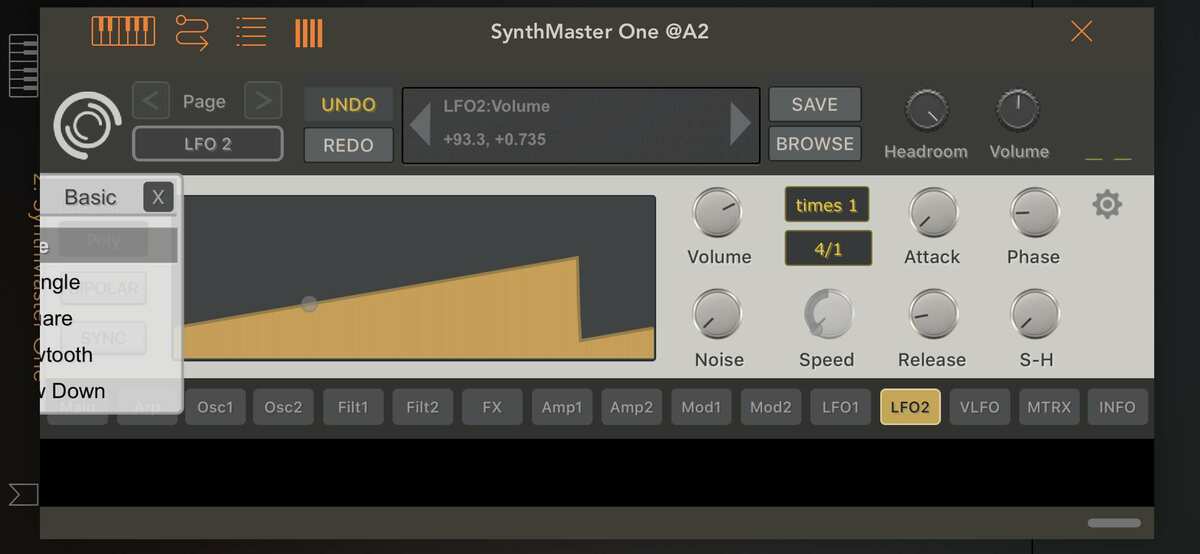
@kv331audio_bulent also there are still some random bugs like
FWIW I can’t replicate any of these issues. 2019 iPad iOS 13.3.1
It is on iphone x in aum and unfortunately this things happen not regularly so I can not make bug report with reproducable steps
I have seen #2 before
Hi guys, we're finally starting to release preset expansion banks for SynthMaster One!
Our first expansion will be BigTone's "Club Construction Kit", which features 50 presets for Melodic Trance, Tech House, Deep House genres (ALL sounds SynthMaster One, nothing else!)
In a couple of days we're releasing v1.3.8 update for SynthMaster One desktop, and then we'll release the expansion on desktop/iOS (as IAP) next week!
We also have other expansions coming up:
Natlife Sounds: True Trance Sounds Volume 1 (ready)
Bluffmunkey: Synthwave bank (in progress)
Vandalism: Future House bank (in progress)
Vandalism: Future Bass bank
Great, looking forward to it..