Loopy Pro: Create music, your way.
What is Loopy Pro? — Loopy Pro is a powerful, flexible, and intuitive live looper, sampler, clip launcher and DAW for iPhone and iPad. At its core, it allows you to record and layer sounds in real-time to create complex musical arrangements. But it doesn’t stop there—Loopy Pro offers advanced tools to customize your workflow, build dynamic performance setups, and create a seamless connection between instruments, effects, and external gear.
Use it for live looping, sequencing, arranging, mixing, and much more. Whether you're a live performer, a producer, or just experimenting with sound, Loopy Pro helps you take control of your creative process.
Download on the App StoreLoopy Pro is your all-in-one musical toolkit. Try it for free today.
Made a GarageBand script to import audio stems directly (for FREE)

Released the first version of the script. This script allows you to send audio files directly into a GarageBand project.
Now, since this relies on Shortcuts (and not a regular audio processing app), it may close abruptly. If your files are .wav, or apple formatted (.aiff or .m4a), it seems to work a lot better than other formats.
Here's the link. - https://routinehub.co/shortcut/4967
Also, I made a tutorial 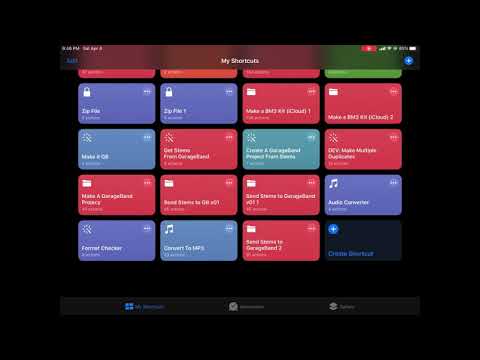
Comments
Anyone?
I might be willing, I’m just not sure what the task is.
Yes!
It’s a GarageBand Stem Grabber. It’s designed to allow the user to instantly send stems into GarageBand. Although because of the limitations of iOS Shortcuts, I can’t do the entire process, or a file conversion. Pythonista might be viable for this project, but this is a starting point.
It just worked for my first attempt. Didn’t check the encoding on the files, but they were wav files. Rad!
Nice. Doing some final touchups before shipping the code.
Alright, uploaded version 1
Dooooooope, you are really doing a lot for the iOS community lately! Scripts, tips and tricks videos... we all appreciate it. I'm gonna share this with some friends.
Just a heads up if you want to try this and don’t usually use shortcuts, you need to go into the settings of Shortcuts and check the box “Add from untrusted sources” which is just a precaution against Shortcuts not hosted on iCloud. RoutineHub is just a better featured Shortcuts browser
Super cool!
Ok, I have a question. Why the 12MB file-size limit? And it looks like files larger than 12MB are converted into M4a Files? Is that right?
I'm using a base iPad and I noticed it would crash if I just sent the plain audio file for really large files. 12MB was a placeholder for audio files that are massive (say you got stems from Ableton). If you have a more powerful iPad, then this can be ignored.
Yeah, files that are greater than 12mb are first converted to a smaller file format, then they are converted to .aiff
I'm going to upload a .m4a batch converter to allow converting multiple larger audio files.
Thanks for the answers. This is very handy indeed. Adding multiple clips to a GB project really is a pain.
No worries. @animalelder I'm gonna add another Garageband shortcut project in a little bit as well.