Loopy Pro: Create music, your way.
What is Loopy Pro? — Loopy Pro is a powerful, flexible, and intuitive live looper, sampler, clip launcher and DAW for iPhone and iPad. At its core, it allows you to record and layer sounds in real-time to create complex musical arrangements. But it doesn’t stop there—Loopy Pro offers advanced tools to customize your workflow, build dynamic performance setups, and create a seamless connection between instruments, effects, and external gear.
Use it for live looping, sequencing, arranging, mixing, and much more. Whether you're a live performer, a producer, or just experimenting with sound, Loopy Pro helps you take control of your creative process.
Download on the App StoreLoopy Pro is your all-in-one musical toolkit. Try it for free today.
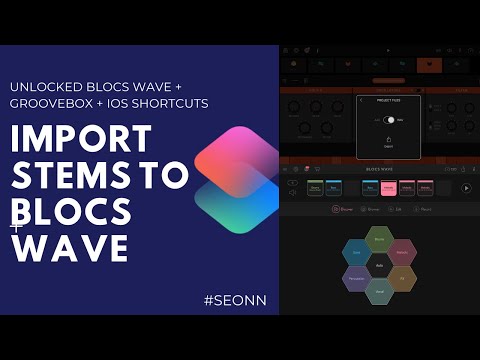
Released a new shortcut - Send stems from .zip to Blocs Wave

Actually designed it for sending files from Groovebox to Blocs Wave, but it should work with other archive files that have audio directly in the .zip. Works through the “Share” menu.
https://routinehub.co/shortcut/5046
Comments
Added video.
wow man this is really awesome! thank you
This works great, thanks for creating.
Thanks 👍
The legend, @White actually saw it?
Thanks again for posting about releases of apps.
Also, thanks everyone. Shortcuts has abstract rules that makes it difficult to make a full application, but it feels good when I finally figure it out. Also, baiting @echoopera to see this post.
Awesome work @Samflash3 I will definitely check this out. Will see how this fits in to the whole Drambo world view now
Is it all Drambo pretty much most of the time now?
110% now sir. I've finally been given the keys to my Aston Martin DB10 and there's no turning back now
@Samflash3 did you learn to use the shortcuts using a guide/manual, or did you pick it apart yourself to make these? I’m only aware of shortcuts at the moment, have yet to explore... This, what you have made, is great work and I’m quite inspired to see what can be done
I was hoping someone would ask this.
I picked up shortcuts by watching a few YouTube videos. Videos I recommend are those from these channels.
And also
But start small. Download sample shortcuts, see how they work, experiment, and if nothing else works, make a post at the iOS shortcuts forum with what you've done.
And this isn't even my finest work...yet. The beat maker 3 kit creator was my most downloaded. - https://routinehub.co/shortcut/4939
Now, that being said, Shortcuts is still extremely limited. If I was to write this program using Pythonista, I think I would be able to add a ton more features. Although I'm assuming because I haven't finished a Pythonista project, but the fact I can actually program is such a game changer.
I went ‘splorin’ and found this, which seems rather well done
Edit: thank you @Samflash3 for the links! I will be diving into this, hopefully with some useful things to share in the end =^_^=
Whoa, this is awesome. Thank you. I haven't even checked out the home automation feature but since I'm home and have some older Apple devices, maybe now is the time.
Haha, I kid. I'm lazy. But I'll read through this. Thanks again.
Also, in the name of shamelessly branding myself, check out my Instagram and YouTube. It's where I post a lot of my work.
Instagram: https://www.instagram.com/seonnthaproducer/
YouTube: https://m.youtube.com/channel/UCidKEN_-yYeA7ClxX9KHA-g
Someone on Instagram is claiming that they made this. Just checked out your Insta link, it’s beatmaker is the squad.
Oh, we're cool. I asked him to promote it. My Instagram is @seonnthaproducer.