Loopy Pro: Create music, your way.
What is Loopy Pro? — Loopy Pro is a powerful, flexible, and intuitive live looper, sampler, clip launcher and DAW for iPhone and iPad. At its core, it allows you to record and layer sounds in real-time to create complex musical arrangements. But it doesn’t stop there—Loopy Pro offers advanced tools to customize your workflow, build dynamic performance setups, and create a seamless connection between instruments, effects, and external gear.
Use it for live looping, sequencing, arranging, mixing, and much more. Whether you're a live performer, a producer, or just experimenting with sound, Loopy Pro helps you take control of your creative process.
Download on the App StoreLoopy Pro is your all-in-one musical toolkit. Try it for free today.
Gestrument Pro 1.2 + Klezmer video

Hi everyone - today we release Gestrument Pro 1.2. There are many things we would have loved to include, but we have focused on two main things - trying to get rid of as much as possible of the crackles introduced with iPadOS13 (we can't solve it completely without Apple, since the main problem is in AUSampler) and getting the possibility for people to get a free trial before buying (which means we included both a subscription and a one-off payment possibility).
https://apps.apple.com/us/app/gestrument-pro/id1105890031
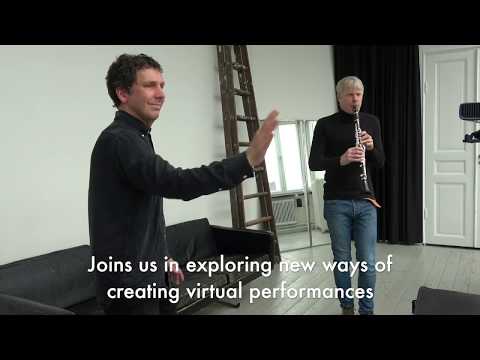
We also want to share this video of me playing together with world leading clarinet player Martin Fröst on a Klezmer tune. Will soon post a bog post about it on our website.
Comments
I was just reading up the new changes. Already unlocked it so I doubt there's much difference in my use case but I'm thankful that it's becoming more available for people to use.
Yes, that was our main focus now - some more presets, less crackle and easier for people to test. Hopefully we can get back to adding more features soon!
great update! i’ve made some great ideas with this app and need to spend more time with it, def has a lot of potential to drive some good jams!
not exactly sure what’s going on in this picture, is there any videos covering some of these settings?

The Via slider is covered both in the User Guide and in our tutorials - please check them out at www.gestrument.com
In this example it's about mapping the amount of randomization via a slider and then choosing is "Slider at 0" means zero amount of randomness or not. Using the Mid as zero point is very effective when for instance changing the range of an instrument from a centre pitch and then adding both higher and lower pitches gradually.
excellent thank you!
is ableton link a possibility for future updates?
i suppose if you load gestrument inside aum it syncs that way, perhaps that’s enough. i didn’t try that until now
Yes, exactly - that's the idea for now. We have Link on our to-do list, but it's a veeeery long list;-)