Loopy Pro: Create music, your way.
What is Loopy Pro? — Loopy Pro is a powerful, flexible, and intuitive live looper, sampler, clip launcher and DAW for iPhone and iPad. At its core, it allows you to record and layer sounds in real-time to create complex musical arrangements. But it doesn’t stop there—Loopy Pro offers advanced tools to customize your workflow, build dynamic performance setups, and create a seamless connection between instruments, effects, and external gear.
Use it for live looping, sequencing, arranging, mixing, and much more. Whether you're a live performer, a producer, or just experimenting with sound, Loopy Pro helps you take control of your creative process.
Download on the App StoreLoopy Pro is your all-in-one musical toolkit. Try it for free today.
Basic sample editing question

I’m guessing this is something pretty straightforward for you sample tweakers, but I’m having hard time making it easy...
I want to take a 16 bar clip from a song (in this case - part of the middle section from Led Zep’s Kashmir), import it into Cubasis so it fits into 16 bars and can be copied several times to create a track about 2mins long, whence I’m going to mess around with it, add some other instruments etc. It’s to create a brief soundtrack which me and my 9yr old son are going to work on together to add to a video of him showing off his jujitsu moves. So just for fun.
I’m using Auditor to try and get as precise a clip as possible (as it’s more user friendly than the audio editor in AudioShare and Cubasis) although it’s still pretty tricky.
When I import the clip into Cubasis I’m finding it very hard to get it to fit into a 16 bar section.
1. Do I need to work out the exact BPM of the sample?
2. Do I need to do some kind of time-stretching?
3. Is there a quicker/easier way of doing this? Am happy to not use Cubasis if something else can do this more automatically. My son loves messing around with GarageBand and Blockswave if that makes any difference.
Thanks!
Comments
Others will chime in for more details, but you can find the bpm easily by cutting 4 measures of the LZ song and import it to Blocs. Enter the number of beats and it will show the bpm. Yes, I think knowing bpm will help.👍
If it is a track that needs (lets say quantizing), 1 of the tools I use is Auria Pro's Warp feature.
(Not automatic, but it's there as an option)
King
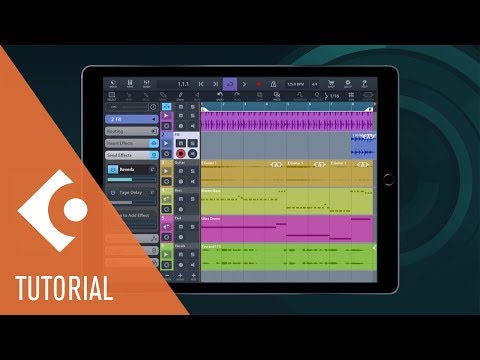
I’m not sure if it’s any different for Cubasis 3 , but here’s a video that shows how to turn auto time stretching on in Cubasis 2..
@TimRussell
Auditor will give you BPM. Trim your clip to 16 measures. Make sure the trimmed clip is selected. Double tap on the right just above the timeline where it says BPM. A menu will come up with an option to Guess BPM From Selection. Put in the number of beats and you’ll see your BPM. Set your project in whatever DAW you use to that BPM. I suggest taking a look at Zenbeats. It’s free on mobile right now. See my video on using audio tracks in ZB where I use ZB to automatically conform a 90 BPM clip to several different tempos.
Thanks all, I ended up just importing into Blocswave (although had to buy the import audio IAP as I’d never done this before - but it won’t be the last time now I know what I’m doing!) and it did, indeed, do the rest for me