Loopy Pro: Create music, your way.
What is Loopy Pro? — Loopy Pro is a powerful, flexible, and intuitive live looper, sampler, clip launcher and DAW for iPhone and iPad. At its core, it allows you to record and layer sounds in real-time to create complex musical arrangements. But it doesn’t stop there—Loopy Pro offers advanced tools to customize your workflow, build dynamic performance setups, and create a seamless connection between instruments, effects, and external gear.
Use it for live looping, sequencing, arranging, mixing, and much more. Whether you're a live performer, a producer, or just experimenting with sound, Loopy Pro helps you take control of your creative process.
Download on the App StoreLoopy Pro is your all-in-one musical toolkit. Try it for free today.
Help with dub reggae setup in AUM

I have searched but not found any tutorial on how to setup AUM with midi controllers for a live dub reggae mixing session. It’s not trivial and I think AUM would be perfect it. You need all sorts of things like buses with spring reverbs, tape delays, clip launchers (maybe lk imaginando).
I mean something like this video but in AUM with all the necessary setup with effects to make it possible. 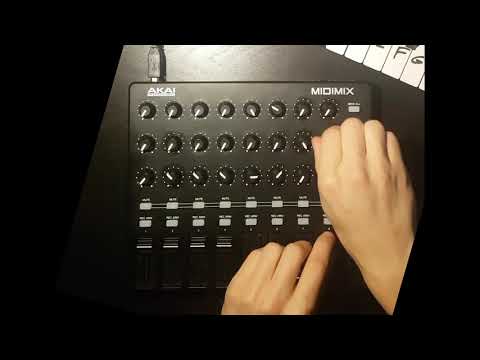
@jakoB_haQ @thesoundtestroom could this be something for you? Any other ios music youtubers up to the task? Thanks
Comments
That helped me a lot
@NimboStratus thanks, it’s a good tutorial for midi mapping. I was looking for a specific usage for dub reggae and that would also involve adding effect buses in AUM and how to route the individual tracks to those efrect buses.
Create 8 audio channels in AUM
that you would like to effect.
Create A,B and C sends on each channel.
Assign the main volumes of each channel
to the eight faders on the AkaiMidi mixer using midi learn in AUM and the sends to
each rotary.
Create three extra channels and set
their inputs to mix bus A, B and C.
These channels should look like this
Insert the effects you would like to use.
I’m using Tonestacks for the purpose
if this explanation.
Send A reverb
Send B delays
Send C could be for a parallel effect
Create a Master channel and route everything through that one.
Assign the pads to mute and solo.
Mix away.
@Gravitas Thanks a lot it doesn’t look too complicated, I’ll give it try.
Don’t forget that sends can be pre and post fader
No problem.
Though the screenshots are from
my iPhone the same applies for an iPad.
Holla if you have any questions.
Although dub delay sends are normally pre fader I think
Here’s a super simple drums to tape echo / resonant filter / spring reverb on independent channels so you can eq them or layer FX separately. You could also create a feedback channel by sending and receiving to the same bus. Need a true peak limiter like Barricade though and ride the fader carefully to protect your ears lol
You might want to update the title to show that you’re looking for dub reggae setups in AUM as well? You might get more responses?
Thanks a lot! 😊
If you go through the hammer head thread
There is a download for multi outs for lots of drum machines all made for AUM with 2 midi buses set, you can just add a third bus to these
Save the file to audio share
Then choose the file you need, choose share and then select AUM, once open you can save it in AUM
To (space) echo what @gravitas and @gusgranite have said in their posts, AUM is perfect for this and works really well. I have a Launchcontrol XL that I use for the mixing desk aspect and it's gold. My personal tip also is: don't forget the dub siren
As far as clip launching is concerned, I use Hammerhead in transport-off mode, load a loop into each pattern and then sequence the patterns from Atom 2 which I control via a Launchpad Pro Mk3. I absolutely LOVE this setup. The two controllers mean I don't need to touch the screen and mapping the controls for the effects to dials on the LCXL is INSANE amounts of fun. As Gus said, don't forget to protect your ears (if wearing headphones, or rapport with other house members/neighbours if using speakers) with some kind of master bus limiter.