Loopy Pro: Create music, your way.
What is Loopy Pro? — Loopy Pro is a powerful, flexible, and intuitive live looper, sampler, clip launcher and DAW for iPhone and iPad. At its core, it allows you to record and layer sounds in real-time to create complex musical arrangements. But it doesn’t stop there—Loopy Pro offers advanced tools to customize your workflow, build dynamic performance setups, and create a seamless connection between instruments, effects, and external gear.
Use it for live looping, sequencing, arranging, mixing, and much more. Whether you're a live performer, a producer, or just experimenting with sound, Loopy Pro helps you take control of your creative process.
Download on the App StoreLoopy Pro is your all-in-one musical toolkit. Try it for free today.
Comments
This dude right here..
They say that dude LEO is a BAD mutha—“
“SHUTCHER MOUTH!”
“I’m just talking ‘bout Leo…”.
“We can dig it !”
(At 3:45)
BeepStreet Drambo v2 - Demo / Tutorial 93: Wave Scanner Module (Giveaway in the video description)
Drambo is an innovative modular groovebox and audio processing environment. Modular components are used to build synthesized and sample based instruments or audio effects using high-quality DSP and audio-rate modulation. Tied to a powerful sequencer, it's an optimal music creation tool for sound design, composition, performance and experimentation.
At the heart of Drambo lies an entirely new concept that makes modular creations easy, fun and affordable. Modules are connected automatically, with no cables as you add or rearrange them. A dynamic interface creates modulation knobs when you need them.
Modules may house other modules, so you can keep your patch well organized. Of course, automatic connections can be overridden. In Drambo you can focus on playing with sound and signal structure without getting lost in wires.
Use a deep and innovative sequencer to compose patterns and whole tracks, for production or live performance. Go beyond simple looping sequences with parameter locking, conditional step components, parameters automation and powerful scene morphing.
Drambo works equally well as a self-contained standalone app or audio unit plugin with audio and MIDI connectivity as an AUV3 instrument, audio effect and MIDI effect. No modular experience necessary to get started playing with preset sounds and effects.
You can use Drambo as
• A complete music production and performance environment
• Endless modular playground, that allows you to build, modify and store custom instruments and effects. For instance: build a custom synth, sample and resample, build a Theremin using a gyroscope module, or turn your table into a playable surface, by processing microphone input with physical modelling modules. Get weird or make functional instruments and tools
• MIDI sequencer, that works with hardware and AUv3 instruments (e.g. Drambo sequences other instruments in an AU host app).
Moreover Drambo can generate custom MIDI CC messages or modulation signals to control modular synths via DC coupled interfaces.
• AUv3 synthesizer, effect or sequencer in other DAWs. Drambo can replace a lot of audio plugins. For instance: you may use it as a chorus, phaser, reverb, filter, equalizer, complex modular delay, decimator, frequency shifter, MIDI effect or complex modulator for other synths. You may combine, modulate and sequence them in no time
This video includes the following product demonstration:
BeepStreet you are great!
I hope you enjoy and do not forget to subscribe.
BeepStreet Drambo v2 - Demo / Tutorial 94: Sample Browser
This video includes the following product demonstration:
BeepStreet you are great!
I hope you enjoy and do not forget to subscribe.
BeepStreet Drambo v2 - Demo / Tutorial 95: BBD Resonator (Giveaway in the video description)
This video includes the following product demonstration:
BeepStreet you are great!
I hope you enjoy and do not forget to subscribe.
BeepStreet Drambo v2 - Demo / Tutorial 96: Wave Spline Module
This video includes the following product demonstration:
BeepStreet you are great!
I hope you enjoy and do not forget to subscribe.
Man, are you getting any sleep? 😅
Great stuff as always, I’ll be sure to watch them all! Love your videos!
BeepStreet Drambo v2 - Demo / Tutorial 97: Wave Motion
This video includes the following product demonstration:
BeepStreet you are great!
I hope you enjoy and do not forget to subscribe.
Thank you
BeepStreet Drambo v2 - Demo / Tutorial 98: How to use MIDI Quantise
Thanks @sfm!
Playing with the Amount knob and different Quantize meters is quite fun, especially when combining it with the Arp, Strum and Chord modules.
BeepStreet Drambo v2 - Demo / Tutorial 99: Koala Sampler - Basic Midi / Audio Out Setup
BeepStreet Drambo v2 - Demo / Tutorial 🔥🎉 100 🎉🔥: Spectral Filter
100 videos on Drambo…
Wow!!
Congrats and thank you for your great work!
Impressive.
The video manual.
Thanks for all of your work. I have found your videos very useful.
What an amazing effort, Leo! 👏
Awesome.
Fantastic series. Thanks Leo!
Many thanks, Leo .. I’ve learned so much from your videos, man!
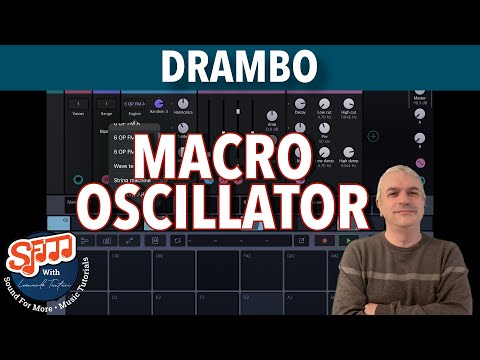
BeepStreet Drambo v2 - Demo / Tutorial 101: Macro Oscillator (Mutable Instruments Plaits)
Oh nice! Will watch later tonight for sure!
Big fan of leo's for a number of reasons. His in depth tutorials have taught so many.
Drambo, Loopy, GRII.... just top tier stuff.
Dude is a beast when it comes to service to the community and is an absolute blessing to have people like him, Gavinski, Wim, Cem, Michael(loopy), pxlhg, aqeel, offbrand, Matthew(GlitchStep), RJackson, and a dozen others....
Really no shortage of great cats, sharing it all for the glory of the community without being absolute divas.
Appreciate you all.
Like and subscribe to @sfm for more great tutorials on both desktop and iOS.
Thank you 👍👍❤️
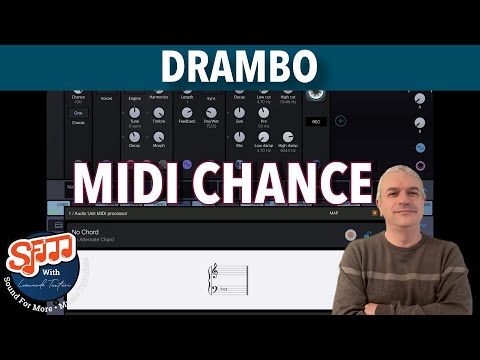
BeepStreet Drambo v2 - Demo / Tutorial 102: MIDI Chance - From Chords to Melody
@sfm Drambo series is legend tier, like his Loopy/GrooveRider tutorials.
Thx leo
This!
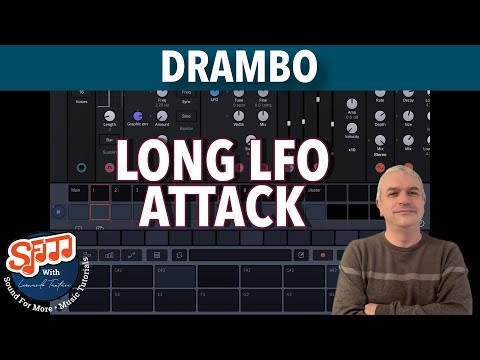
BeepStreet Drambo v2 - Demo / Tutorial 103: Long LFO Attack / Delay
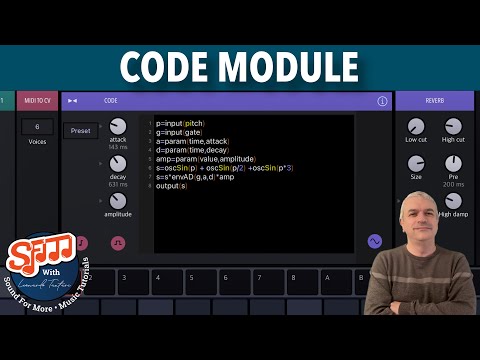
BeepStreet Drambo v2 - Demo / Tutorial 104: Code Module WOW 🤩
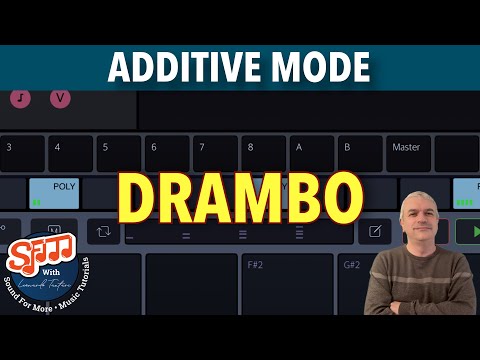
BeepStreet Drambo v2 - Demo / Tutorial 105: Step Sequencer Additive Mode
Nice @sfm !
Please never stop doing Drambo tutorials Leo, no matter how simple.
There’s still people out there that believe Drambo is so mind bogglingly complex, that they avoid it completely.
Your “bite-size” short tutorials on individual features (like this most recent example) will make Drambo much more approachable for newcomers, I believe.