Loopy Pro: Create music, your way.
What is Loopy Pro? — Loopy Pro is a powerful, flexible, and intuitive live looper, sampler, clip launcher and DAW for iPhone and iPad. At its core, it allows you to record and layer sounds in real-time to create complex musical arrangements. But it doesn’t stop there—Loopy Pro offers advanced tools to customize your workflow, build dynamic performance setups, and create a seamless connection between instruments, effects, and external gear.
Use it for live looping, sequencing, arranging, mixing, and much more. Whether you're a live performer, a producer, or just experimenting with sound, Loopy Pro helps you take control of your creative process.
Download on the App StoreLoopy Pro is your all-in-one musical toolkit. Try it for free today.
Comments
Hi @kv331audio_bulent,
I have just discovered that all my previously assigned Preset Banks have disappeared, all my past Cubasis projects rely on these as part of the MIDI CC Bank/Sub/Preset Selection, now when I play one of those projects and a Program Change message is reached - nothing happens at all, this is absolutely devastating!
Please can this be fixed or at least re-issue a previous build.
This was my Banks List before the latest updates:
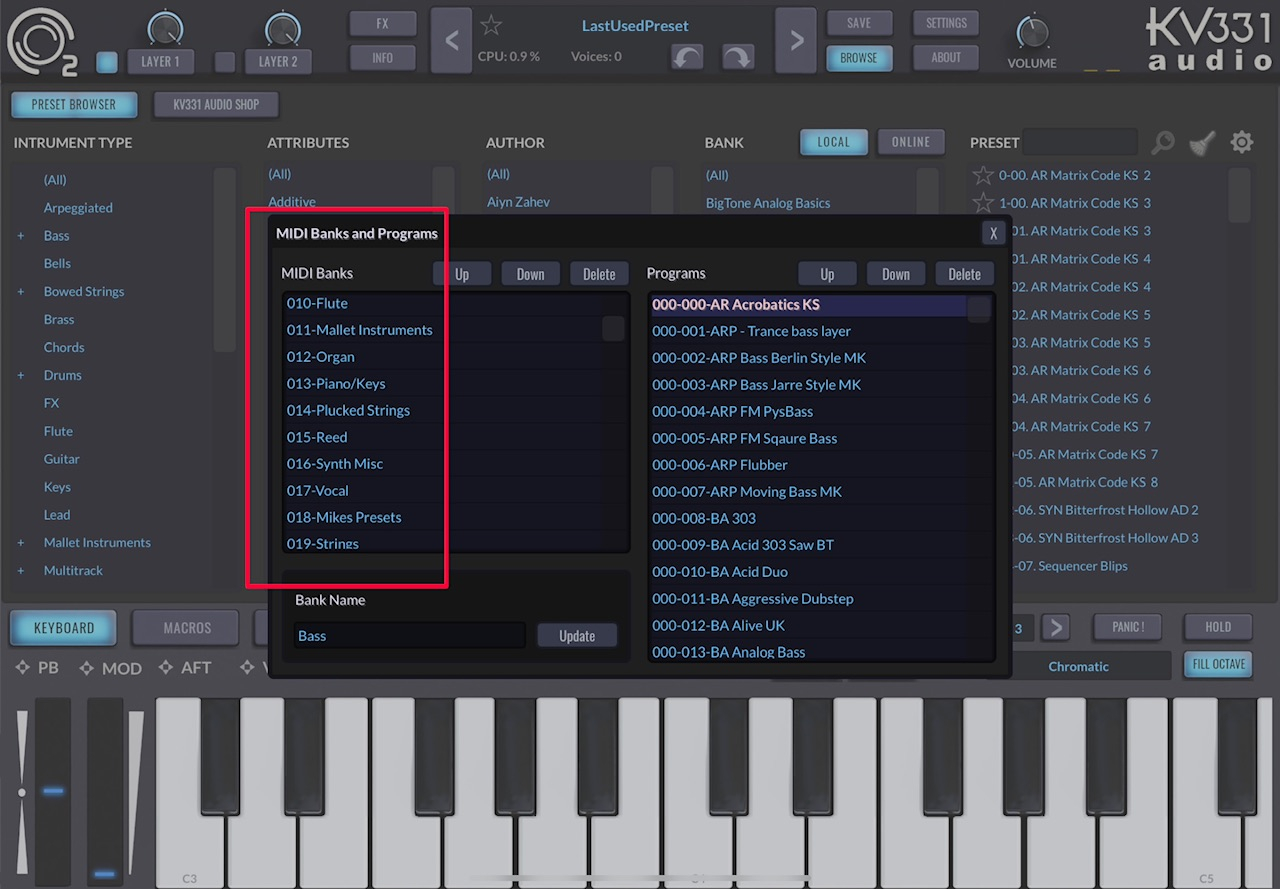
This is the Bank Lists now:
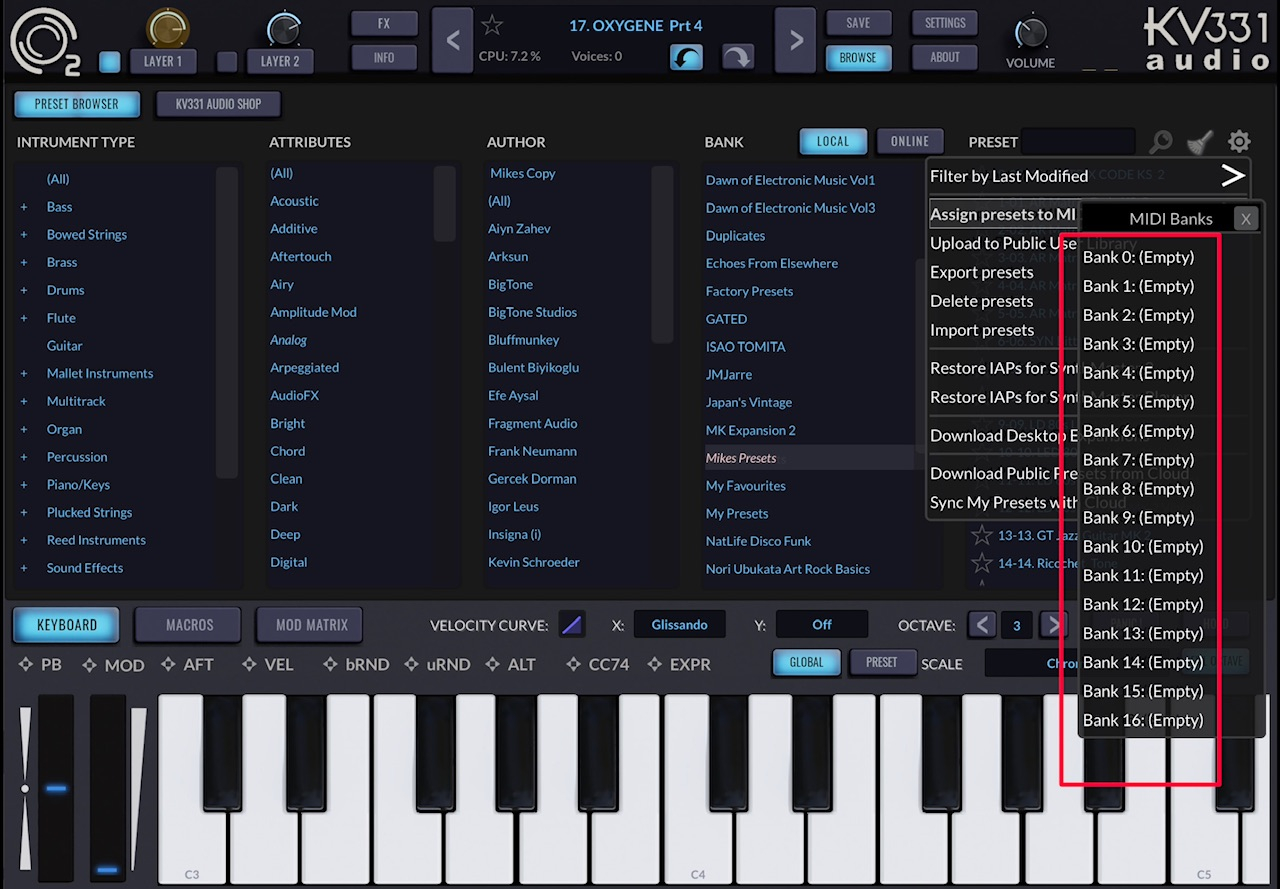
Not to worry @kv331audio_bulent, luckily I took screenshots of all my saved Banks in 2022 and I can re-assign them all, I hope other SM2 users don’t have the same lost bank issues.
Mike
Hi Mike,
I apologise for this issue. It is similar to the above issue where FavouritePresets.txt file is deleted accidentally. Did you sync your presets with the cloud to back them up? FavouritePresets.txt and MidiPrograms.xml files are also backed up on the cloud when you do that.
Please wait until Apple approves our SynthMaster 2 v1.1.2 update, before editing favourite presets or MIDI Programs.
Also, as a side note, the DAW saves the plugin state/settings, so as a developer I don't recommend setting plugin state/settings via MIDI Program Change or vi AU Factory Presets -unless you are playing live and you need to change the current preset via MIDI PC-. The DAW already stores it in the project file.
Sorry @kv331audio_bulent, I checked Cubasis this morning and only the first preset is present, all other program change presets on that MIDI track no longer change.
I have not actually lost any of my presets, they are spread around the Files app. I started to assign banks to the Assign Presets to MIDI Bank list, but after closing SM2 these banks disappeared.
Btw, with the older system of saving a preset, we were presented with a drop down box that asked to select or create a new Bank, this is exactly what I did and that’s why there are numerous Bank folders all over the place. I did mention this on the KVR forum a couple of years ago, it was quite frustrating not being able to organise my banks, but I learned from this and now always take screenshots of the banks names and position in the bank list.
I won’t do anything until the next update
Hi everyone,
v1.0.6 is out on the App Store. Please download it:
and don't forget to give us a good rating, we definitely need that.
Thank you!
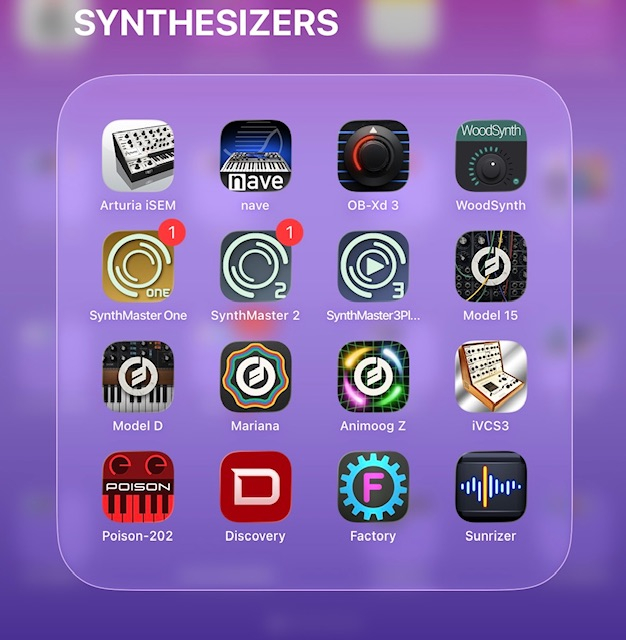
@kv331audio_bulent , not sure if anyone else having this issue, but see image the notification on app seems to not go away.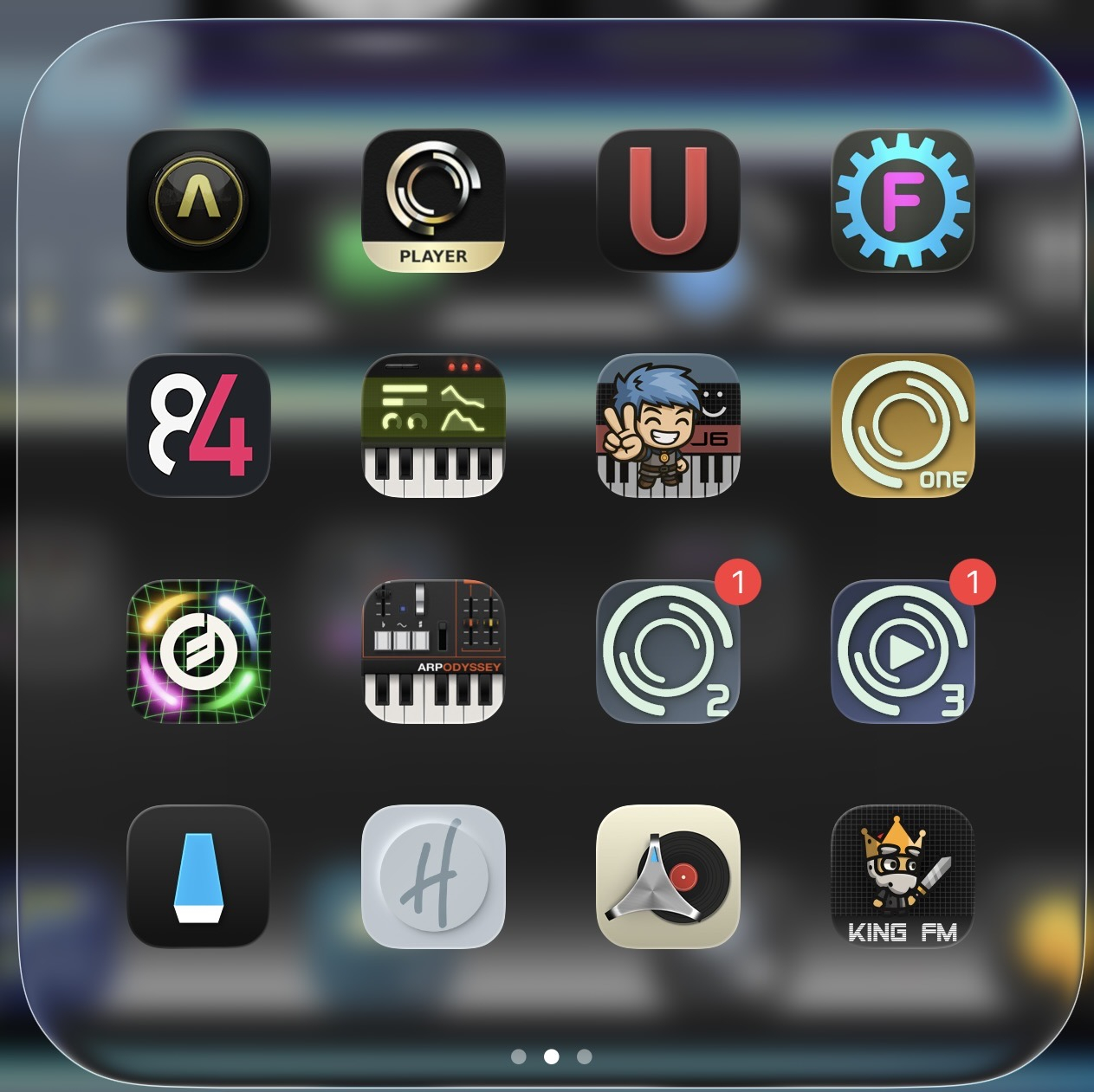
I have the same issue but only with SM1 and SM2
Thank you @kv331audio_bulent for this Master Synth (Player), you have worked tirelessly on both SM2 and this player for all of us and it is very much appreciated 🍻
Mike
Seems to open with one skin, then switches to the current one? Anyone else seeing this?
That first screen is the loading screen and is normal behaviour 👍
Mike
Yes, feature not a bug
I've never seen that kind of "feature" before, a representation of an app screen opening that suddenly changes. Another update anomaly, but all seems to be working correctly.
It is called Launch Screen
Hi, Just installed Synthmaster 3 (FULL) on Mac (M1 Macbook Pro) and Synthmaster 3 Player on new iPad Pro M5. Think I may have found a presets bug...
It seems like newly saved user presets in SM3 FULL Mac will not sync to the ios SM3 player; they report as uploading to cloud successfully on Mac, and the Ios player reports downloading sync updates successfully - but the presets saved on the Mac in SM3 Full do not appear in the user presets area on the ipad.
As a test, I also just bought SM3 PLAYER for Mac as well; presets saved inside the Mac SM3 PLAYER DO sync across to the ipad properly (though, only to the standalone version - the AU3 version reports "cannot connect to the server" when calling the sync from the AU3 inside AUM; but will show up after a restart and after the Standalone app has successfully synced).
The other compounding problem is that user presets saved in the Mac FULL edition do not seem to show up at all in the MAC player edition - so ultimately any newly created presets in SM3 FULL don't seem to be able to be synced across to the ipad... any help solving this greatly appreciated!
Ok, thanks. And thanks again for the incredible sounds. So versatile and useful, just excellent!
Similarly, my user presets are not syncing.
However, I've sent support tickets multiple times since the Synthmaster One days because user presets and favorites weren't syncing between my desktop and iOS, but it never got fixed.
According to them, they are currently focused on developing Synthmaster3 and therefore don't have the time to deal with it.
I was looking forward to the announcement of Synthmaster 3, thinking there was nothing I could do about it, but the desktop version of Synthmaster 3 is working correctly.
However, the iOS version of 3Player only displays a spinning circle for user presets and favorites, and nothing else.
When I check the 3Player folder in the Files app, my favorites list and user preset list are definitely there, but they don't seem to be reflected in the synth app.
By sync, do you mean sync with SynthMaster 3 Player desktop or SynthMaster 3 desktop ?
SynthMaster 3 Player iOS syncs with SynthMaster 3 Player desktop. NOT SynthMaster 3 desktop.
Yes - I can confirm that SM3 player desktop syncs ok with SM3 player ios. But if you have SM3 Full desktop, and you tweak some presets (change filter, change envelopes etc. - which you can only do in SM3 Full) - which force a resave as new user presets - how do you get those presets across to SM3 ios? Presets in SM3 Full desktop are saved to the same data directory folder as SM3 player desktop (I've checked) but do not then show up in user section of SM3 player desktop browser... you can't access them, so they don't then sync across to ios. Seems counterintuitive.
FYI, we haven't released SynthMaster 3 yet on iOS. SM3 Player is NOT SM3. They are separate products. SynthMaster 3 Player can not load smpr preset files saved with SynthMaster 3. This is for security reasons. I will see what I can do about this (I think for registered users with SM3 desktop licenses, I can ease this restriction)
Understood. Yes please - thanks for your help with this!!
I've tried the 1.0.6 and for me the experience is way better than with the previous versions. No crashes so far in auv3 mode, when it happened regularly before, and transitions between AU presets are a lot smoother. I don't regret replacing Synthmaster 2 with SM3 player now, it sounds fantastic, holds all the available presets, and runs as smooth (if not even better) than SM2. I was never into making my own sounds, so the possibilities of shaping the presets is more than enough for me in the player.
Great work, and thanks a lot for the effort !
Sorry if this has been covered already. What’s with the 2hrs + download time? Is it about to eat up every single morsel of memory I have? 😗
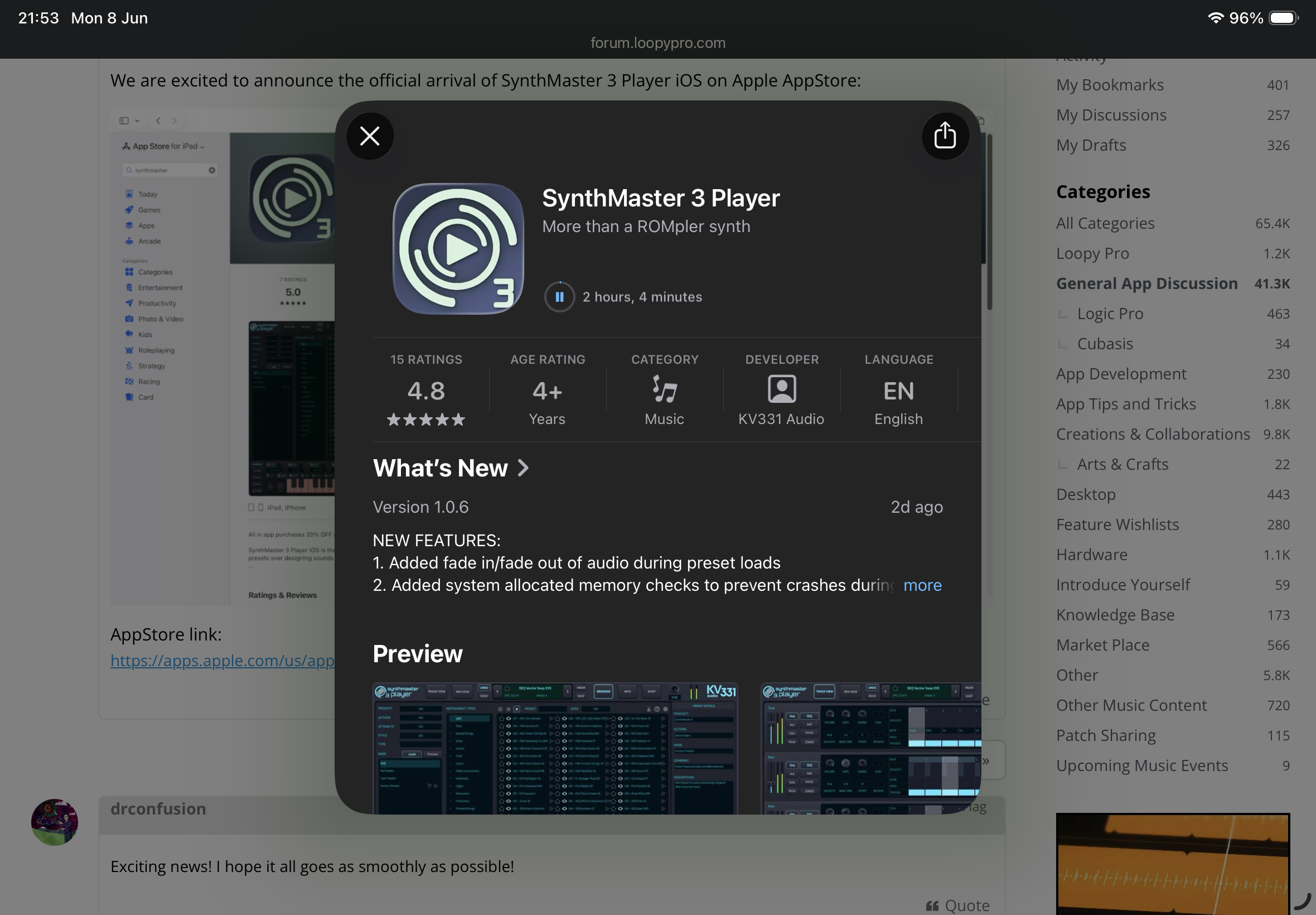
Hi. SM3 Player installs in 2.32 GB of storage; but you can tell that from the AppStore details. If your internet connection is slow, maybe try on another day.
Thanks so much, much appreciated!
Is there any way to change the A4 Global tuning on a per-instance basis. Like Korg synths for example, each instance of the synth can have it's own A4 tuning.
I work with many different tunings on many projects. When I change the A4 tuning in Synthmaster Player 3, it changes the tuning EVERYWHERE, which is not gonna work for me. Is there some other way to accomplish changing the master tuning per instance?
And as an added bonus, could tuning be set to 2 or 3 decimal places? ex 432.71. Again Korg synths that I have, iWavestation and M1 can do this making them invaluable as a binaural beat creator.
I downloaded it in only a few minutes this time - don’t know what was happening as I mentioned above.
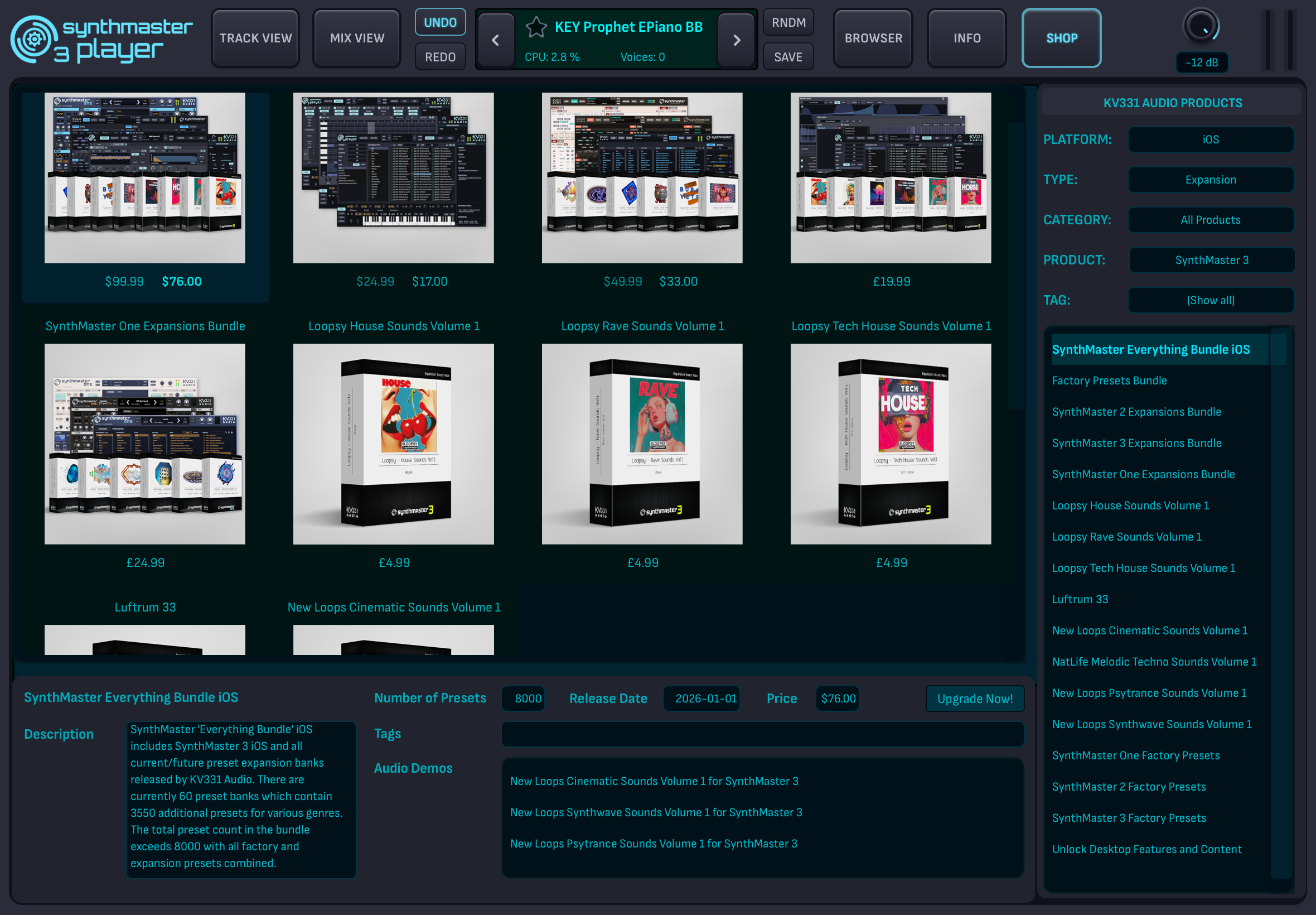
In the store I am quoted some prices in dollars and other packs in sterling - I’m wondering how much it would be costing me to go all in or to buy other bundles. $76 is £56 as per the exchange rate @kv331audio_bulent
I’m in the UK