Loopy Pro: Create music, your way.
What is Loopy Pro? — Loopy Pro is a powerful, flexible, and intuitive live looper, sampler, clip launcher and DAW for iPhone and iPad. At its core, it allows you to record and layer sounds in real-time to create complex musical arrangements. But it doesn’t stop there—Loopy Pro offers advanced tools to customize your workflow, build dynamic performance setups, and create a seamless connection between instruments, effects, and external gear.
Use it for live looping, sequencing, arranging, mixing, and much more. Whether you're a live performer, a producer, or just experimenting with sound, Loopy Pro helps you take control of your creative process.
Download on the App StoreLoopy Pro is your all-in-one musical toolkit. Try it for free today.
Single record button for all clips in Loopy Pro

I’m not sure if the title gives it much justice so here we go.
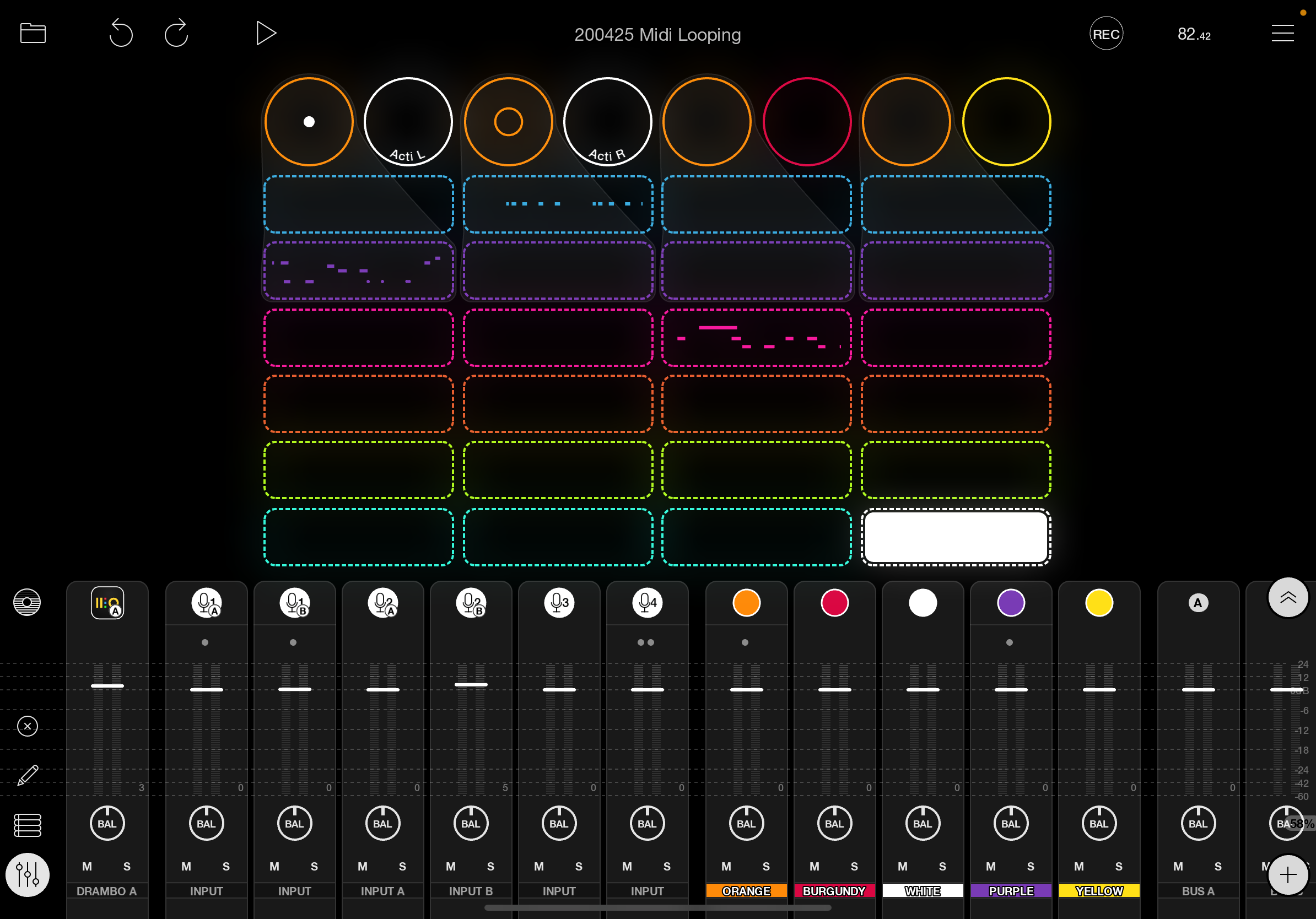
I currently have 4 vertical groups of midi loops.
I have a physical button midi bound to play groups exclusively from each other.
Each colour receives and transits on its own midi channel and is associated to an instrument.
IE blue = bass, purple = lead etc.
I would like to be able to arm record and Loopy record incoming midi on the appropriate channel.
Currently it seems, I need to have a midi controller buttons assigned for each loop.
Until now I’ve been working with Drambo where it auto selects the channel depending on where midi notes are being sent. This is a great feature and eliminates the need for separate controls for each loop. It also makes it more straightforward as thinking of which midi clip/loop corresponds to the given instrument.
I’ve tried binding record to all playing loops to see whether only loops receiving midi would capture but this doesn’t seem to be working.
I wonder if anyone has a solution for this.
Cheers