Loopy Pro: Create music, your way.
What is Loopy Pro? — Loopy Pro is a powerful, flexible, and intuitive live looper, sampler, clip launcher and DAW for iPhone and iPad. At its core, it allows you to record and layer sounds in real-time to create complex musical arrangements. But it doesn’t stop there—Loopy Pro offers advanced tools to customize your workflow, build dynamic performance setups, and create a seamless connection between instruments, effects, and external gear.
Use it for live looping, sequencing, arranging, mixing, and much more. Whether you're a live performer, a producer, or just experimenting with sound, Loopy Pro helps you take control of your creative process.
Download on the App StoreLoopy Pro is your all-in-one musical toolkit. Try it for free today.
Mobil vs. Price: 8.49 € ⚠️1-Mic in/2-out 24Bit/ 96kHz/ 16 grams: Sabrent vs. iRig Pre HD & Pro I/O

8.49 € – 24-Bit / 96 kHz / 3.67 ms: Sabrent AU-UCMA Practical Test
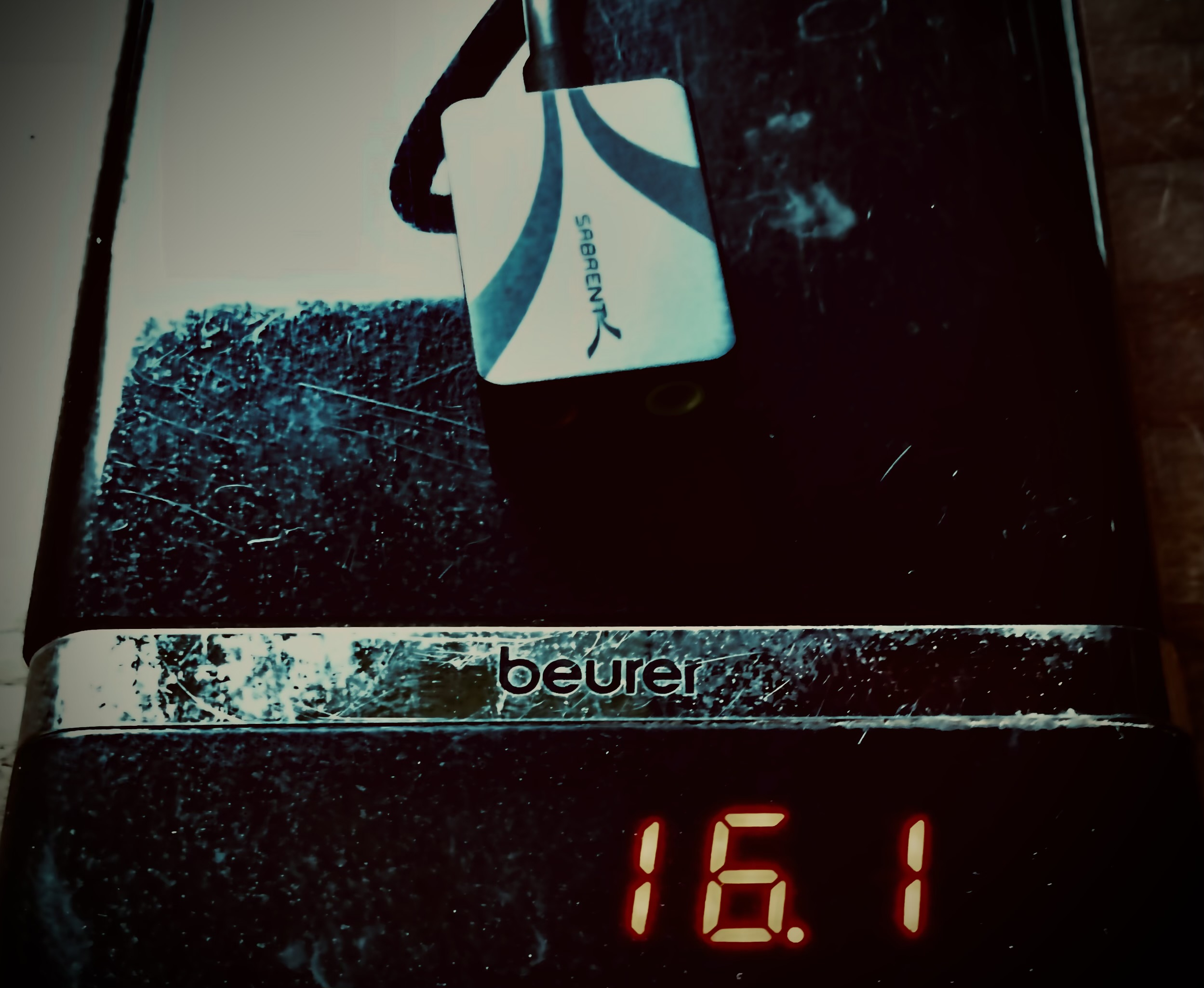
I tested the Sabrent AU-UCMA, a compact USB-C sound card supporting 24-bit/96 kHz, notable for its small size and mobility. The goal was to find an affordable mobile EDC solution for applications like Loopy Pro.
Technical Specifications
- Price: 8.49 €
- Bit Depth: 24-bit
- Sample Rate: 96,000 Hz
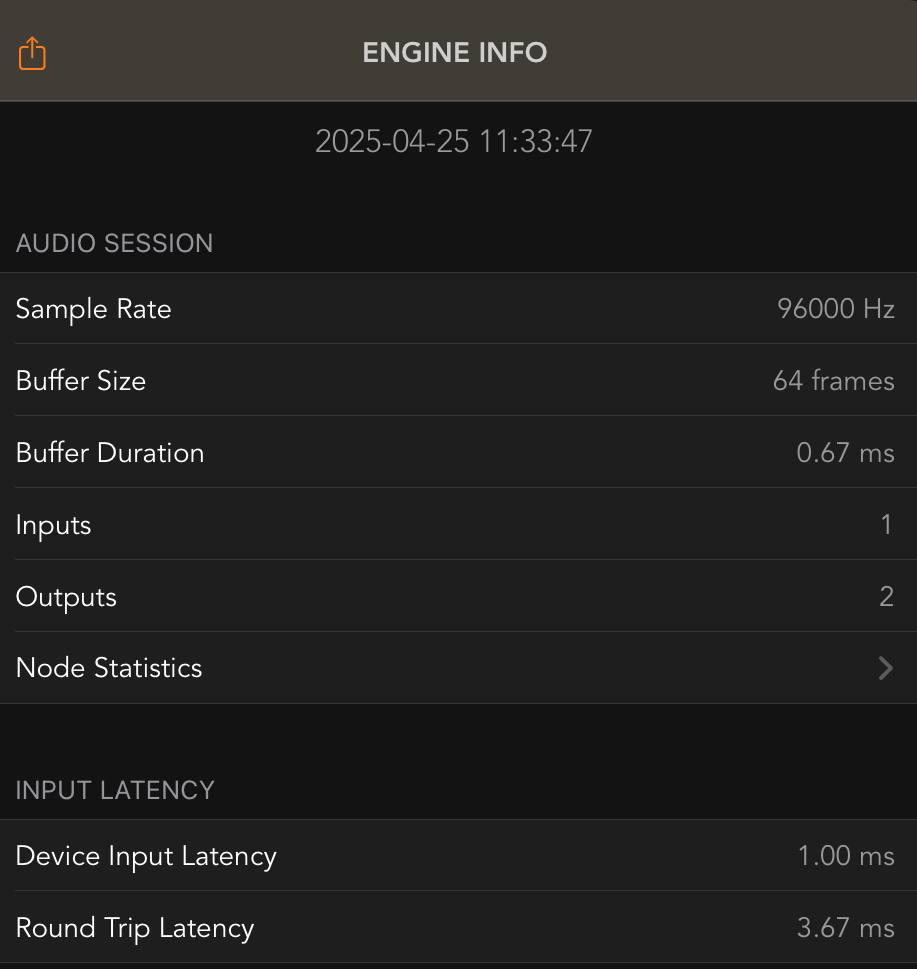
- Roundtrip Latency: approx. 3.67 ms (measured in AUM on iPad Pro 2021, buffer size 64 frames)
- Chip: C-Media CM3271
Connections:
- 1x 3.5 mm microphone input (gain controllable via AUM & Loopy Pro 2)
- 1x 3.5 mm stereo output
Compatibility: iPadOS (USB-C), iOS (Lightning with adapter), macOS, Windows
- Power: Bus-powered
Test Devices and Setup
- iPad Pro 2021 (USB-C)
- iPhone SE 2022 (Lightning with USB adapter)
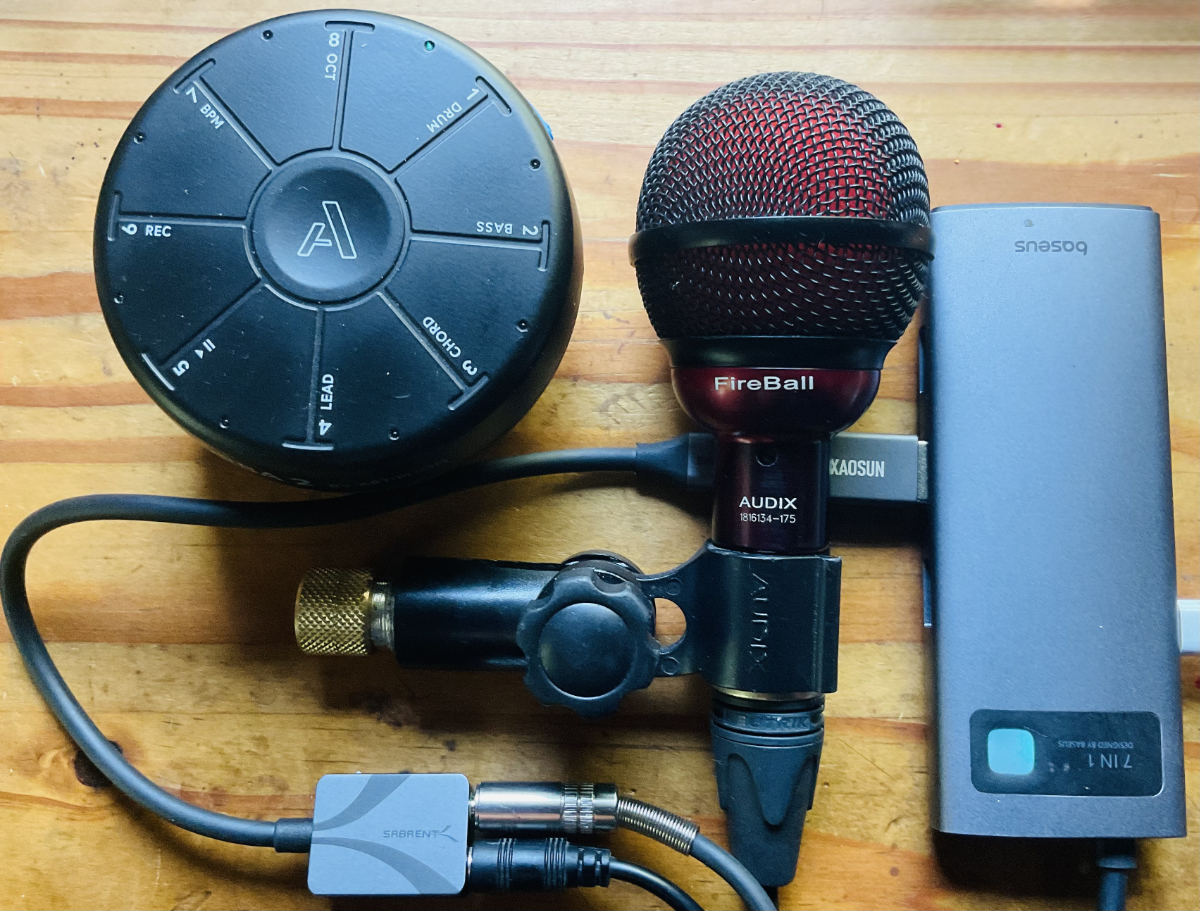
- Audix FireBall (dynamic microphone with 3.5 mm adapter)
- Baseus USB-C hub (with Power Delivery support)
- XAOSUN USB-C to USB-A adapter
Connection was seamless — plug and play, no drivers needed.
Sound and Microphone Performance
- The headphone output delivers sufficient volume and clean sound reproduction without obvious coloration.
- The microphone input worked reliably with a dynamic microphone (Audix FireBall). No distortion or clipping was observed during testing.
Note: .
- Manual gain control for the microphone input is available via AUM & Loopy Pro 2.
Comparison to Professional Interfaces
| Feature | Sabrent AU-UCMA (CM3271) | RME Babyface Pro FS |
|---|---|---|
| Sample Rate | Up to 96 kHz | Up to 192 kHz |
| Dynamic Range | Approx. 91 dB (chip specification) | 115 dB |
| Microphone Preamps | Gain controllable via AUM & Loopy Pro 2 | High-quality, adjustable preamps with very low noise |
| Latency (Roundtrip) | approx. 3.67 ms | approx. 2.8 ms |
Note:
- The Sabrent AU-UCMA values are based on chip data and practical measurements.
- RME Babyface Pro FS values are officially documented (RME Website).
Portability and Usage
- The sound card is small enough to fit easily into a jacket pocket.
- Operation via USB-C hubs with Power Delivery is possible.
- The small form factor makes it highly portable, particularly for mobile musicians and spontaneous recording setups.
Conclusion
The Sabrent AU-UCMA offers solid technical performance for its price range.
With 24-bit depth, 96 kHz sample rate, and a measured latency of around 3.67 ms, it is well suited for basic mobile recording or performance setups.
For professional studio recordings or the highest audio demands, it is not a substitute for interfaces like the RME Babyface Pro FS due to lower dynamic reserves and the lack of manual input control.
Nevertheless, the combination of portability and technical capability at this size and price point is currently very rare.
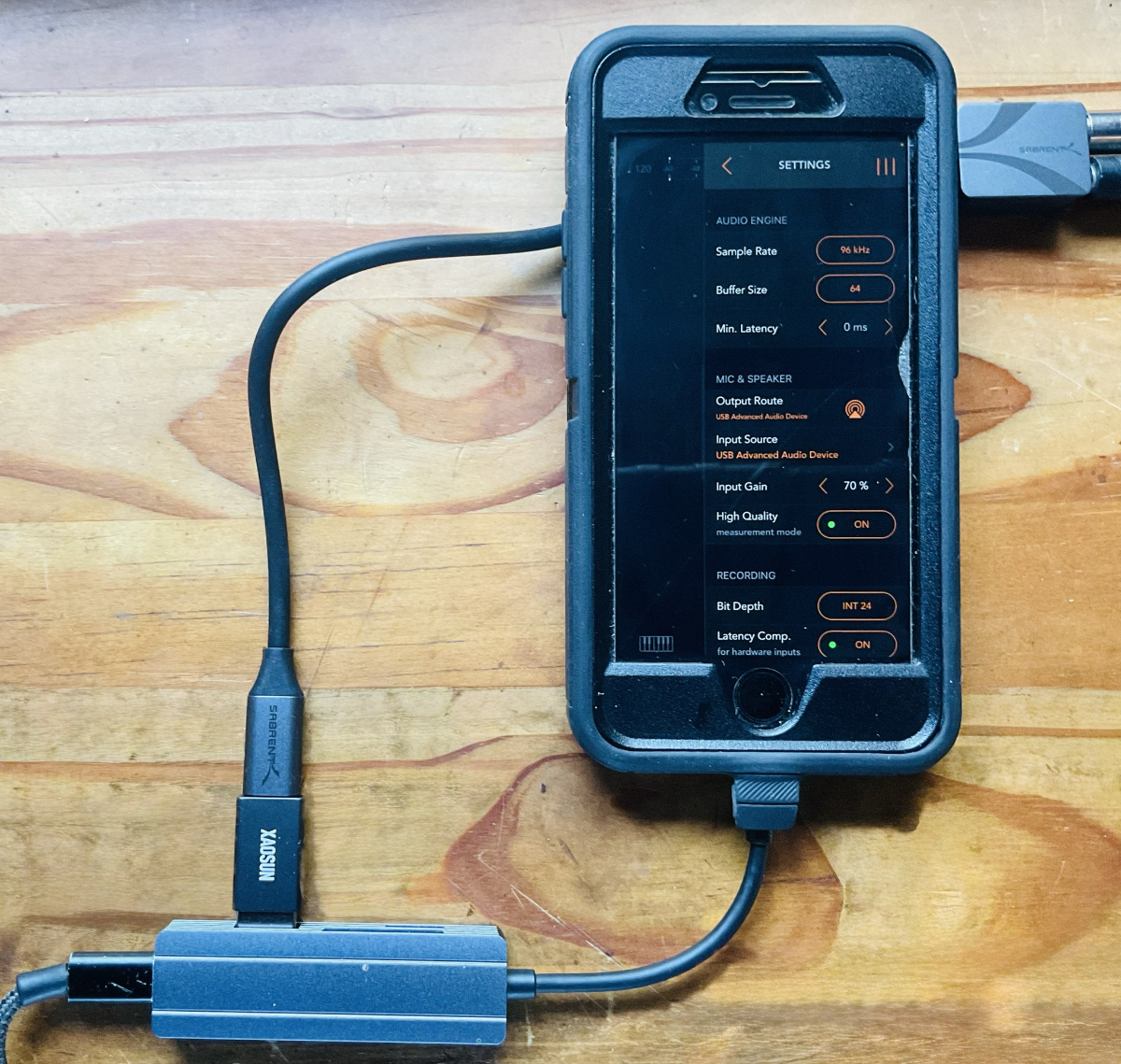
The next image shows a Lightning adapter.
The audio interface is connected there with a USB-C adapter.
The system was tested with an iPhone from 2022.
You can also see the 24-bit resolution here.
The latencies do not differ from operation with an iPad Pro 2021 with USB-C connection.
It is particularly noteworthy that the microphone input can be controlled via AUM & Loopy Pro 2.
Operation runs stably at 96,000 Hertz and 64 frames.
Mobile Audio Interfaces by IK Multimedia Compared to the Cheapest Available 96 kHz Sound Card
The Sabrent AU-UCMA offers significant advantages for mobile music production despite its compact design and simple technical structure.
It is particularly suitable for quickly creating musical sketches, spontaneous recordings of vocals or instruments, and for directly playing simple melodies.
Since the interface has no built-in MIDI connection, a compact controller such as the Orba 2 with Bluetooth-MIDI can serve as a practical addition.
Thanks to the support for 96 kHz sampling rate, acceptable latency can be achieved even without direct monitoring, enabling precise work.
For creative drafts and musical ideas on the go, the offered quality is entirely sufficient.
Its stable USB-C power supply and high portability make the Sabrent interface an attractive solution for mobile and spontaneous projects, even compared to more expensive devices from IK Multimedia.
Technical Comparison Table
| Feature | Sabrent AU-UCMA | iRig Pre HD | iRig Pro I/O |
|---|---|---|---|
| Price | 8.49 € | approx. 79.99 USD | approx. 119 USD (+ 39.99 USD optional power supply or battery operation) |
| Bit Depth / Sample Rate | 24-bit / 96 kHz | 24-bit / 96 kHz | 24-bit / 96 kHz |
| Inputs | 1x 3.5 mm microphone | 1x XLR | 1x XLR/Line Combo |
| Gain Control | Yes | Yes | Yes |
| Phantom Power | No | Yes (requires AA batteries) | Yes (requires AA batteries or external PSU) |
| MIDI I/O | No | No | Yes |
| Power Supply | USB-Bus Powered | USB-Bus Powered (batteries for phantom power) | ⚠️ Not USB-Bus Powered (batteries or proprietary PSU only) |
| Portability | Very high | High | Limited (due to power supply) |
| Dynamic Range | ~86–90 dB (estimated) | 103 dB (A-weighted) | 103 dB (A-weighted) |
| Special Notes | Extremely affordable and compact | Reasonably priced, adapter needed for line input | Proprietary power connector, additional costs or frequent battery changes |
Let’s Take a Closer Look at What IK Multimedia Offers in the Low-Budget Segment
The IK Multimedia iRig Pre HD offers 24-bit/96 kHz audio quality and a single XLR microphone input.
It requires AA batteries to operate phantom power.
No additional line inputs or MIDI support are available.
It’s somewhat frustrating that a direct line input is missing and must be added using an adapter if needed.
Still, the device remains reasonably priced and is suitable for mobile use.
Winner in the category "How to make a simple mobile interface unnecessarily complicated and expensive": IK Multimedia iRig Pro I/O
The IK Multimedia iRig Pro I/O delivers 24-bit/96 kHz audio quality, a combined XLR/Line input, and MIDI support.
It cannot be powered directly via USB-C. Instead, a proprietary Mini-DIN power connector is used, which prevents the use of standard 9V power supplies.
Only the dedicated IK Multimedia PSU 3A (around 39.99 USD) or AA batteries can be used for stable operation.
Together with the device price, this results in a total cost of about 158.99 USD if you want a reliable setup without constantly changing batteries.
This strategy represents a classic form of vendor lock-in, leading to additional running costs and significantly limiting
Comments
Availability and Technical Differences
The Sabrent AU-UCMA sound card is available on Amazon:
Sabrent USB-C External Sound Card (AU-UCMA) – 24-Bit / 96 kHz
Note:
Sabrent offers several USB sound adapters.
However, not all models support 24-bit and 96 kHz.
Only the AU-UCMA version provides these specifications, while other models often offer only 16-bit/48 kHz.
Could you do RTL measure at 48kHz/64 samples, please?
It would be exciting if someone would test the microphone preamp quality and the output sound quality of the Sabrent AU-UCMA in a studio setup.
A few direct sound comparisons or a short YouTube clip would be great.
Thank you @ImroEns .
So 5.33 + 1.0 + 1.67 = 8.0ms at 48kHz/64 samples. This is really good value, suspiciously good for that cheap device.
Is there a lightning version? Or an adapter is the only way for older devices?
Thank you for your question, Ailerom!
I've updated my post based on your inquiry. You can find the answer regarding Lightning connectivity above, just after the Tupperware box photo 🙂
During my testing, I also discovered that the microphone input can be controlled via AUM, which significantly enhances the value of this interface for recording purposes.
No Line input?
I have about 5 of these in USB stick format and none of them has acceptable audio quality, the MIC preamp is just too noisy.
Hello @rs2000!
In my home studio, I use different products. The main reason for analyzing this sound card was the rare combination of extreme mobility with 24-bit/96 kHz capability. This combination of compactness and technical specifications is rarely found in the market. Occasionally, I will test the interface live with harmonica or electric ukulele and compare it with my Yamaha AG 03, which offers more flexibility due to its mixer design but is significantly less portable.
About the microphone preamp:
I didn't notice any significant noise when first listening. Of course, this device can't be compared to an RME interface. It would be interesting to hear what YouTubers specializing in audio equipment tests would say about it. Regarding the question about a line input: as mentioned in the technical specifications above, this interface only has a 3.5mm microphone input and a 3.5mm stereo output.
My usage context:
For about 15 years, I've owned a Logitech interface with a similar form factor to the Sabrent, but would never have considered it as a serious audio interface.
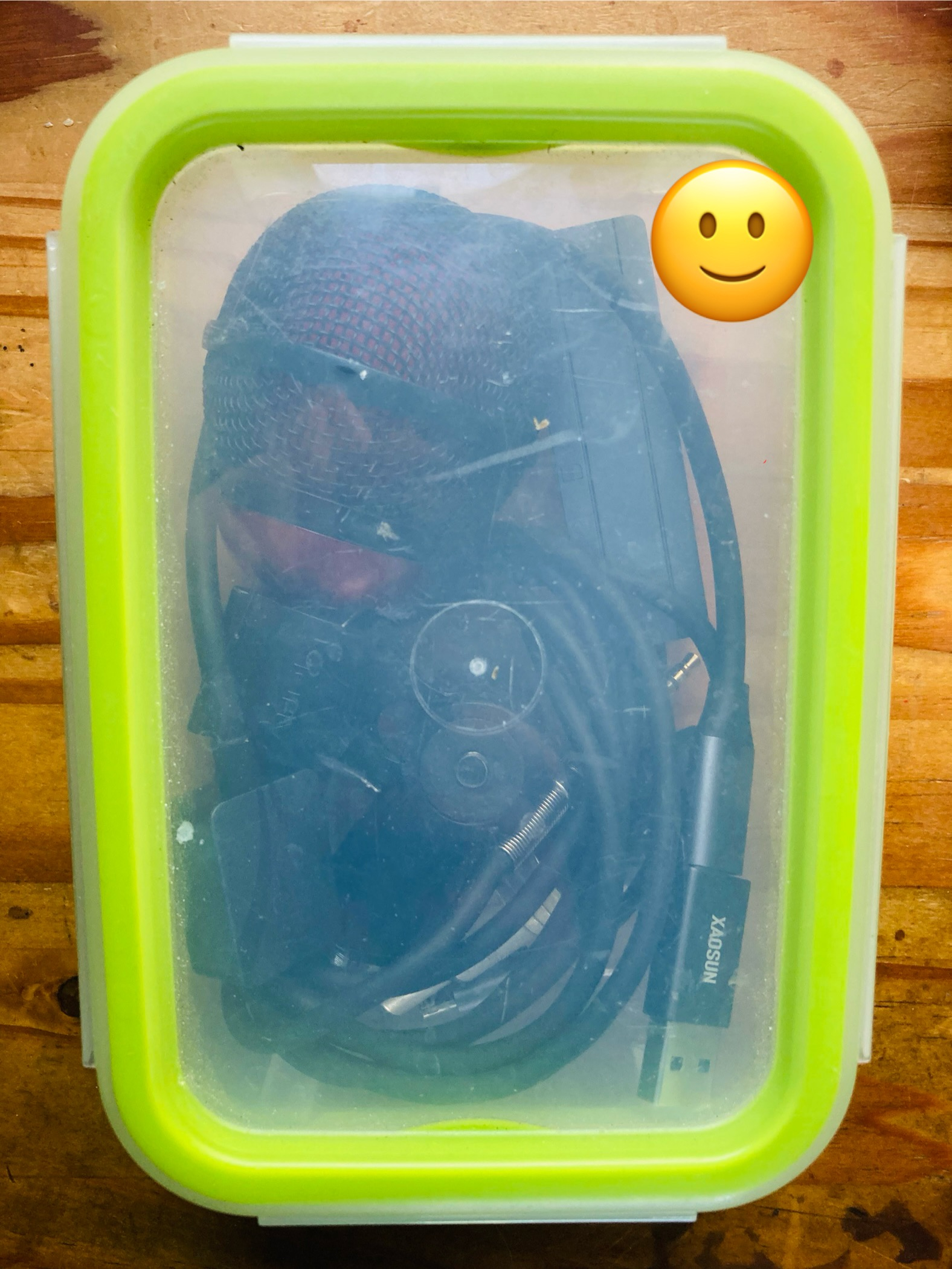
The main advantage of this device: Every Day Carry (EDC)
The compact housing format makes it ideal for mobile applications - it fits in a cigarette box-sized container. I'm specifically looking for an "EDC" solution for my backpack, where I always carry the same equipment. For musical sketches while on the go, the microphone preamp is completely adequate. When sound quality is the priority, I would continue to use audio interfaces in the quality range between RME and Focusrite.
Price-performance ratio:
This was the first device I found with an acceptable bit rate and sample rate for audio purposes at this price. 8.49 € for a 24-bit/96 kHz capable interface is unprecedented in the market to my knowledge. Hopefully other manufacturers will follow suit and upgrade their budget interfaces to 24-bit and 96 kHz, which would enhance the entire entry-level segment for mobile audio production.
```
Awesome! Thanks very much.
Practice Measurements – Gain and Noise Performance
(Audix Fireball + Sabrent AU-UCMA)
Test Setup
Noise-floor test:
Gain-range test:
* Noise-floor ranges are taken from repeatedly published user measurements
(Gearspace / r/audioengineering); consistent, but not lab-certified.
Key Findings
Headroom (gain reserve):
CM3271 chip vs. device: The chip can provide > 50 dB, but AU-UCMA firmware/hardware deliberately limits gain to prevent clipping with typical consumer mics.
Bottom Line
Sabrent AU-UCMA is excellent for loud or close-miked sources (vocals, brass, etc.).
For whisper-quiet material or distant miking, interfaces with more gain headroom—such as the Focusrite Scarlett 2i2 (2nd Gen) or RME Babyface (1st Gen)—are safer choices.
References & Further Reading
Audix Fireball – Product page
https://audixusa.com/us-en/ultra-small-professional-dynamic-instrument-microphone-ax-fireball/
Sabrent AU-UCMA – Manufacturer page
https://sabrent.com/products/au-ucma
Focusrite Scarlett 2i2 (2nd Gen) – Product/download archive
https://downloads.focusrite.com/focusrite/scarlett-2nd-gen/scarlett-2i2-2nd-gen
RME Babyface (1st Gen) – Product archive
https://archiv.rme-audio.de/en/products/babyface.php
Multitone Generator (iOS)
https://apps.apple.com/us/app/multitone-generator/id1161245288
Sengpiel Audio – Noise calculator & technical resources
http://www.sengpielaudio.com/Rechner-rauschen.htm
General Note on Noise-Floor Measurements