Loopy Pro: Create music, your way.
What is Loopy Pro? — Loopy Pro is a powerful, flexible, and intuitive live looper, sampler, clip launcher and DAW for iPhone and iPad. At its core, it allows you to record and layer sounds in real-time to create complex musical arrangements. But it doesn’t stop there—Loopy Pro offers advanced tools to customize your workflow, build dynamic performance setups, and create a seamless connection between instruments, effects, and external gear.
Use it for live looping, sequencing, arranging, mixing, and much more. Whether you're a live performer, a producer, or just experimenting with sound, Loopy Pro helps you take control of your creative process.
Download on the App StoreLoopy Pro is your all-in-one musical toolkit. Try it for free today.
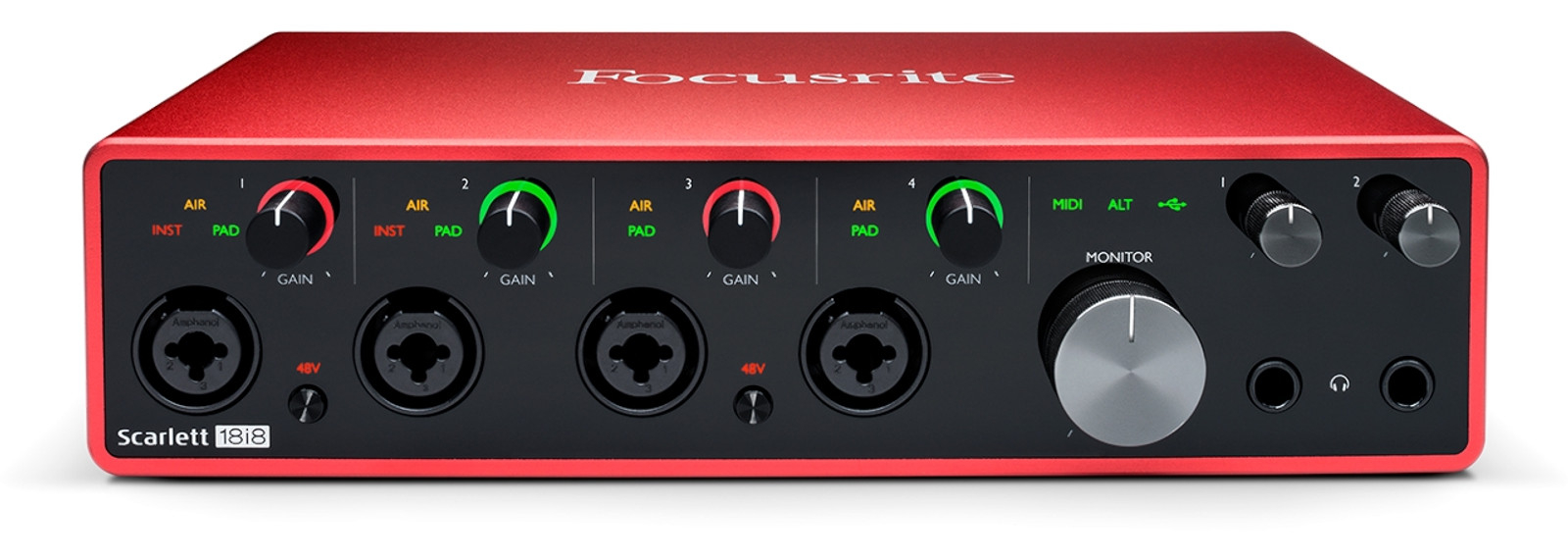
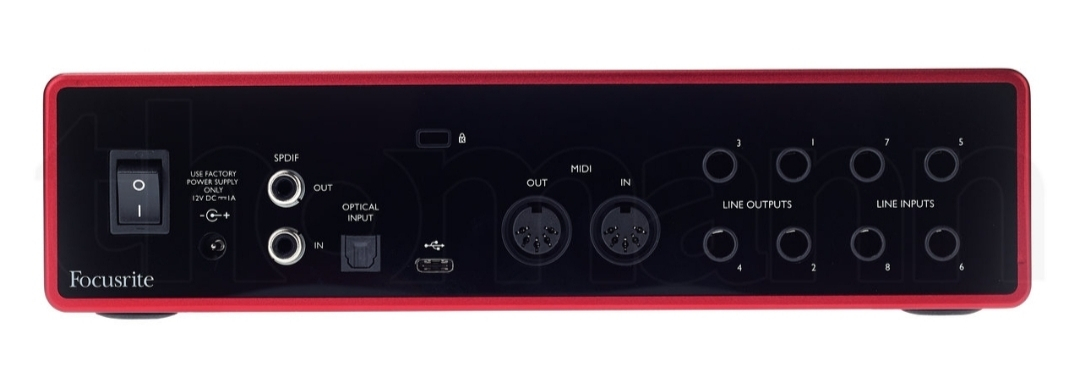
Scarlett 18i8, CABLES to route 8 separate tracks in a live performance?

Good evening,
I'm looking forward to buying the Focusrite Scarlett 18i8 to route my 6 different channels out for a live performance and have an extra 2 outputs for the in-ear metronome.
What cables would I need to send these separate 6 channels out to the sound engineer? I see that there are only 4 line outputs I'm guessing the other 4 are the 2 headphone stereo outputs, right?
Thank you very much for any input 
Vike
Comments
Hi. It would be best if you could ask the sound engineer directly, since it will depend on the details of his equipment. If you're looking for a generic solution for any venue, it's hard for me to say.
However, note that the 4 back outputs of the 18i8 are balanced TRS mono signals, which should work well. But the headphone outputs are unbalanced stereo TRS signals, so they may produce some hum when connected to a mixer. The hum will be worse if the cables need to be long.
You may have a reason for needing 6 separate outputs, but it would be much simpler to mix them digitally in your computer/ipad and just supply a 2-channel output to the sound system.
Hey Vike, did you choose the Scarlett because of the small size ? You would need a stereo DI box (or two mono DI boxes) to make the headphone out (left / right) balanced like @uncledave said.
My sound engineer also prefers separate signals (bass, kick, synths, click...) so I use a behringer umc1820 to output 6 balanced signals with cable adapters : jack TRS (male) -> XLR (female). Then we just need XLR cables to plug everything in the mixer.
Out of curiosity, why do you want the metronome separate from the mix-down ? You could have the instruments + the click at the same time, from your audio interface, or from the aux return of the sound engineer
Thanks for the reply guys!
@uncledave preferably I can supply the sound engineer separate tracks, so he can adjust the sound according to the room while I focus on the creative part.
@Etienne the small form factor is definitely key for me.
Would this stereo pasive DI box work to convert the Headphones out into 2 Balanced Mono Line outputs, or does it need to be an Active DI Box?
https://www.thomann.de/es/palmer_pan_04.htm
I don't want the audience to hear the metronome, so I want it separate from the mix.
I'm imagining the following output setup:
• 4 line outputs: Drums, Bass, Vocals, Guitar
• 1 Headphones out split with DI Box: Synth, FX
• 1 Headphones out: Metronome
What do you think?