Loopy Pro: Create music, your way.
What is Loopy Pro? — Loopy Pro is a powerful, flexible, and intuitive live looper, sampler, clip launcher and DAW for iPhone and iPad. At its core, it allows you to record and layer sounds in real-time to create complex musical arrangements. But it doesn’t stop there—Loopy Pro offers advanced tools to customize your workflow, build dynamic performance setups, and create a seamless connection between instruments, effects, and external gear.
Use it for live looping, sequencing, arranging, mixing, and much more. Whether you're a live performer, a producer, or just experimenting with sound, Loopy Pro helps you take control of your creative process.
Download on the App StoreLoopy Pro is your all-in-one musical toolkit. Try it for free today.
Please (for the love of god) join in! #halp (with Retro Record setup)

Hi friends!
I want retro recorders to join me in halping. Ed Spiegel gave me the basics in this vid: 
I’m using retrospective recording because loopy doesn't have Comping (Record over a loop as much as you like, select the best take) so can play until I’m happy.
—> instead I'm using retro record and smash grab (back in time) when something’s good.
I am under the impression that when using
-Phase perservation non phase locked
-Immediate retrospective recording
That it dosent matter when you press capture-->That when you played it stays relative to where you played it no matter when you press capture. Is it only work relative to the first clip recorded?
Still I try to press capture on the 1 beat to make sure. Sometimes when I do or dont it is still aligned but other times its not, leading me to a confusion.
Here is a short video of that happening:
- I play a note on every 1 of the bar
- I stop the recording half way through a bar
- On playback it is off

IMPORTANT:
—>The first take I have is 1 bar, tempo is also set to 1 bar (Picture)
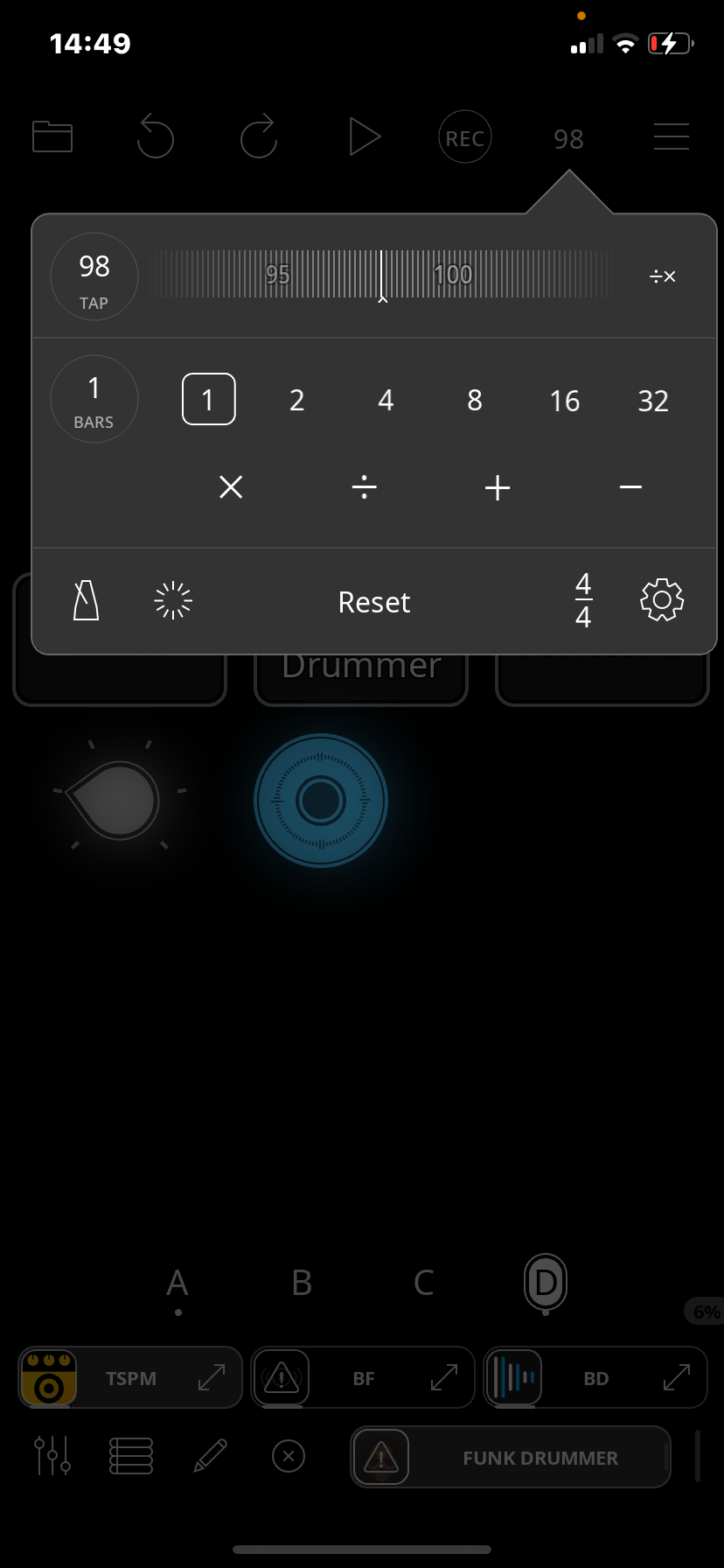
Please try to be be a pedagouge to me and tell me ways in wich the first take only being 1 Bar might influence Immediate retrospective recording, and secondarily if you will if there will be a difference with phase locked Retro 1 bar being the first take.
I am sick of my proj sometimes being on beat and off, I have to realize why it’sis the case.
Maybe I should switch to Phase Locked and change the nr of bars (tempo menu: bar count length) dependent on where I am in the song instead, it would be a different setup.
Right now I am changing how far I capture back in time (with immediate retro) by widgets based on bars 1-2-3-4-8-16-32, on top of my proj. Maybe i could make those widgets change “Tempo beat length” instead with phase locked Retro Recording?
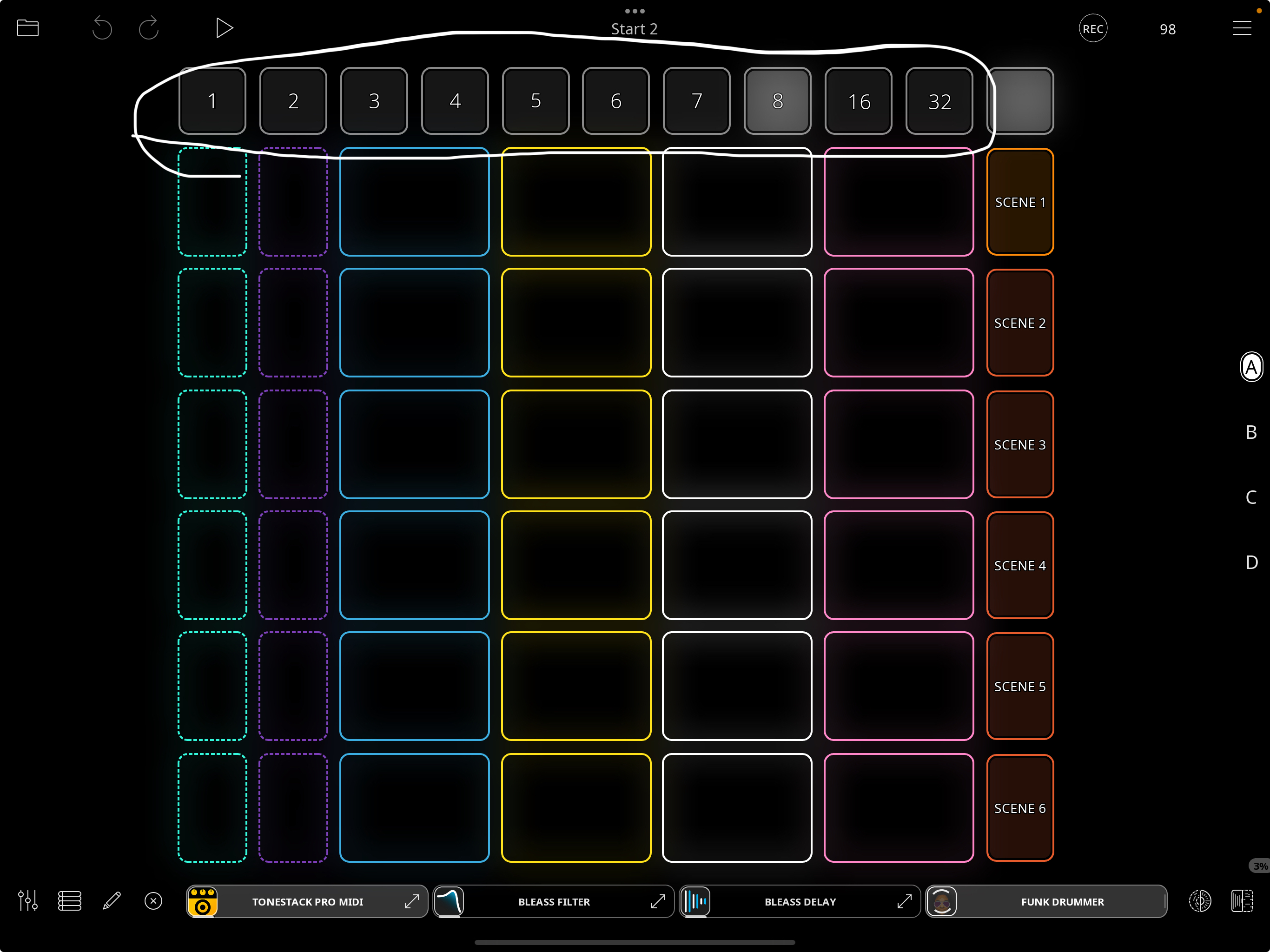
I have spent a time setting up the proj with my M-Wave chocolate controller and I’m happy when Immediate retro rec works, byt maybe I should change. Are you on discord or slack? If I have to change the binding to
-Change beat count of loop length,to use with
-Phase locked retrospective recording
?
It would be a big change but I imagine I could do it
In the mean time if there is something I’ve plain miss understood about immediate retro recording, —>maybe if I kept the first take long instead of short (1 bar),It would be easier to trim loops after?
I just set it like that to he able to Trim because no Compingyet.
- I want to play until its good
-alot of times during creation of a song the length of your takes changes
-I use scenes like ableton.
I was looking for a way to just play and trim.
maybe I should try Phase Locked instead
If I get through the Proj I will share it, i think It wont fit here.
I’d like to keep working on this. I appreciate all feedback from y’all doing anything similar.
Thank you!
Comments
@_smund : things can get a let hard to visualize when the master cycle is different from the retro buffer length as one doesn't have a visualization of the phase cycle and where it starts.
FWIW, for comping, I find quantized a more helpful setting than immediate as it will capture the last full take.
For your use, using immediate, see if the following solves your problem. Once you have the clip you want to solo over, stop the transport and then start it. That should make sure that the phase of the clips that are playing matches the phase of the retrospective buffer. I suspect that what is going on in your clip (and this may be a bug, but I am not certain) is that the blue clip started playing out of phase of the overall cycle which resulted in the retro being captured with a shifted phase.
@_smund : after some more tests, you should set the master cycle length to the retro capture length for the phase preservation to work correctly.
I think that would be safe too, I think I need to try a phase locked setup with master length dictating.
Thanks for looking into it (for now)!
Im still wondering, is it only the first clip in a project that immediate retro record references?
No, it is not only thd first clip that matters. Phase-lock doesn’t matter. As I said, if you set the master cycle length when you set the retro length that seems to work.
@_smund : for the immediate retrospective looping's phase preservation to work right, make sure that the master cycle is set to the length of the clip you are jamming to and that the clip you are jamming to is aligned with the clock. The retro buffer length will need to be a multiple of the master cycle