Loopy Pro: Create music, your way.
What is Loopy Pro? — Loopy Pro is a powerful, flexible, and intuitive live looper, sampler, clip launcher and DAW for iPhone and iPad. At its core, it allows you to record and layer sounds in real-time to create complex musical arrangements. But it doesn’t stop there—Loopy Pro offers advanced tools to customize your workflow, build dynamic performance setups, and create a seamless connection between instruments, effects, and external gear.
Use it for live looping, sequencing, arranging, mixing, and much more. Whether you're a live performer, a producer, or just experimenting with sound, Loopy Pro helps you take control of your creative process.
Download on the App StoreLoopy Pro is your all-in-one musical toolkit. Try it for free today.
Comments
The fact you can’t play each sound from a sequencer is the worst. Does it differ between them? What even is the official workaround? I got stuck there 5 times
In what way can’t you play the sounds from a sequencer?
@espiegel123
I can trigger the sounds individually from an external sequencer?
In that case Im sorry, I forgot.
I remember I accepted just being able to switch between patterns.
I do find the systems and layout a bit ancient.
It is a fiddle to do and I was not able to do it by myself. I read they don't sound as good seperatly as played when In the internal sequencer.
If im wrong about it I will get hip hop drummer as my next app, 4 sure
Some of the drummers have a sound module mode that lets you send notes to them: some don’t.
Do we have any idea which ones? Can we try to get a comprehensive list together?
@FizzyLizzy27 Heya.
I searched for lumbeat on the forum (I have been to some of those before I think) maybe this one you could post up
https://forum.loopypro.com/discussion/38791/solved-lumbeats-drummers-apps-midi-in-how-to
Hey you could ask in pop drummer thread if your brave (:
Its probably okay if you just get the newer Lumbeats though.
I have funk drummer, I believe it can do it, but it sure messed me up trying tomsequence it externally between the internal sequencer being worky (especially on smaller screens) and the app not being AUV3. Basically it comes down to “Learn to trust ableton link”, run the app as IAA/standalone and you will be fine?
For sequencing im not 100% sure
I 100% agree (everybody does) with people that does not want things that are not AuV3. Is pop drummer AuV3?
Espiegel has a groovy preset for all the lumbeat apps them for Loopy though.
They are 100% worth getting in you are into the genre and are practicing an instrument
I’ve worked on a Pages document compiling info, tutorials, etc. on Lumbeat apps. Maybe making that a collaborative document or starting a wiki where anyone can contribute would be a good means of consolidating a community driven manual.
I didn’t want to clog up the sales thread. This seems like a better spot to respond.
I like to route them in AUM and run them in Ambiente for a sense of space. Usually I build a song in one drummer, send those grooves to iBassist, and that lets you send entire songs to drummers instead of separate grooves. If you’re only working with two of the apps you don’t have to worry about iBassist but I think it helps bring it together regardless.
Building the songs means I usually send the groove from the main app to the secondary one and save it with the same name. So if I have a song in hip hop drummer consisting of “Trap Queen 2” and “Phunky Vibe” I would choose the “trap queen 2” groove, send the groove to Rock Drum Machine, save that as “Trap Queen 2 v1”, and do the same for Phunky Vibe. Then put the pieces together in song mode on both apps. Once your songs are built you can export the MIDI/audio separately or as a master track to use in something like Cubasis or Logic Pro.
Very good. Thank you for your thoughtful response. Much appreciated. I am going to go look for my phunky vibe this very minute
There’s a solution for this… touch the current number and slide your finger up and the numbers will scroll rapidly.
Slide down and the number will decrement. Just a User Interface issue similar to move some UI knobs that you expect to respond to circular movements but up and down, right of left moves the dial.
How to get PopDrummer’s fill > button to work as intended when midi mapped?
It just acts like a normal fill and doesn’t actually end playback when used in Loopy Pro or AUM - be cooler if it did.
It works properly when I press the button myself on the screen, but for whatever reason, midi mapping it doesn’t act the same way. For me.
Have you tried using MIDI Learn? I dealt with the same situation yesterday in Loopy Pro. Fill message has C4 set as the default note in PD MIDI mappings. But when I sent C4 from Loopy, nothing happened. When I used MIDI learn in PD, I found that Loopy sends C4, but Pop Drummer receives the message as C5, which conflicts with another event. So now I send C3 from Loopy, Pop Drummer receives it as C4, and Fill works.
I just want to mention that this octave confusion is normal between iOS apps. Long time ago, before MIDI, different synth manufacturers decided that they would call middle C C3, or C4. This disagreement has persisted into computer music apps. The touchstone is the MIDI note number; note 60 is defined as middle C. You need to determine the octave notations used by your different apps.
Fill and Fill To End/Start are different midi commands.
There are a few minor issues but overall they are pretty usable. The only thing that really confuses me is why when Hip Hop Drummer came out is was impossible to make an auv3 and when Pop Drummer came out it was.
Developers learn, and find ways to do things they didn't think they could, just like the rest of us.
I’m aware, that’s why I wrote “Fill >” and not just “Fill”.
Another thing I’d like to know how to do with PopDrummer is.. how to record the beat into my DAW lol.
It’ll play in sync with the DAW, but even when armed/set to record, it just doesn’t actually record anything into any DAW that I use.
I’d have loved to just set up a groove, and add in fills/beat changes when I want “live” and have it record that straight into a DAW.
It’d be an instant drum track, including simple dynamics.
Never records though.
Fill > works as expected for me in both Loopy Pro and AUM. The fill plays and then the drum machine stops.
Which DAW(s)?
Yeah, that's not really the way it was presented.
I’m not sure what you’re referring to exactly, so I’ll leave it be.
Works for me when I press the button in PopDrummer, but not when I hit the button I've midi mapped for it
I've tried it in a few - Logic, Cubasis and Loopy are the ones I'd like it to work in most though.
@greatestlengths:
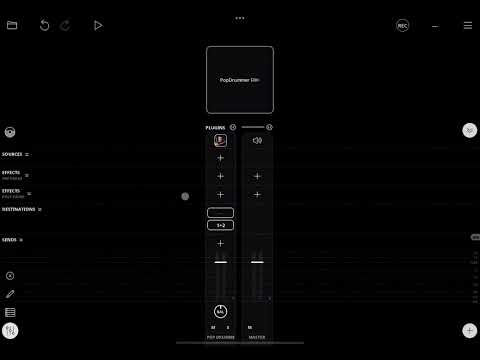
Didn't think to send the midi message from Loopy Pro via a widget - I'll give that a shot, did you try ti via PopDrummer itself, without Loopy Pro/the widget involved?
Sorry, I don't get what you mean "via PopDrummer itself". Could you post a screenshot with comments on what you want to achieve and where?
Post a screen recording of what isn’t working. Fill > works as expected for me directly and via midi, and recording PD is also working for me.
OK, I'm going to hold off on addressing this until the other question about fills is settled. The conversation will get too confusing otherwise. I can't help with Logic, but Loopy and Cubasis shouldn't be any problem.