Loopy Pro: Create music, your way.
What is Loopy Pro? — Loopy Pro is a powerful, flexible, and intuitive live looper, sampler, clip launcher and DAW for iPhone and iPad. At its core, it allows you to record and layer sounds in real-time to create complex musical arrangements. But it doesn’t stop there—Loopy Pro offers advanced tools to customize your workflow, build dynamic performance setups, and create a seamless connection between instruments, effects, and external gear.
Use it for live looping, sequencing, arranging, mixing, and much more. Whether you're a live performer, a producer, or just experimenting with sound, Loopy Pro helps you take control of your creative process.
Download on the App StoreLoopy Pro is your all-in-one musical toolkit. Try it for free today.
Midi source grouping

As mentioned on youtube.
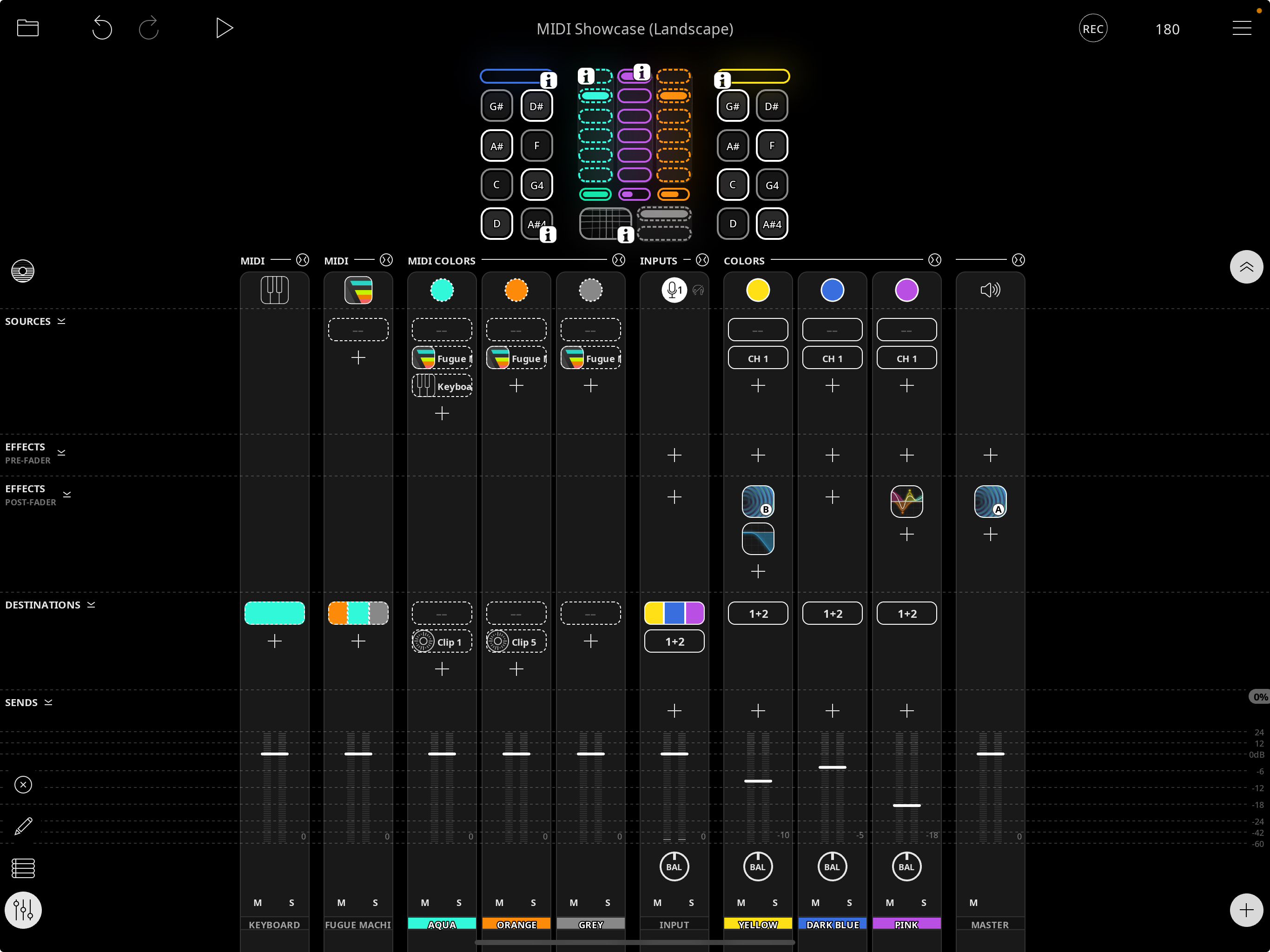
why are midi sources not combined into one group like the midi colors? I can collapse them, but only individually.
Also (minor issue) when pressing the plus button for adding things the collapse icon (top right of the mixer section) does not change state correctly.
Both issues occur in the demo project and can be seen in
the attached screenshot.
Comments
Midi "Sources" such as the keyboard are considered separate from midi Plugins, so they're grouped separately. It's the same logic as grouping hardware inputs separately from instrument plugins, even though they're both considered audio inputs.
I understand. Thx for the clarification!