Loopy Pro: Create music, your way.
What is Loopy Pro? — Loopy Pro is a powerful, flexible, and intuitive live looper, sampler, clip launcher and DAW for iPhone and iPad. At its core, it allows you to record and layer sounds in real-time to create complex musical arrangements. But it doesn’t stop there—Loopy Pro offers advanced tools to customize your workflow, build dynamic performance setups, and create a seamless connection between instruments, effects, and external gear.
Use it for live looping, sequencing, arranging, mixing, and much more. Whether you're a live performer, a producer, or just experimenting with sound, Loopy Pro helps you take control of your creative process.
Download on the App StoreLoopy Pro is your all-in-one musical toolkit. Try it for free today.
Can't record simple MIDI

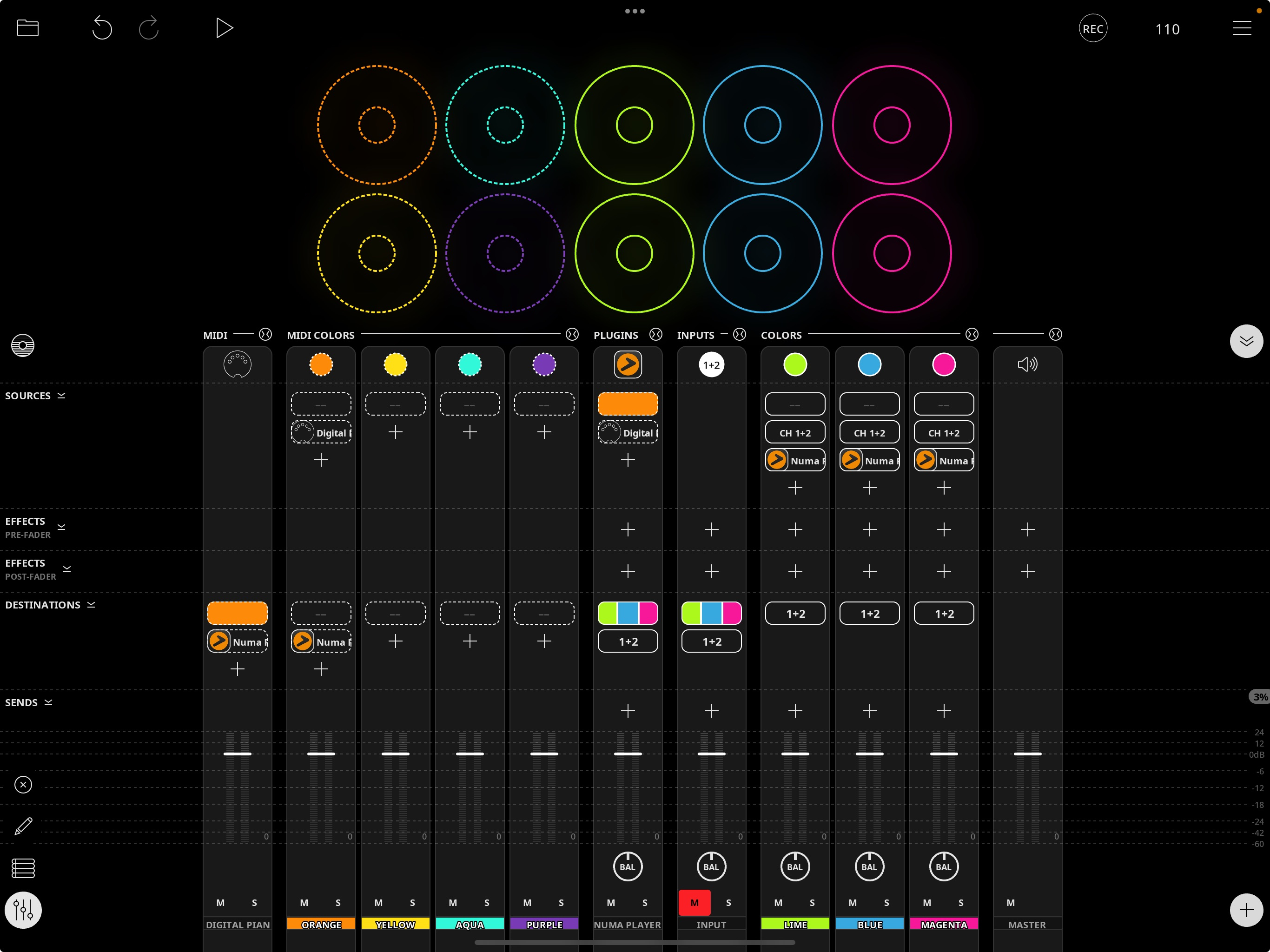
Following (Gavinski's? Doug's?) Sound Test Room MIDI tutorial. Have my setup looking like his. I can play my keyboard & hear it through the Numa synth fine. But when I hit "Play" and try to arm one of the MIDI loops it won't arm, hence won't record. None of the loops will arm. Basic user error probably, still frustrating.
Comments
What do you mean it won't arm? What happens when you tap on the orange clip?
Can you upload a screen recording somewhere and link to it? Btw, since Numa is a target of the orange midi color, you don't need to make Numa also a target of your keyboard. Any midi sent to orange will pass through to orange's destinations.
@des1303 : you might want to check out the short videos on this page to help get started
https://wiki.loopypro.com/MIDI_Basics
Thanks @espiegel123 ! Watched it. Sounded simple. Still does not work.
I'm trying to avoid uploading video, so here is an exact reproducible sequence:
New project / Basic
Go to Canvas / Delete all loops
Add 1 MIDI loop (default Orange)
Add MIDI Keyboard (built-in)
(auto-destination:Orange)
Add AU Instrument / Numa
(Set MIDI source = Orange)
Click Numa, select a sound
Now: play keyboard => sound, yay!
Tap Time button, 120/2 bars, metronome on
Tap the MIDI loop, nothing happens. No response on touch, no response on release.
Tap Play, hear metronome, tap MIDI loop, nothing again (loop dims monentarily on touch, nothing on release)
Are the last 2 as expected?
That is not normal. It sounds like something unusual is happening.
Have you tried rebooting your device?
Go to the clip settings panel and restore defaults.
Does that change anything?
Does the the MIDI Showcase Sample Project work?
How about the MIDI projects in the tutorial projects?
You aren’t using an expired trial version by any chance? Or maybe don’t own the 2.0 features yet?
Thanks, @wim and @espiegel123 . I found my mistake. I was not exiting mixer mode before trying to record. It works now. (Kicks himself). Glad music making is not my profession
... But now my layout has switched to something that vaguely looks like piano roll (or arranger or sequencer?) view of the midi loop. I didn't consciously do anything to get here. How do I get back to the er... donut circle view of the loop?
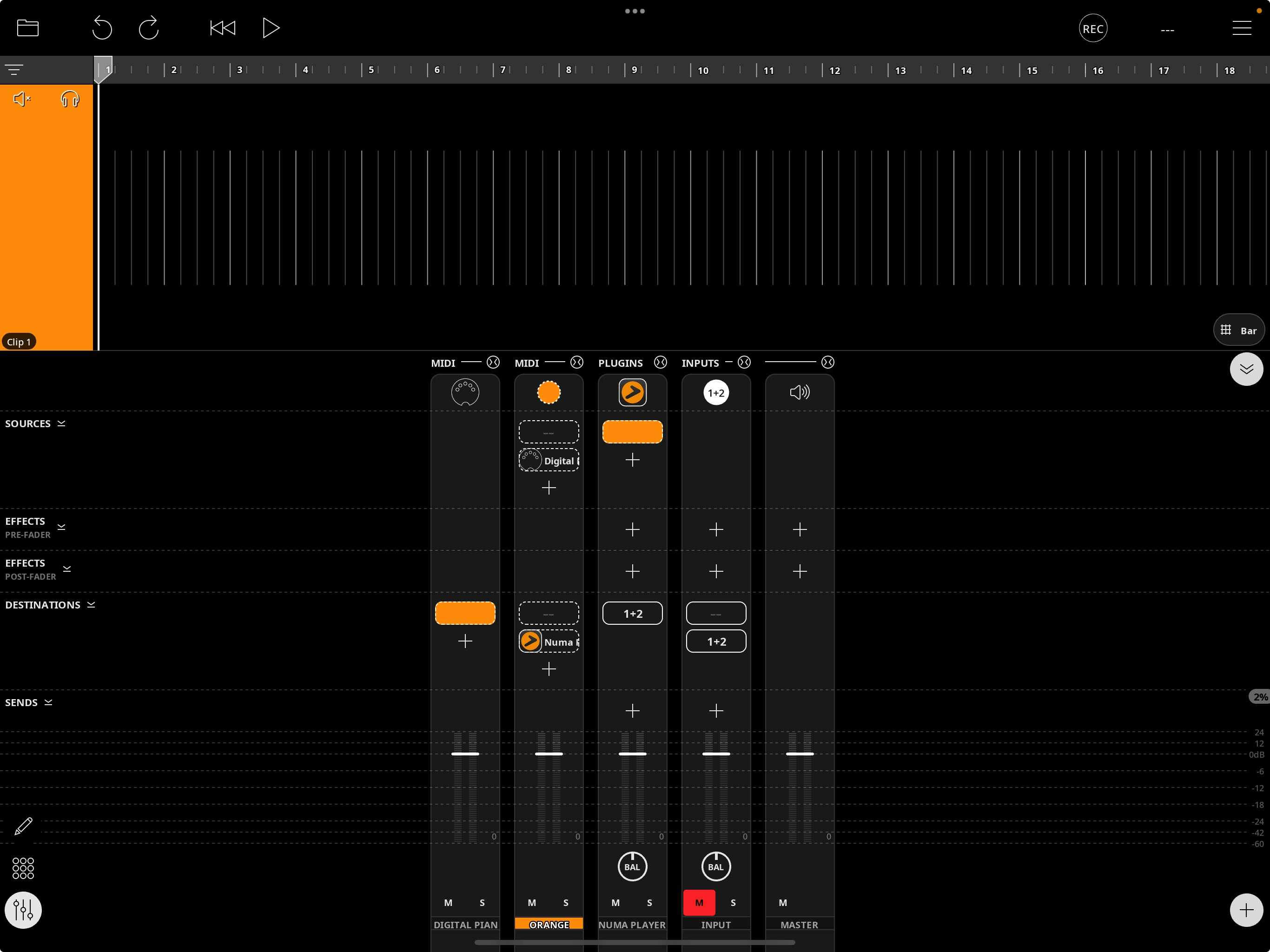
Ok, got it. Those bottom-left icons re-arranging themselves threw me off. Makes sense now. Thanks for the help!
I recommend that you take Loopy’s built in tour. It will teach you helpful basics. And spending some time with the manual might be helpful.
I am surprised tapping a loop while the mixer was open did not work. Were you possibly in canvas edit mode?
I will repeat it. Manual and wiki are helpful. Awesome work!
I don't know. I can't find a way to get back into that state right now.
I was thinking it must have been clip mixer mode.
Makes sense
@des1303 - did the loop look like this? The button indicated toggles this view of the clips, allowing you to set individual loop volume and pan.