Loopy Pro: Create music, your way.
What is Loopy Pro? — Loopy Pro is a powerful, flexible, and intuitive live looper, sampler, clip launcher and DAW for iPhone and iPad. At its core, it allows you to record and layer sounds in real-time to create complex musical arrangements. But it doesn’t stop there—Loopy Pro offers advanced tools to customize your workflow, build dynamic performance setups, and create a seamless connection between instruments, effects, and external gear.
Use it for live looping, sequencing, arranging, mixing, and much more. Whether you're a live performer, a producer, or just experimenting with sound, Loopy Pro helps you take control of your creative process.
Download on the App StoreLoopy Pro is your all-in-one musical toolkit. Try it for free today.
multiple audio interfaces - how to select?

Greetings all,
Very new to Loopy Pro, but very much enjoying it. This is one of the greatest iPad apps I've ever used, it's absolutely amazing.
My question may be more of an iPad/iOS question, but it does relate to my use of Loopy Pro.
My setup is: Livetrak-12 mixer as an audio interface. Bass, Guitar, Keyboard (Yamaha MX49), Vocals all going into the mixer. Mixer connects to a powered USB hub, which is plugged into a 9th gen iPad running iOS 18.5. Also going into the USB hub is a Morningstar midi controller, a Korg nanoKONTROL2, and the Yamaha MX49.
My thought was to run the audio from the keyboard into the mixer, but also use the keyboard as a midi keyboard for various iOS based synths.
The problem lies in that sometimes the iPad picks the mixer as the output device (that's what I want):
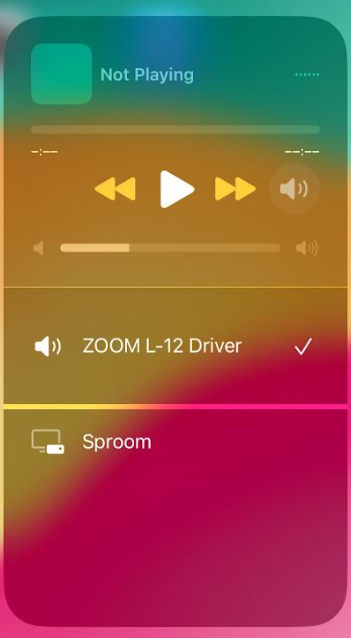
but sometimes it picks the keyboard:
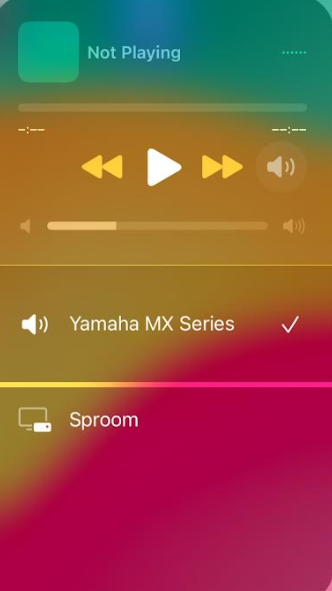
There doesn't appear to be a way to manually select which one I use for the output? Is there a way to do this?
If I disconnect the keyboard from the hub, it will switch to the mixer, but as soon as I connect the keyboard, it switches back to the keyboard. It works in the opposite fashion if the mixer happened to be the interface that was selected.
Also, in loopy pro, I see these options for inputs:
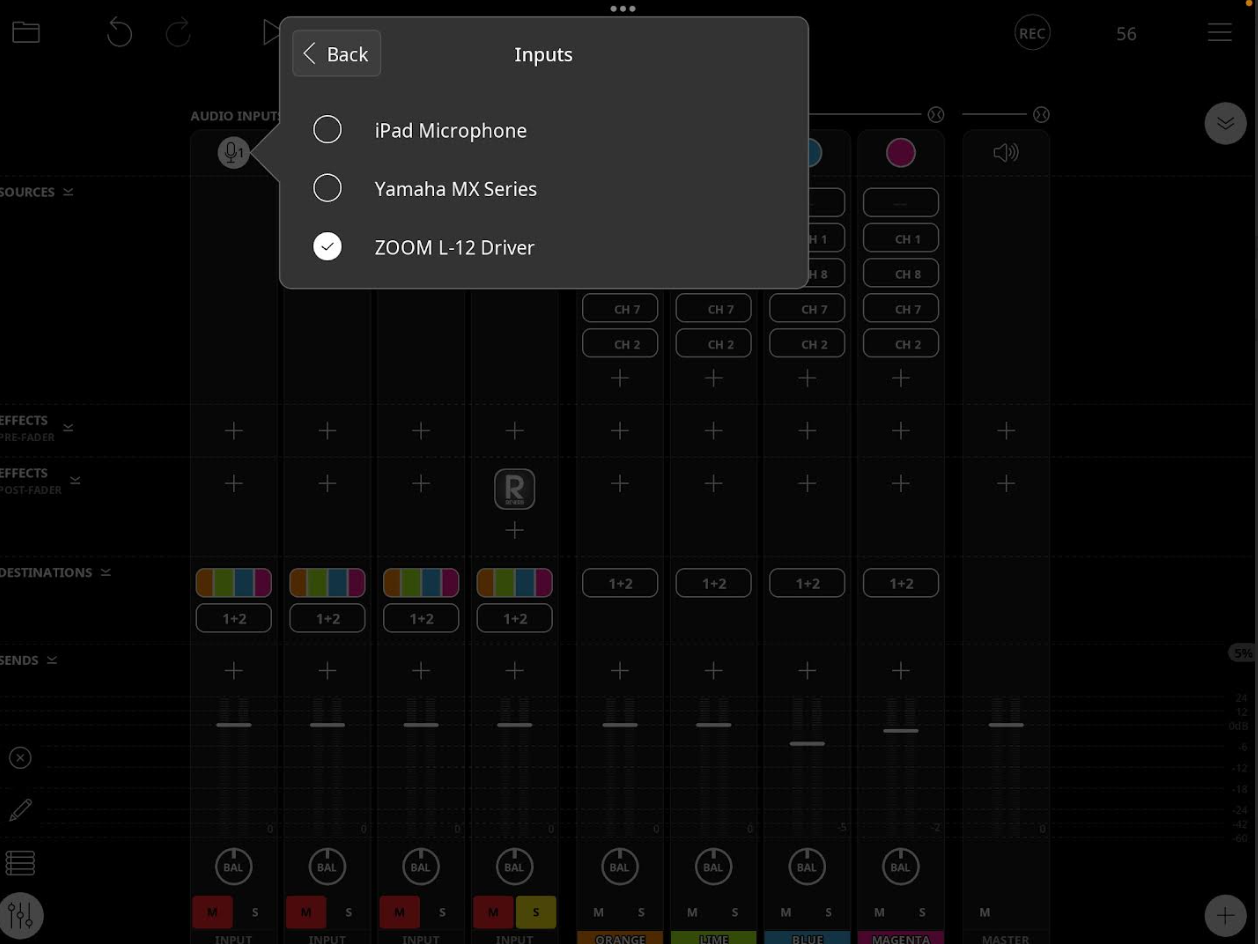
I believe I could take audio direct from the MX keyboard via USB, however I can't select "Yamaha MX Series" from that list, it always defaults back to "ZOOM L-12 Driver". I can select "iPad Microphone" though.
I see no way to select one of the two outputs in Loopy Pro either.
I'm not dismissing that I missed something obvious. Any help appreciated.
Comments
huh, well, darn it! I thought I was missing something obvious. Thanks for the info!
@wagdog - sorry, only one interface at a time. Last one plugged in or turned on wins. Unfortunately there’s no way around that (except for in Logic Pro as mentioned above).
Just a suggestion. You might be able to disable the USB audio in the MX49 settings. But plugging the mixer in last ought to work.
Yup, I have the Livetrak L-8 and a Yamaha PSR e453. Keyboard is plugged into the L-8. Most of the time the Livetrak is the audio interface, but if not I just unplug and replug the L-8 and it takes over. I can use the Yamaha as a midi keyboard.
I waded through the MX49 settings and couldn't find it. Good thought though!
OK, thanks for that. My USB hub has on/off switches on each port, so I may be able to just turn it off and back on again. This seems like such a basic function, I don't understand why it isn't built-in to the iPad. Anyway, I'll try this method later. Thanks again.
are you doing this on the new iOS 26 beta? I am aware you can do that on 26.
Just tried and it does not work on iOS 18.5
I did try the iOS 26 beta and was able to select different interfaces at the iOS systems level (when you swipe down to select audio source) it did not work in AUM. I did not test with any other apps and since removed the beta as it was buggy for me.
Again, I stand corrected if it can be done in Logic Pro on 18.5 but I am unable to. I tried to upload a screenshot and it wasn't working.
Just to follow-up:
As @Optahealth noted above, the last audio interface connected is the one the iPad uses. Fortunately the powered usb hub I’m using has individual power switches for each port. I’m able to pick which interface to use by turning that one on last. I confirmed they could be switched as well.
I’m also able to use the mx49 as a midi keyboard and straight audio into the board/interface.