Loopy Pro: Create music, your way.
What is Loopy Pro? — Loopy Pro is a powerful, flexible, and intuitive live looper, sampler, clip launcher and DAW for iPhone and iPad. At its core, it allows you to record and layer sounds in real-time to create complex musical arrangements. But it doesn’t stop there—Loopy Pro offers advanced tools to customize your workflow, build dynamic performance setups, and create a seamless connection between instruments, effects, and external gear.
Use it for live looping, sequencing, arranging, mixing, and much more. Whether you're a live performer, a producer, or just experimenting with sound, Loopy Pro helps you take control of your creative process.
Download on the App StoreLoopy Pro is your all-in-one musical toolkit. Try it for free today.
preloaded audio loops get corrupted and drift out of sync

Hi everyone,
I’ve been working on my live looping workflow for several days now, but I’ve hit a problem I can’t solve — a real puzzle. 👉 Over time, my preloaded audio loops start getting corrupted and drift out of sync, even though they were fine at first. Let’s see if someone here can help me figure this puzzle out.
Context:
• I used to work with Loopy HD, keeping different sessions with 2–3 percussion tracks pre-saved.
• Now in Loopy Pro, I’m migrating around 50 songs (≈130 audio tracks in total, most are 2 bars long, ~15 are up to 16 bars).
• I want to avoid creating 50 separate sessions, so that any mixer/layout adjustments I make (for instance in a live show) carry over to all songs, giving me more consistency and avoiding the need to spend time making changes one by one in the moment.
What I tried:
Since the app doesn’t currently offer an automated way to drag files into clips, I created a “master session”:
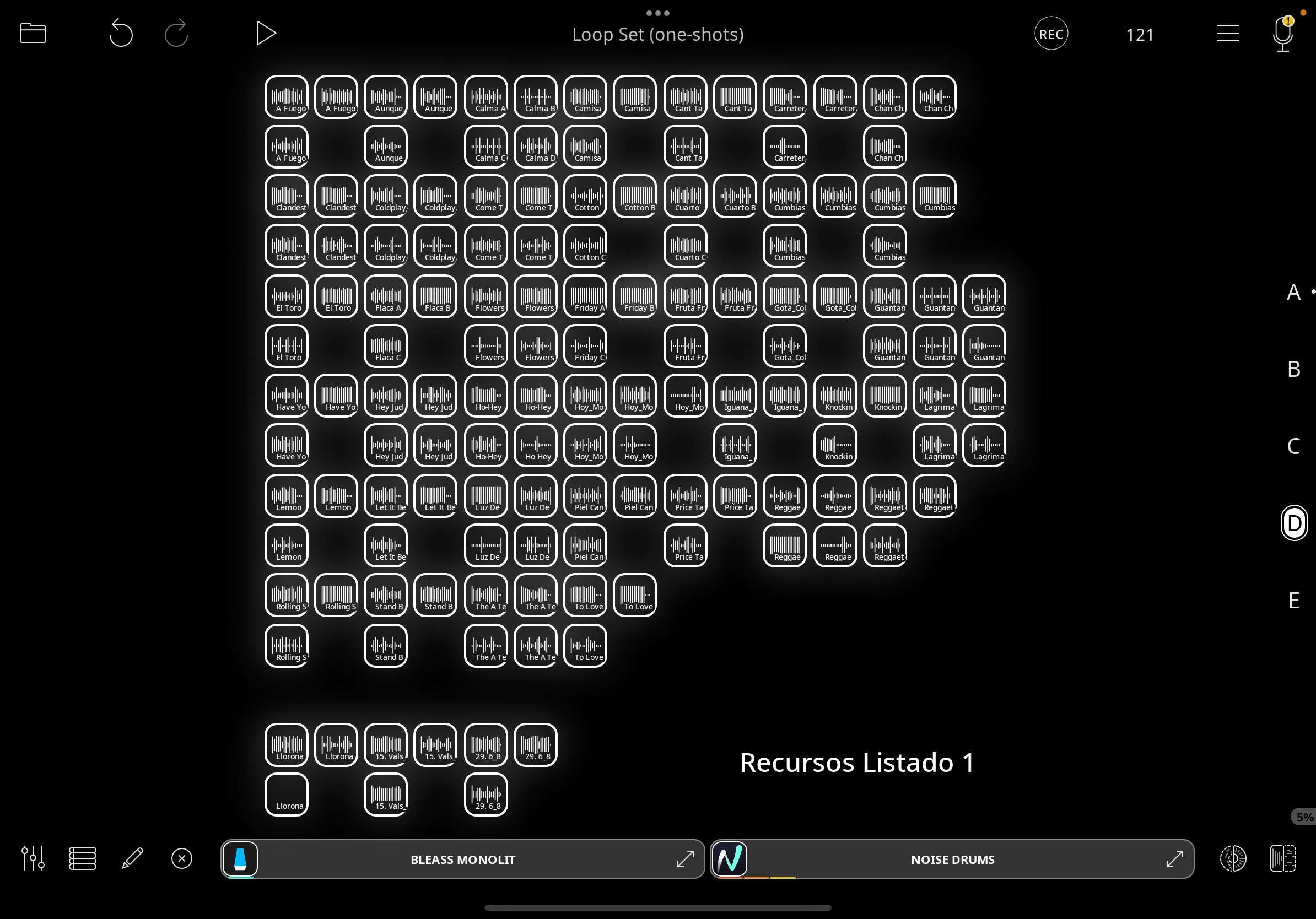
• On pages C, D, and E I placed all my resources (≈130 individual audio files).
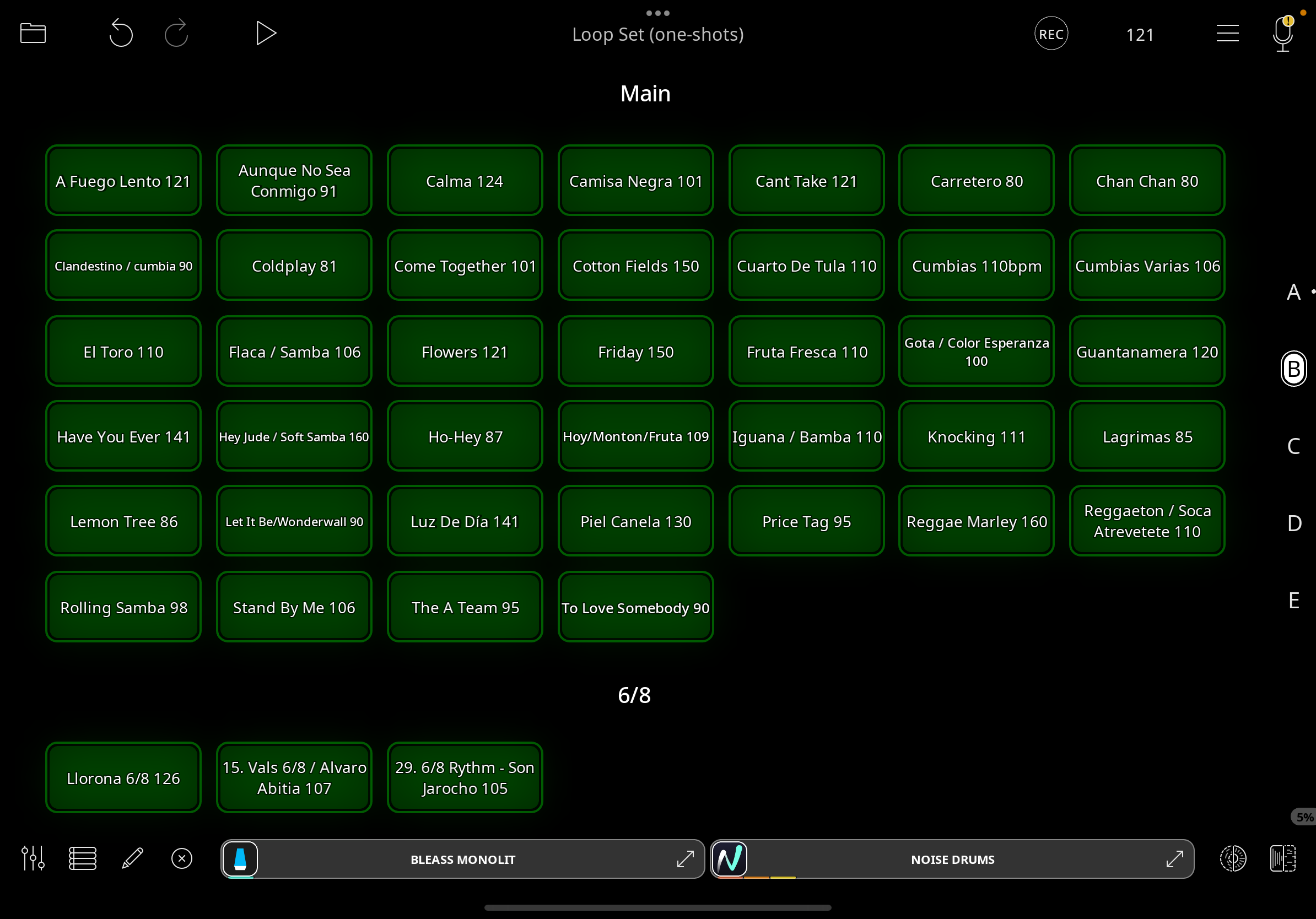
• On page B I created buttons for each preset (≈50 songs).
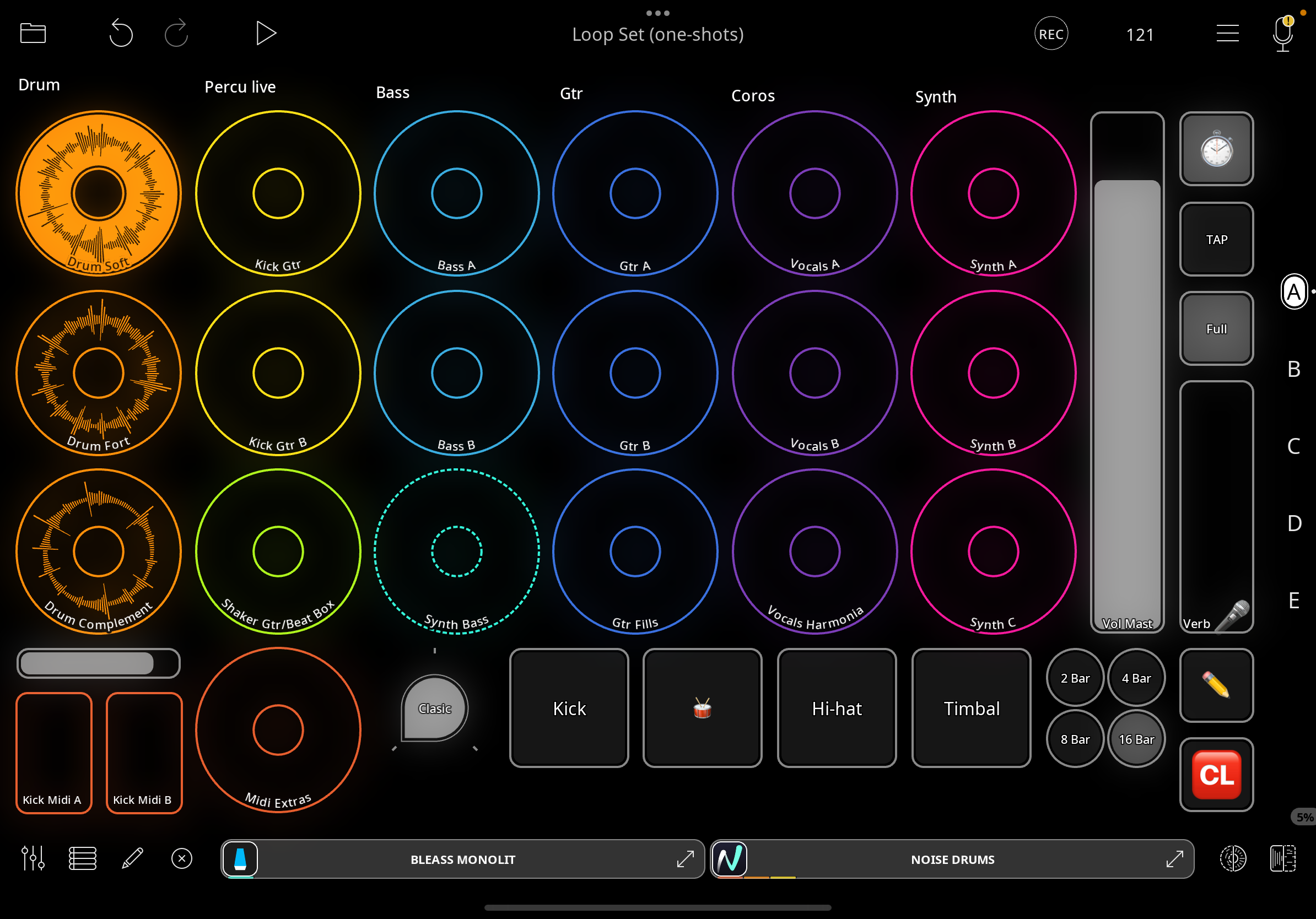
• Each button triggers a sequence of actions on my page A (where my looping layout is):
1. Stop all tracks.
2. Clear all tracks from the page.
3. Set the BPM for the song.
4. Send each resource (audio file) to its assigned clip.
5. Mute all clips except one active to start with.
I tested different variants:
• Built a “master session” with widgets that call one-shots (with time-stretching).
• Built a “master session” with widgets that call one-shots (without time-stretching).
• Built a “master session” with widgets that call loops (without time-stretching).
• Built a lighter “master session” with only ~20 presets (≈40 resources) to see if fewer files would help — but the same problem happens.
The problem:
• At first, everything works fine.
• But little by little, some files start getting corrupted.
• When I press the button to drag them in again, they no longer match perfectly and go out of sync.
• When I look at the source, I can see the file itself has been altered (shortened or shifted), so it’s no longer the same as the original.
My suspicion:
It feels like Loopy Pro is storing or modifying session-level copies of the audio, instead of keeping them strictly linked to the original files in the library. Over time, these copies get corrupted, which breaks the workflow.
Question:
Has anyone found a reliable way to:
• Keep ~50 songs (≈130 loops) organized inside one or few sessions,
• Without the loops gradually drifting or being modified?
• Or is there a better method (playlist, AUv3 sampler/clip launcher, etc.) to manage this workflow?
Any advice or alternative workflows would be very appreciated 🙏
Thanks in advance!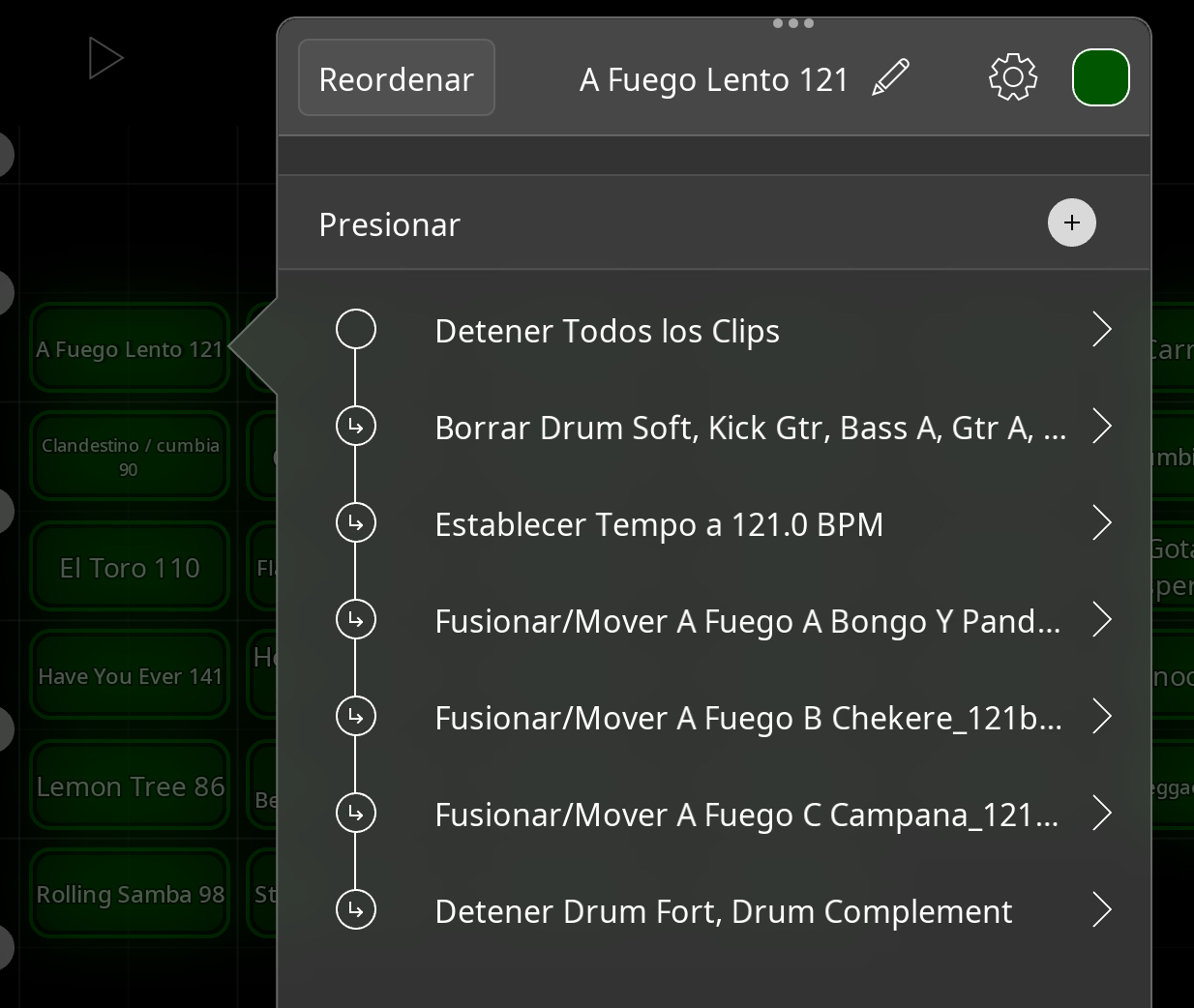
Comments
For anyone finding this thread, the issue seemed to have been a combination of settings that resulted in the original tempo of the clips have been registered when they were imported.
Indeed.
Here are the key points that fixed it:
• In Global Clip Settings, keep time-fitting always ON for one-shots.
• Before importing each resource, reset the session tempo to 0 BPM → this way Loopy stores the correct original tempo.
• Always leave time-stretching enabled.
• Then import the audio via drag & drop from the library.
After applying this workflow, everything feels tidy and neat. Sync looks stable.
Thanks!> @espiegel123 said: