Loopy Pro: Create music, your way.
What is Loopy Pro? — Loopy Pro is a powerful, flexible, and intuitive live looper, sampler, clip launcher and DAW for iPhone and iPad. At its core, it allows you to record and layer sounds in real-time to create complex musical arrangements. But it doesn’t stop there—Loopy Pro offers advanced tools to customize your workflow, build dynamic performance setups, and create a seamless connection between instruments, effects, and external gear.
Use it for live looping, sequencing, arranging, mixing, and much more. Whether you're a live performer, a producer, or just experimenting with sound, Loopy Pro helps you take control of your creative process.
Download on the App StoreLoopy Pro is your all-in-one musical toolkit. Try it for free today.
About MIDI Groove Quantization in Loopy Pro 2
Hello,
I recently discovered Loopy Pro 2, and I really love it.
I have a question about the MIDI recording groove quantization feature: is it similar to Ableton Live's Groove Pool?
I noticed that I can create a new groove by analyzing an audio clip or files, but I haven't found a way to quantize the MIDI recording using the new groove.
Could you please help me with this?
Comments
Live record quantize doesn't support groove quantization other than swing. However, you can apply (non-destructive) quantization to grooves after initial record.
Thank you for your reply, Wim.
I’m having some difficulty understanding exactly how the Groove function works.
From what I see, there are several different kinds of quantization:
MIDI record quantization
Playback beat quantization
And, inside the piano roll, the "hard in 16th notes" quantization option (with no alternatives when selecting a MIDI note), along with the beat quantization setting at the top.
Here’s what I tried: I created a groove, set playback beat quantization to None, and set record quantization to Groove. When I played the loop back, the groove was applied.
That makes me wonder: what’s the purpose of playback beat quantization in this case?
In the piano roll, I can “hard” quantize grooved MIDI notes by selecting them and choosing Quantize from the pop-up menu.
But then I can't quantize them back to my groove using the quantization menu at the top of the piano roll, even though the groove was selected.
Is the pop-up menu kind of destroying groove functions?
@cellicello : if you haven’t, please read the parts of the manual that discuss those features.
Beat Quantization (where groove quantization is) is non-destructive playback quantization. The popup at top accesses the current beat quantization settings which is non-destructive. It gets applied during playback but doesn’t alter the notes on the piano roll.
Midi Recording Quantization is destructive quantization applied to notes you record.
Selecting notes and quantizing in the piano roll , quantizes notes to the selected grid interval
@espiegel123
Thank you for your help.
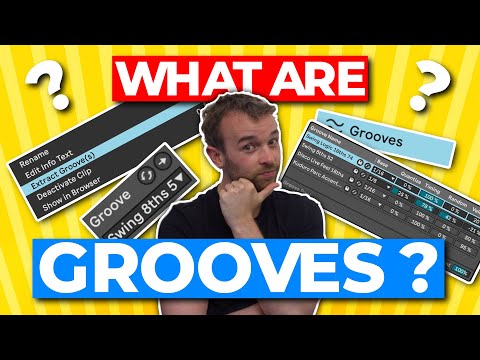
I watched this Ableton Live Groove video, and it helped me better understand groove quantization, especially since Loopy Pro seems inspired by these features.
If I understand correctly:
Beat quantization is non-destructive—it doesn't move MIDI notes or transients, but changes the "groove" or feel.
Record quantization is destructive—it shifts MIDI notes on the piano roll during recording, and you can't revert to the original performance, but you can still apply basic quantization or groove afterward.
Applying quantization in the piano roll by selecting MIDI notes is also destructive, since it physically moves the notes, but groove or basic quantization can still be added.
I really appreciate these features.
I only wish it were possible to adjust the amount of quantization when working in the piano roll, and would also love to see Groove include velocity, just like in Ableton Live.
@cellicello : in case it isn’t clear, Beat Quantization is full-on playback quantization. The playback can be fully-quantized and will play as if the the piano roll had been quantized
Unless you're talking about destructive quantization as you edit the piano roll, there is the strength setting for playback quantization (non-destructive). Is that the "amount of quantization" you're hoping for?
I prefer the non-destructive playback quantization in most cases. It has the same effect but can still be adjusted later. If you do want to "bake in" the quantization, one option is to record the playback-quantized clip to another clip that has quantization turned off.
One thing I would like to see some day is some sort of representation in the piano roll of the playback quantization, like perhaps a greyed out note in the background that's positioned where the note will actually play. I can't remember if I made a feature request for this yet. I think not as I was holding off on doing those until MIDI was released. It would be very useful visual feedback IMO.
@wim
Thank you for your reply.

What I wish that the quantization for the piano roll have a slider that go to 0% to 100%.
I also wish the Groove will include velocity like in Ableton Live.
And my point is ... non destructive quantization does the same thing in effect. You can apply strength to it. I'm not sure why having it as an option for destructive quantization is preferable, but I assume you have your reasons.
That would be good.
You should head over to the Roadmap site and add those if they're not already there, or upvote if they are. Feature requests dropped here are less likely to be acted on and have no tracking or ability for people to upvote them.
@cellicello : in case it isn’t clear yet, non-destructive quantization when played back yields a result indistinguishable from destructive quantization and has the advantage of being able to play with the strength and randomization.
@espiegel123
@wim
understand that Beat Quantization is non-destructive and allows choosing the percentage of randomization. However, I’d also appreciate having the option to perform destructive MIDI quantization by percentage directly from the Piano Roll’s pop-up menu, similar to what other DAWs offer.
Roadmap
Just out of genuine curiosity, and because I think your feature request will get more consideration if you can articulate some advantages…
Why?