Loopy Pro: Create music, your way.
What is Loopy Pro? — Loopy Pro is a powerful, flexible, and intuitive live looper, sampler, clip launcher and DAW for iPhone and iPad. At its core, it allows you to record and layer sounds in real-time to create complex musical arrangements. But it doesn’t stop there—Loopy Pro offers advanced tools to customize your workflow, build dynamic performance setups, and create a seamless connection between instruments, effects, and external gear.
Use it for live looping, sequencing, arranging, mixing, and much more. Whether you're a live performer, a producer, or just experimenting with sound, Loopy Pro helps you take control of your creative process.
Download on the App StoreLoopy Pro is your all-in-one musical toolkit. Try it for free today.
Assigning gradual increase to an AUv3's automation.

I'm sure it's not complicated, but I can't figure out how to assign automation to an AUv3 parameter in Loopy Pro.
So, with a single click, for example, I can automatically activate a synth's cutoff from 30 to 90 and gradually increase it without me having to do it, just by pressing it one time.
I imagine this option exists, but I don't see it.
Thank you very much.
Comments
In the action to assign a parameter value, there is a ramp slider that lets you set the length of time over which the change is made.
For example,
Great Thanks! But i Have this problem with Tone Stack Pro.
The effects don't appear to adjust the parameters in Loopy Pro.
The order is to create a widget, then press, then Effect Actions and adjust the effect parameter, then Tone Stack Pro MIDI target.
But once I select Tone Stack, no values appear to adjust.
I really can't modify Tone Stack effects from Loopy Pro.
This is really annoying since I buy the entire app!
This is the captures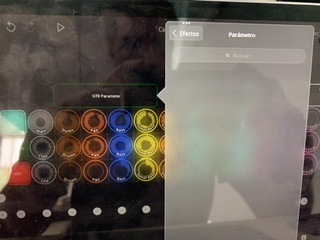
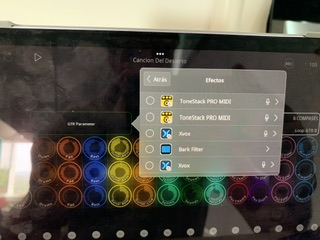
Hi. It looks like ToneStack Pro does not publish any AUv3 parameters. You need to generate MIDI CC messages and route the MIDI into TSP. Once you do that there's a TSP gotcha we need to tell you about.