Loopy Pro: Create music, your way.
What is Loopy Pro? — Loopy Pro is a powerful, flexible, and intuitive live looper, sampler, clip launcher and DAW for iPhone and iPad. At its core, it allows you to record and layer sounds in real-time to create complex musical arrangements. But it doesn’t stop there—Loopy Pro offers advanced tools to customize your workflow, build dynamic performance setups, and create a seamless connection between instruments, effects, and external gear.
Use it for live looping, sequencing, arranging, mixing, and much more. Whether you're a live performer, a producer, or just experimenting with sound, Loopy Pro helps you take control of your creative process.
Download on the App StoreLoopy Pro is your all-in-one musical toolkit. Try it for free today.
"SOLVED" LFO AUv3 controlling other Auv3 pluggin
Hello,
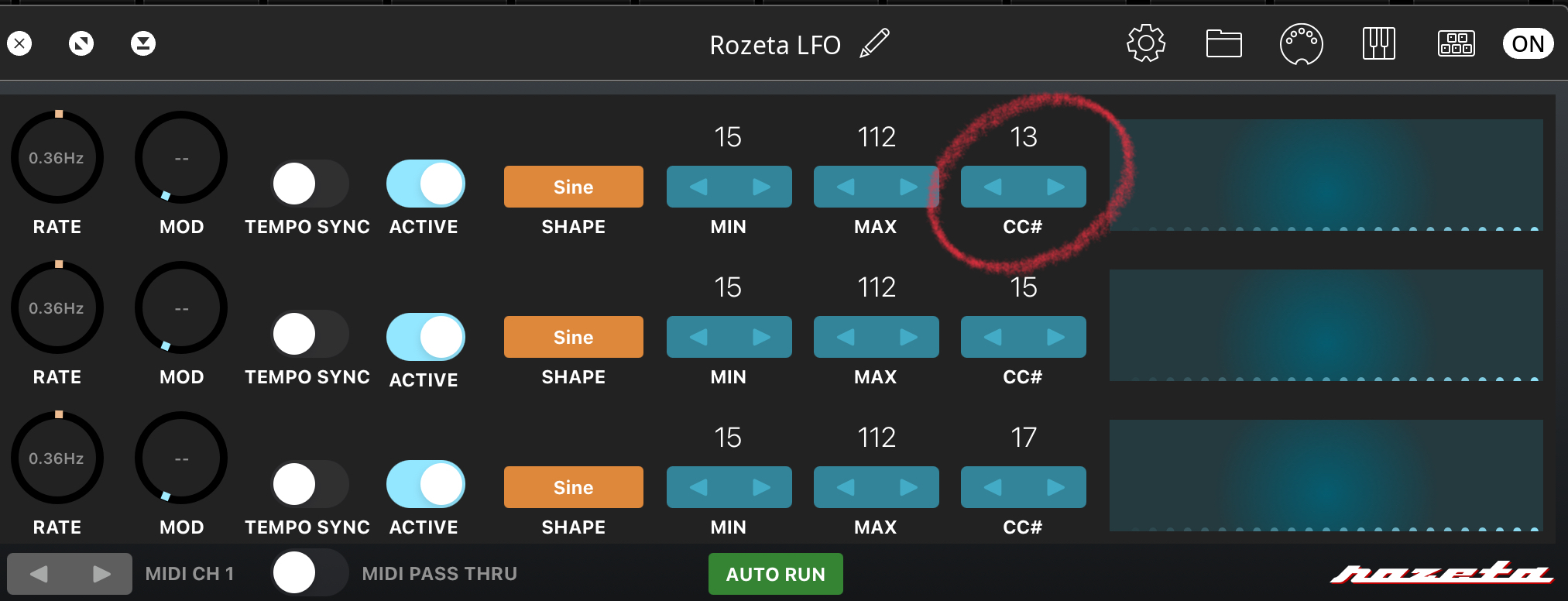
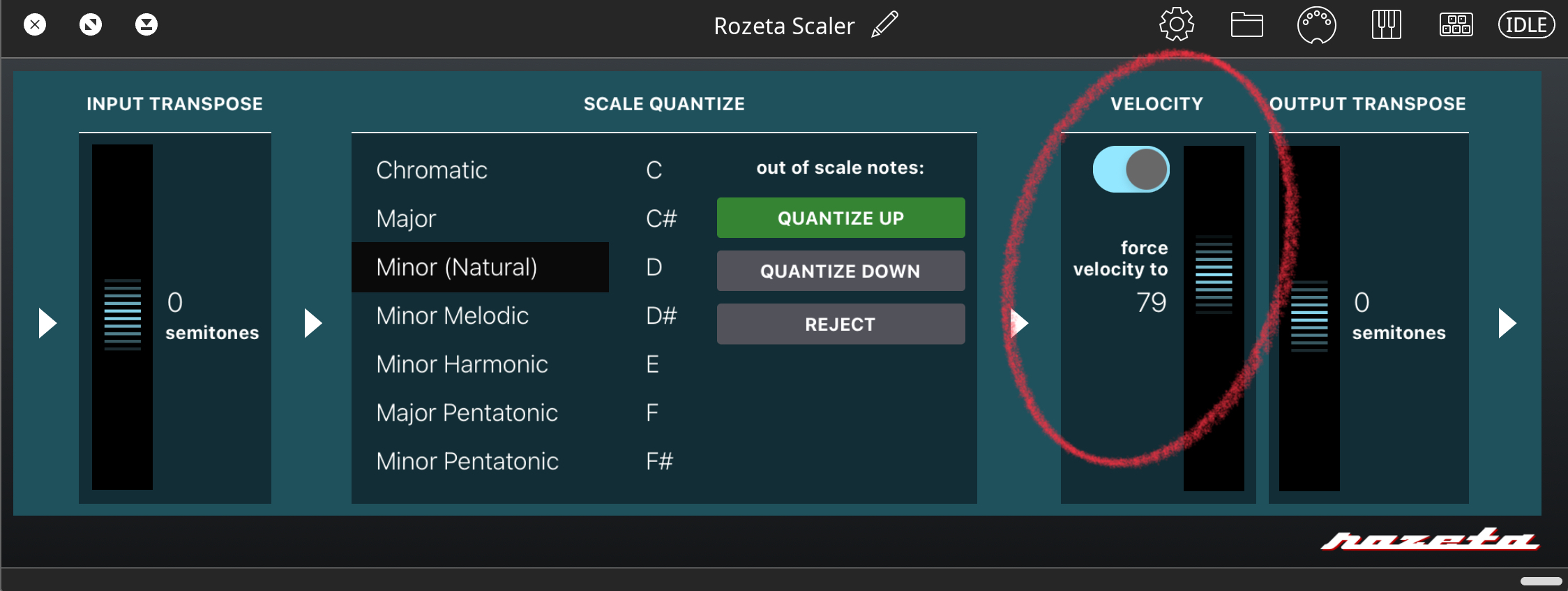
I would like to set Rozeta LFO CC# 13 to control Rozeta Scaler Velocity.
Any help would be really appreciated
Comments
In what host?
Do you know how to use midi to control AUv3 parameters? There is a parameter for Velocity. You just need to midi-learn the output from LFO to that parameter. How to do that varies by the host, so if you don't already know how to do that then please mention which host.
You've asked questions about Loopy Pro, so I'll assume the host is Loopy Pro.
Tweak the velocity slider then touch the midi learn icon in the plugin window. That should bring up the midi learn settings so that you can confirm the linkage was made. It should look like this:
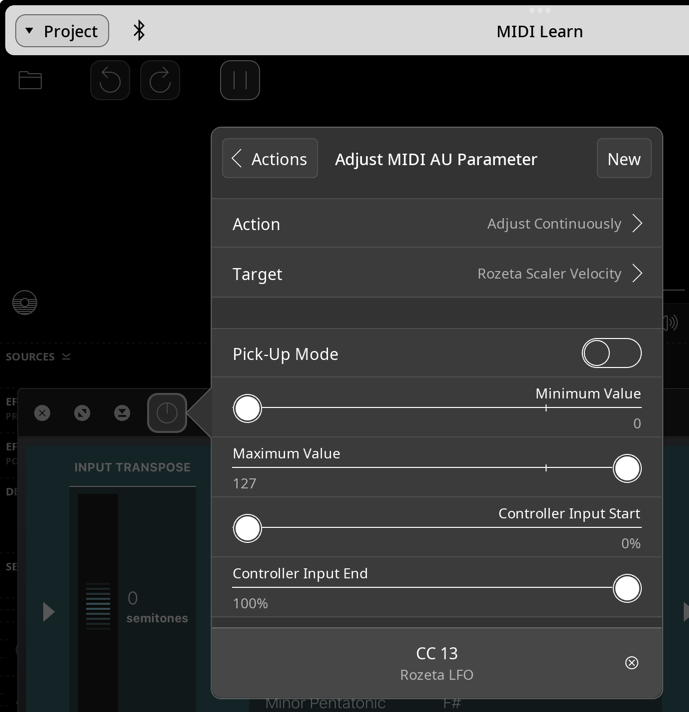
If your velocity slider is happily moving up and down, close midi learn.
The Wiki describes it much better than I just did: https://wiki.loopypro.com/MIDI_Map_AUv3_Parameters
@wim
Thanks for your reply!
I forgot to mention that I’m working in Loopy Pro. That’s exactly what I was looking for.
Now, the velocity responds to the LFO, but it doesn’t seem to affect the MIDI clip.
What I’d really like is to use the LFO to control the velocity of a Koala sample.
Here’s my current setup:
Magenta channel triggers the Koala sample
I created a MIDI channel with the LFO
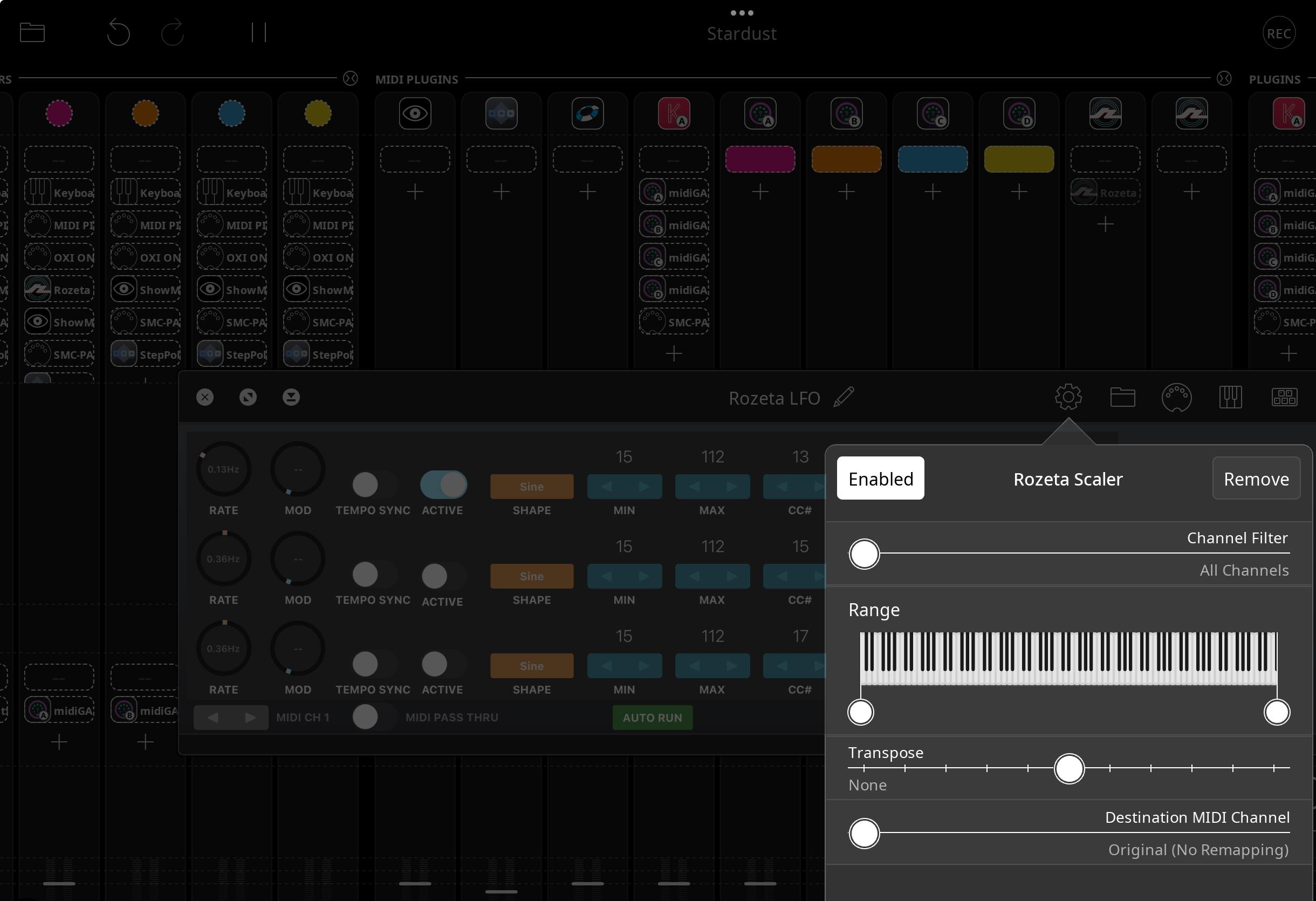
The LFO is sent into Rozeta Scaler (set to velocity)
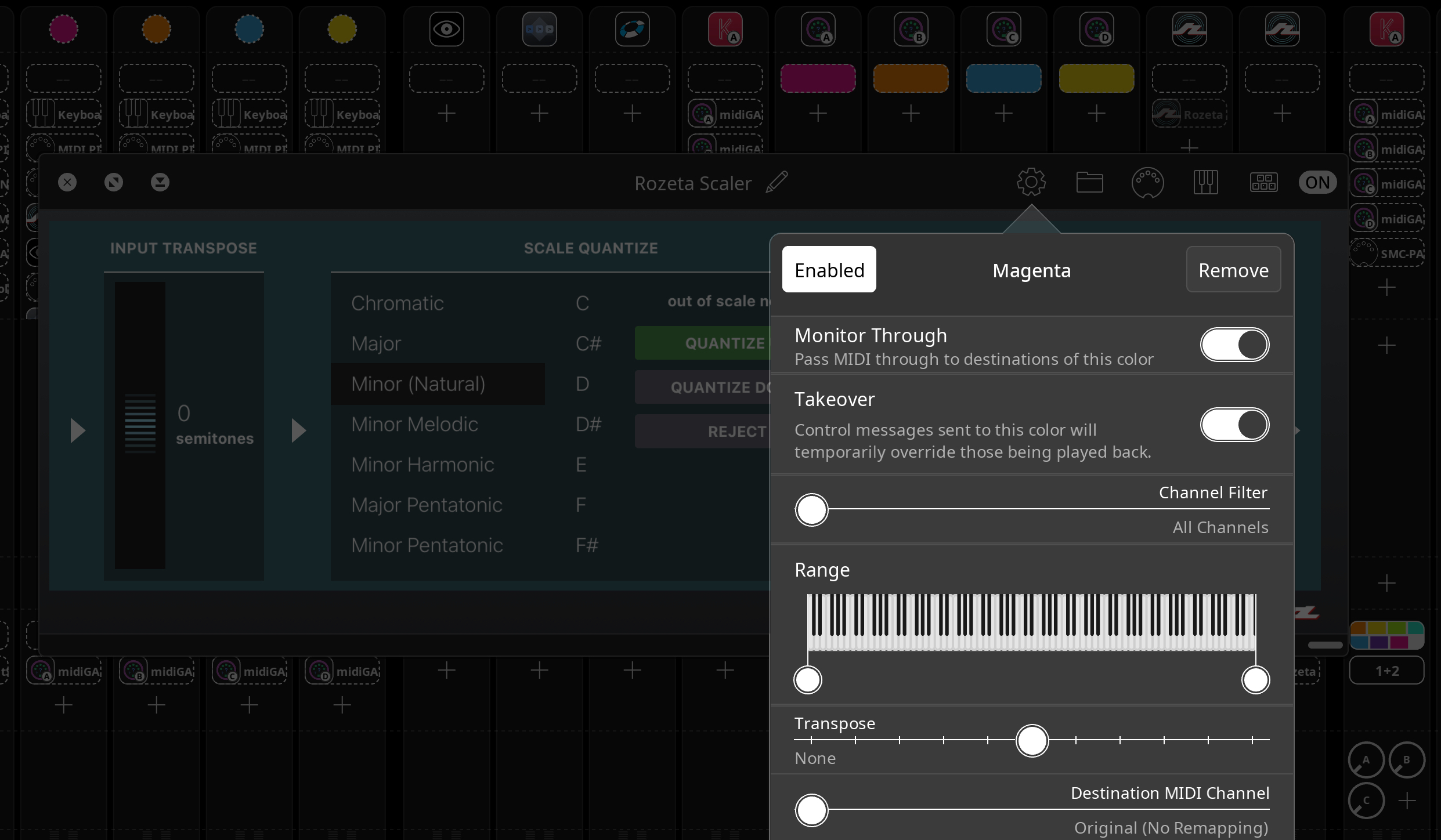
Rozeta Scaler then sends that velocity to the Magenta channel
The Pink channel controls the Koala sample.
I'm not sure I understand what you're trying to do.
However, I think you might not understand MIDI velocity. Velocity isn't a stream of values like a MIDI CC is. Velocity is part of a Note-ON message. When you play a midi note it has three parts: the midi channel, the note number, and the velocity. It only happens when you strike a note. It's not the same as volume.
All that modulating the velocity in scaler would do is cause new notes to be played harder or softer. Those notes would have to go to scaler, then out from scaler to Koala. Is that what you're trying to do?
Or Are you trying to modulate the volume of a sample in Koala? For instance, a long sample going up and down in volume as it's held?
Can you explain in more detail what you're trying to achieve, rather than how you're trying to achieve it?
@wim
Thanks a lot for your help!
I’d like to be able to control the velocity (or volume) of MIDI notes for drum samples in Koala AUv3, which are being triggered via a MIDI loop.
To keep a more “human” feel, I’d like to use an LFO or a similar modulation tool that can vary the volume or velocity of each sample automatically, so that it’s slightly different every time. Ideally, this would work like real-time automation that evolves independently of the MIDI loop.
OK, so you do want to vary the note velocity. You're on the right track.
If you're going to do that with Rozeta Scaler, then your midi loop needs to output to Scaler, and Scaler needs to output to Koala. Here's the basic routing: Magenta --> Scaler --> Koala
Note that I have the keyboard set as the source for Magenta for recording in notes to the clip.
There are other ways to do this, but your use of Scaler should work. If you have Mozaic, there's a script called Ranbo that allows you to dial in random velocity, timing, and probability in a more straightforward way and without the need for Rozeta LFO or Scaler.
@wim,
Wow, that’s exactly what I was looking for!
For some reason, the Rozeta velocity doesn’t affect Koala, possibly because it doesn’t accept CC messages.
However, using Mozaic with the Ranbo script does exactly what I wanted.
Just a heads-up: you need to be careful with the MIDI channel on Ranbo, as using the wrong channel can trigger samples but prevent them from releasing properly.
Note velocity doesn't have anything to do with CC's. It's part of the note message. I tested the exact configuration with Rozeta LFO, Scaler, and Koala, and it does work. I'm not sure why it didn't work for you.
I don't understand what channel could have to do with that. Were you perhaps sending MPE midi?
Anyway, I'm glad you found something that works for you. 👍🏼
@wim
You are right, Rozeta velocity works with Koala.
I might have done something wrong.
About Mozaic Ranbo script with Koala, it has to be set to channel 10 to work properly.
https://dropover.cloud/1e47cc
That's very odd. No one has reported anything like that before and lots of people use that script. Actually it looks like one person did last year. Must be a bug.
What channel are the Koala pads set to play on? Are you using custom mapping or Koala's default mapping?
I'll investigate.
Found it. Stupid mistake! Please ignore my previous questions.
The issue isn't the midi channel itself. Rather it's when you make settings and then change the knob to another channel. Please give me a few hours to test, then I'll upload a fixed version. I'm glad you found that issue. It's literally a one word mistake but a huge bug. 🙄
Ranbo v1.01 fixes the stuck notes when changing the channel knob issue. Sorry for the inconvenience.
https://patchstorage.com/ranbo-multi-channel-note-humanizer/
@wim
The Ranbo script works perfectly!
Now I know who created this amazing tool.
Thank you so much for helping me get this far.
Thanks for uncovering that stupid bug. I can't believe it went virtually unnoticed this long.