Loopy Pro: Create music, your way.
What is Loopy Pro? — Loopy Pro is a powerful, flexible, and intuitive live looper, sampler, clip launcher and DAW for iPhone and iPad. At its core, it allows you to record and layer sounds in real-time to create complex musical arrangements. But it doesn’t stop there—Loopy Pro offers advanced tools to customize your workflow, build dynamic performance setups, and create a seamless connection between instruments, effects, and external gear.
Use it for live looping, sequencing, arranging, mixing, and much more. Whether you're a live performer, a producer, or just experimenting with sound, Loopy Pro helps you take control of your creative process.
Download on the App StoreLoopy Pro is your all-in-one musical toolkit. Try it for free today.
"SOLVED" Setting AUv3 Bleass Monolit to Listen on MIDI Channel 12

Hello,
I’m studying Loopy Pro using the Sample Project Tutorials.
I’d like to set Bleass Monolit to respond only to MIDI channel 12.
Here’s the configuration I tried:
Keyboard Channel Filter: 12
Destination MIDI Channel: Original
Bleass Monolit Channel Filter: 12
Destination MIDI Channel: Original
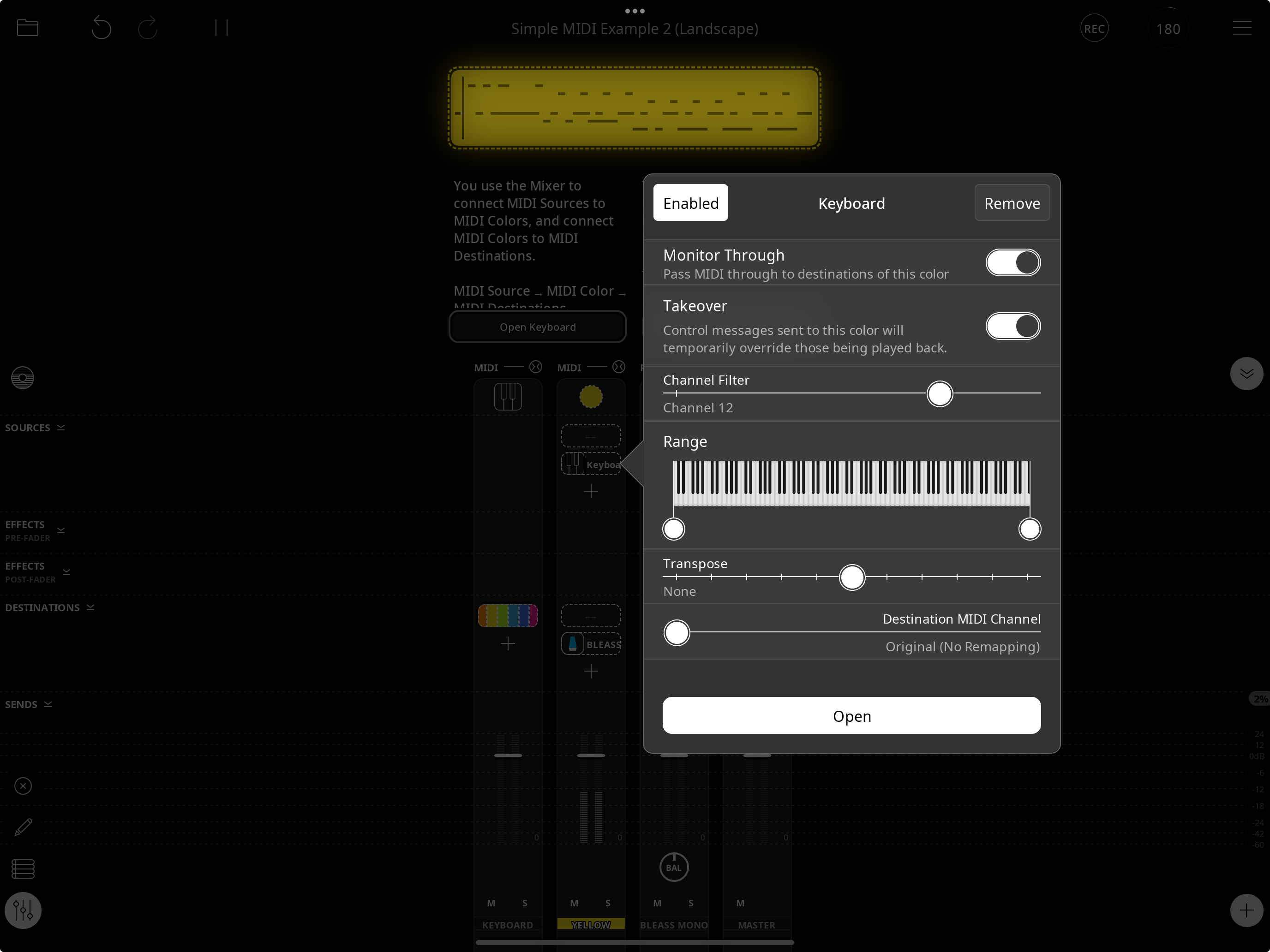
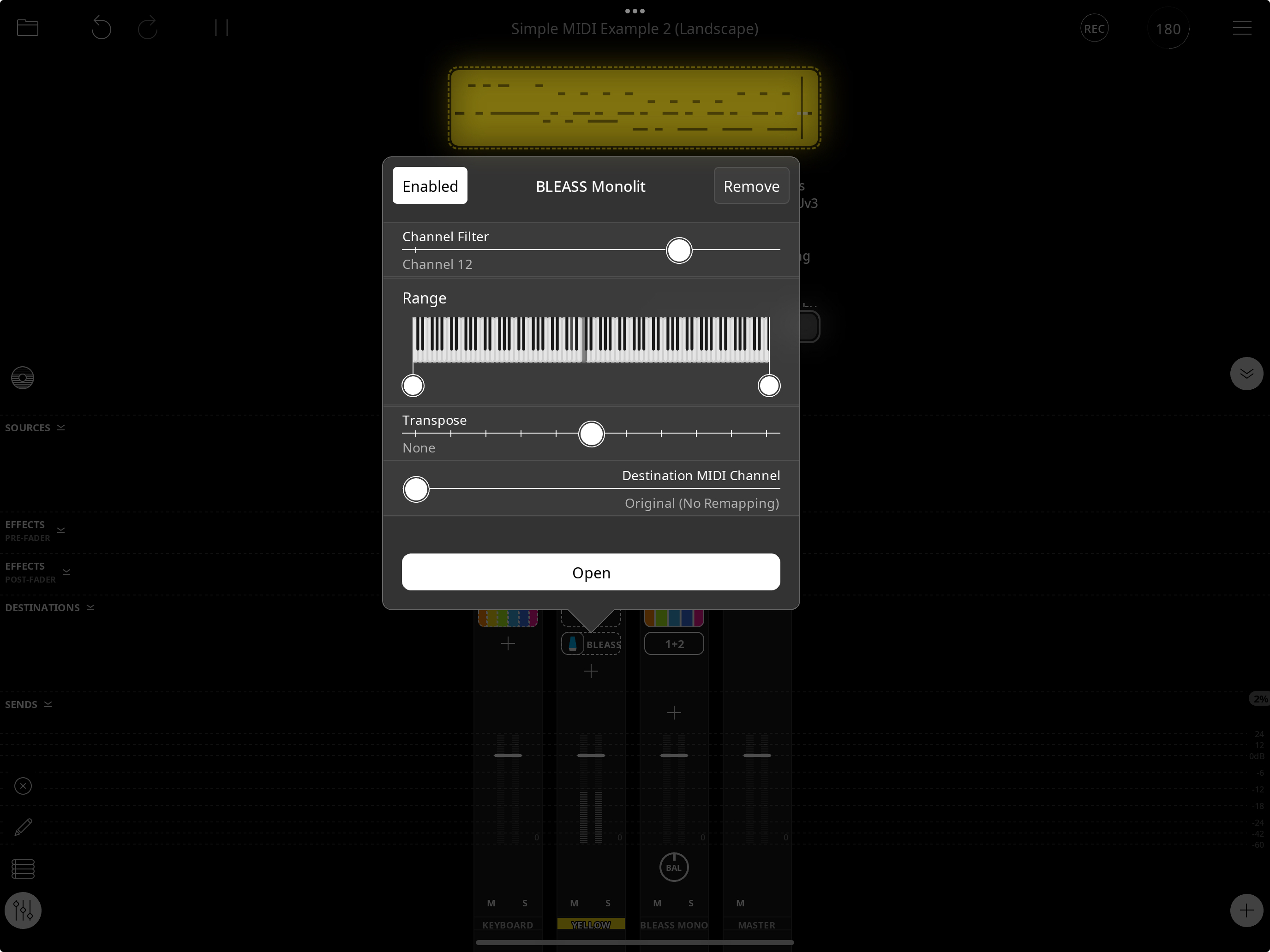
However, no sound comes out with this setup.
If I set the MIDI channel to “All” or to channel 1, it works fine.
Am I missing a step?
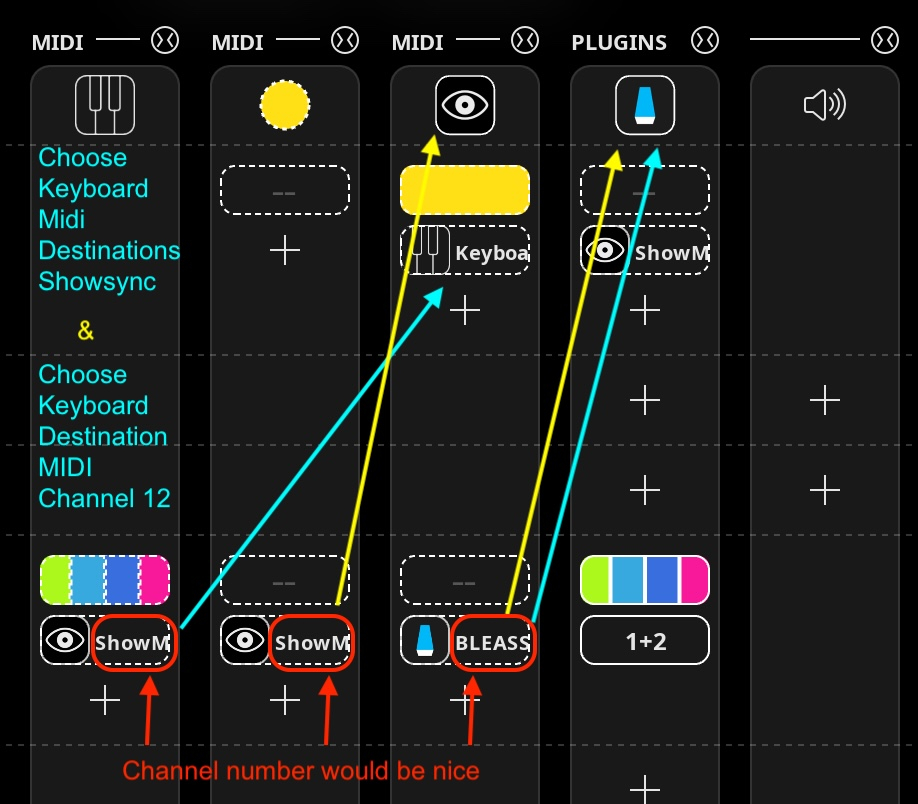
Also, is there a quick way to know the MIDI Channel I/O on the Mixer?
Comments
Humm ...
Your settings aren't exactly right, but there does appear to be something else fishy going on here.
@espiegel123 - If the keyboard is set to output on Channel 12, it does output on channel 12. But if it's sent through midi color Orange, the Orange output is changed back to Channel 1 even if Orange is set to not alter the output channel.
In order to monitor through Orange, I have to set the output of orange to channel 12.
However, if I record to an Orange clip, the midi is recorded and played back on channel 12 as expected.
I don't think that makes sense for monitor through when the color is set to not change the output channel.
Other unexpected behavior.
It seems like a bug.
@cellicello : Take a look at the manual's description of the destination settings. The filter setting means "only let midi through that is on that channel". Since the built-in keyboard sends on channel 1, setting the channel filter to 12 means that no midi will get through. If you want the the keyboard to send on channel 12, you need to set the destination midi channel to 12.
as @wim mentioned there is a bug that results in the passed-through midi being in channel.
@wim Thanks, it’s working now.
@espiegel123 I did read the manual, but the routing is still a bit confusing for me.
I understand that I need to choose where I want to send the MIDI and set the MIDI channel number using the Destination MIDI Channel slider.
I’m not using the channel filter at the moment, since it seems a bit buggy.
Personally, I’d prefer to see the actual MIDI channel number in the mixer, rather than just the plugin name.