Loopy Pro: Create music, your way.
What is Loopy Pro? — Loopy Pro is a powerful, flexible, and intuitive live looper, sampler, clip launcher and DAW for iPhone and iPad. At its core, it allows you to record and layer sounds in real-time to create complex musical arrangements. But it doesn’t stop there—Loopy Pro offers advanced tools to customize your workflow, build dynamic performance setups, and create a seamless connection between instruments, effects, and external gear.
Use it for live looping, sequencing, arranging, mixing, and much more. Whether you're a live performer, a producer, or just experimenting with sound, Loopy Pro helps you take control of your creative process.
Download on the App StoreLoopy Pro is your all-in-one musical toolkit. Try it for free today.

Comments
Not sure that update justifies the $10 price increase, but hey what do I know?
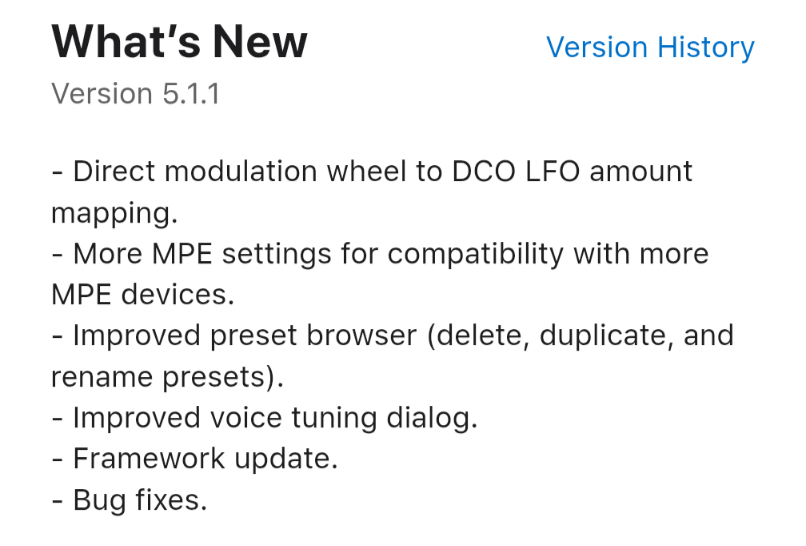
Quite weird the the DCO LFO amount doesn't respect the chosen LFO waveform ie. when if set the LFO to Square wave modulate the DCO and then use the Mod Wheel to DCO LFO it will add an additional triangle LFO on top...
Oh I had not noticed that. Well, I'm glad I got it on sale when I did then.
Very interesting and odd indeed. I'll have to test this later today. Thanks for the heads up.
Midi mapping with the Sfc-60 works on iOS ! Not sure if that was the case from the beginning , but I can confirm that.
Good they updated this, as that was one helluva basic MPE implementation they had before. This looks a bit better in that regard, though the pressure curve function is not really as good as it needs to be, and the website manual is not quite up to date.
Anything new about the preset management? I'm not able to save my presets when the app is used as an AUV3. Am I missing something?
I'm able to save presets, though it's convoluted to do so. You have to first load a preset, then make your changes, then go to the preset manager (the "document" icon next to the preset name) and hit the duplicate button, which will create a new preset containing your changes. You can change the name then hit the save button if you like.
Thanks a lot for the answer @wim
I already tried that (and I just tried again to verify). I don't know what I'm doing wrong. I'm able to duplicate the preset but the new preset do not have my modifications: it is just the original preset.
Now it's not working for me either. I'm not sure what I did last time that made me think that worked.
I guess the only option is to save in the host's preset system.
This is what I do, but it means I can’t have the presets in another host.
Anyway, thx for testing!