Loopy Pro: Create music, your way.
What is Loopy Pro? — Loopy Pro is a powerful, flexible, and intuitive live looper, sampler, clip launcher and DAW for iPhone and iPad. At its core, it allows you to record and layer sounds in real-time to create complex musical arrangements. But it doesn’t stop there—Loopy Pro offers advanced tools to customize your workflow, build dynamic performance setups, and create a seamless connection between instruments, effects, and external gear.
Use it for live looping, sequencing, arranging, mixing, and much more. Whether you're a live performer, a producer, or just experimenting with sound, Loopy Pro helps you take control of your creative process.
Download on the App StoreLoopy Pro is your all-in-one musical toolkit. Try it for free today.
Music Concrete experimental sound studio patch for plug data.

I stumbled across this on Reddit during my coffee break at work. Looks really interesting for making experimental sounds. Haven't had a chance to listen or download, but apparently there are PD and plug data versions, so the plug data version should work on the ol' ipad. I'm gonna check it out asap, here's the link:
https://www.peamarte.it/env/envion_v3.6.html
git hub:
https://github.com/aveniridm/envion_v3.6
original reddit post:
https://www.reddit.com/r/musiconcrete/comments/1np55lr/turn_pure_data_into_an_experimental_lab_envion/
Comments
Thanks for posting this. Only recently I had a closer look at PlugData. I will definitely try this out.
thanks for posting too!
couldnt get it to make any noise...
perhaps missing dependencies?
left a note on the github
You got further than me! I couldn't even download it properly!
Maybe we can figure it out as a collective!!
Me neither! Yes, keen to hear how folks get on with this
steps to dl the main patch for plugdata from github:
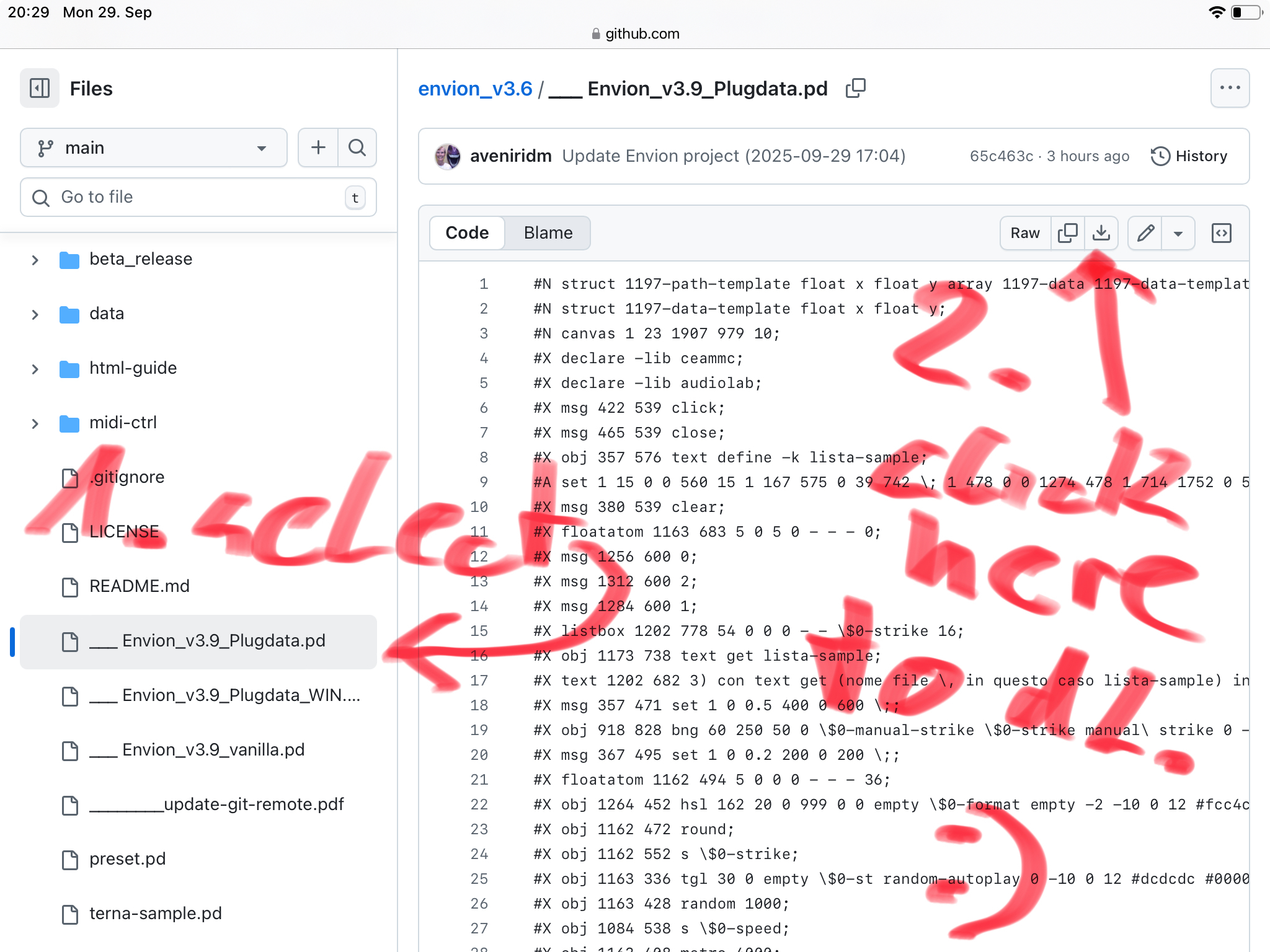
still on the github page
you also need to download some, or all of the textfiles from the data folder.
you can use your own soundfiles (short <4sec recommended)
or dl some from the audio folder.
best to have all files within your local plugdata folder.
then you can follow the firststeps video: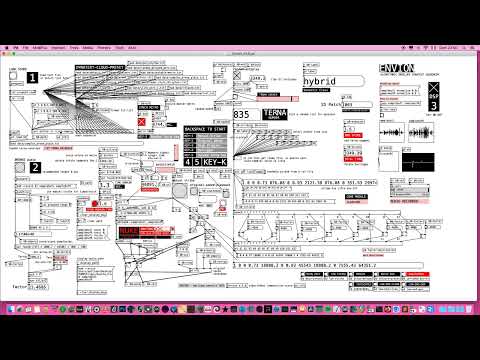
hey guys, i found out how to dl everything at once:)
follow the github link above.
tap the green "code" btn.
select "download zip"
easy if you know it;)
i got it working now. it's actually making sound:)
OH! fantastic!! Good work, thanks!!!!
Brilliant work, so now it’s loading and playing the presets in the bottom- right corner. Still doesn’t want to play samples I load into it, it looks like it’s working, the wav is loaded and the oscilloscope is changing, but no sound. I’ll keep fiddling around. Thanks for your time and work!
Hey @rototom - do you mean on ipad? Or are you referring to desktop?
I DL'd to my macbook, unzipped,....but then had no idea where to go from there
Ok, forget my last question, I’ve dl’d it, and managed to open the envion version 3.9 pd file in plug data.
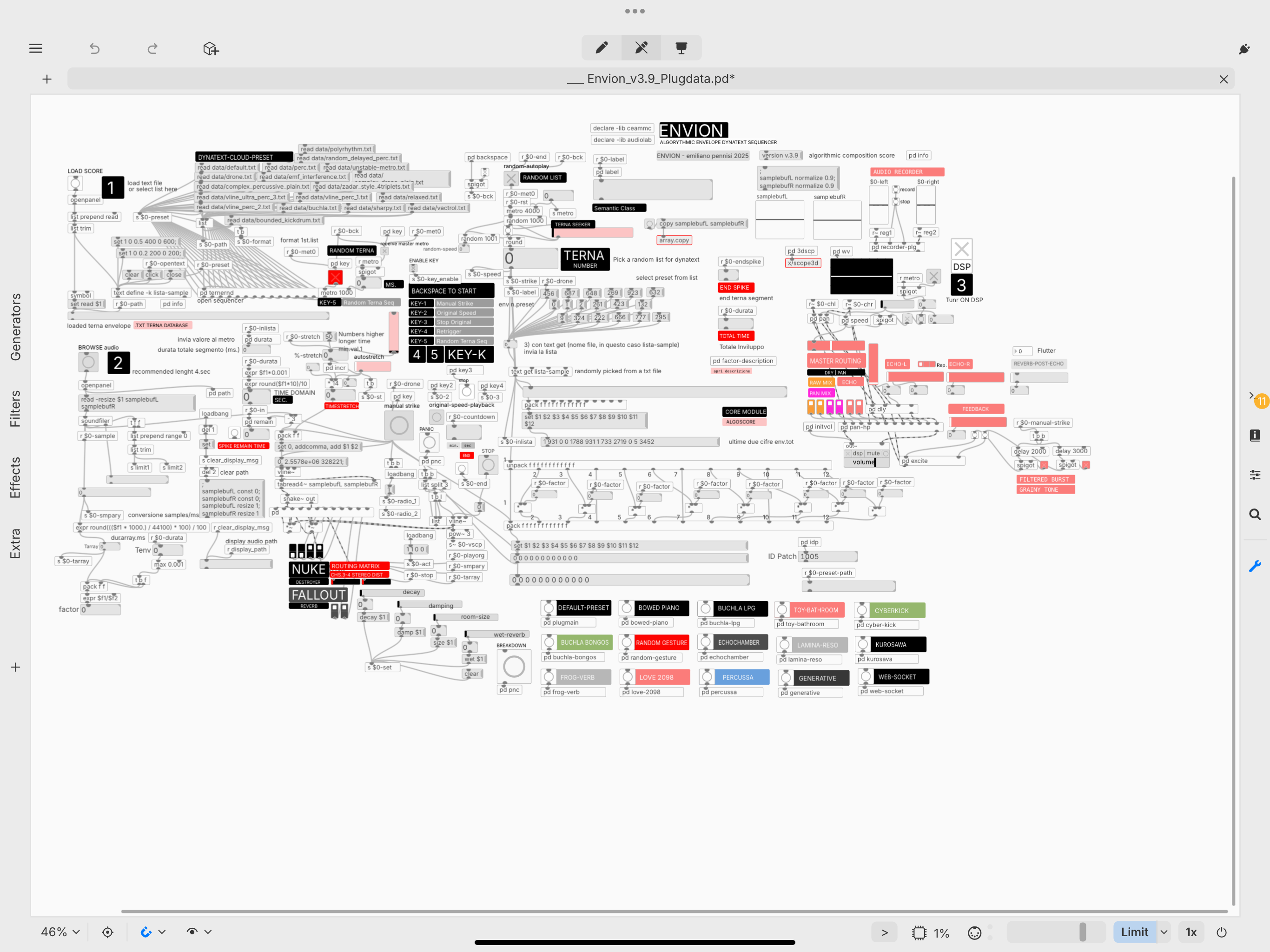
No sound.
Now what? 😳
Ptry clicking the circle on one of those coloured rectangles bottom right. Should make a noise
“Can’t open” “read failed” (?) I left the audio files where they were when I unzipped the original download….maybe they have to be placed in a particular location?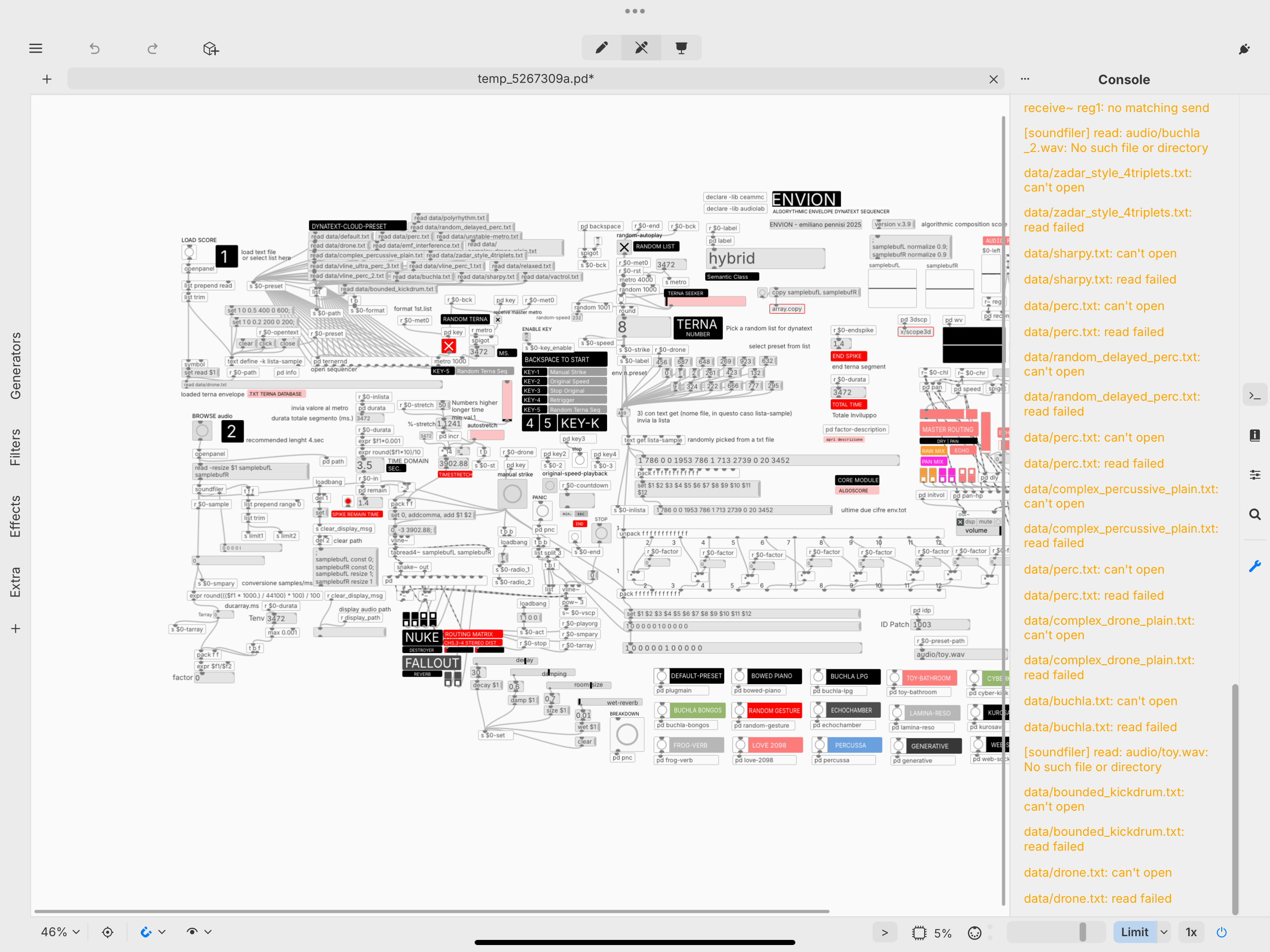
I moved the whole extracted folder into the plug data folder in “files” then when you browse to open the patch, click on the plug data one, then click on one of those circles I mentioned earlier and make sure the dsp box is clicked. That way I made sound! BUT ONLY IN STANDALONE. It doesn’t work as auv3 as far as I can tell
DSP is in the top right of the patch.
Ok, we have lift off. Sounds are coming out! Cheers man!
Now, how would I add my own samples?.....
@sevenape
Ok, am watching the 'getting started" vid, and I can see how to "browse samples"...but then the video goes a bit quick and I can't quite figure out what happens after I've imported something.
Potentially very exciting though, based on the sounds coming from the included samples...
Or not....
yeah, no problem
also fiddling around...:)
did not try to load my own samples yet.
by the way, plugdata ios seems to work much better with the latest update.
if you are into reading, here is the manual: https://www.peamarte.it/env/envion_v3.6.html
i did not try other samples than the included yet.
Thanks @rototom
I like reading...but I'm sure this manual will make my brain melt.
I will have a look and see if I can understand the basic idea....
as i understand it, the main concept is about envelopes, consisting of triples:
target amplitude, time to get there, offset into the sample.
this is what the author calls "terna".
the pd object "vline~" can handle long lists of those triples (terne) and
the text files contain such lists, compiled by the autor.
some leading to a more percussive outcome, while some more drone like.
the lists can not only be read linearly, but you can also jump around randomly, or even jump around various lists during performance.
please correct me, if i'm wrong:)
I noticed if I move a sample into the “ audio” folder insiide the Envion folder, run a preset and then while the preset is playing, load that sample, it will play. If I choose the sample from somewhere else it won’t.
Are they all 4 seconds long (or shorter, I guess)?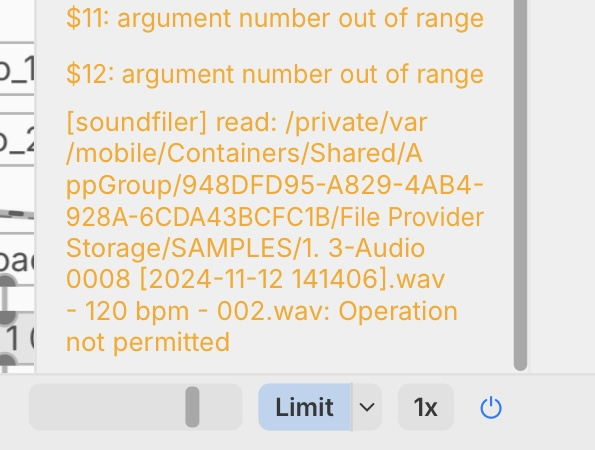
I tried what you suggested but no joy.
Sometimes just no change from the preset, but sometimes I get an error saying that it’s not permitted
I only tried with a piano one shot that was like 2 seconds. Will try today with a loop. That read out shows a lot of errors for me too, so I just hid it!
thank you all for the link to this patch, and explanations how to make it work. It sounds really good.
The guy who made it seems to keep updating it, so keep an eye on his youtube/github!
Did you figure out how to use your own samples? I know how to import them, but when I do, nothing happens. I emailed the developer but haven’t heard back…
You need to move your samples ( 4 seconds or less) into the 'audio' folder inside the plug data main folder, and then run a preset from the bottom right corner, while the preset is running, you can load a sample from that folder and after a second or two it will start using that sample rather than the preset one).
Got some spooky horror style atonal sounds from a single piano note sample loaded in this way.
Ah, ok, thanks man. I was just loading them from wherever they were on my iPad. Will try that later. @sevenape
not yet. I find the includes samples well chosen. Gives me enough playtime and pleasure.
Before I tackle adding this to my plugdata collection, would someone mind briefly explaining what it does? On the surface it strikes me as a sample mangler, but would love to know the specifics before embarking to see if it’s even something up my alley. Thanks 🤙