Loopy Pro: Create music, your way.
What is Loopy Pro? — Loopy Pro is a powerful, flexible, and intuitive live looper, sampler, clip launcher and DAW for iPhone and iPad. At its core, it allows you to record and layer sounds in real-time to create complex musical arrangements. But it doesn’t stop there—Loopy Pro offers advanced tools to customize your workflow, build dynamic performance setups, and create a seamless connection between instruments, effects, and external gear.
Use it for live looping, sequencing, arranging, mixing, and much more. Whether you're a live performer, a producer, or just experimenting with sound, Loopy Pro helps you take control of your creative process.
Download on the App StoreLoopy Pro is your all-in-one musical toolkit. Try it for free today.
Geoshred - Switch scales & layout without reloading preset & instrument

I want to switch between scales and keyboard layout mid-performance, and being lazy and unskilled I want to use diatonic keyboard layout for each scale. But I can't find a way to do this without the delay of re-loading a new preset with the same (GeoSwam) instrument.
Thoughts from other GeoShred users? @moForte any advice?
Comments
For every GeoSWAM and Naada Instrument there is a preset called "*Scale" which has buttons on the control surface to select the root and scale. For instance "GeoFlute Scale"
Thanks! Is there a way to shortcut that to just 2-3 buttons or a slider, that will just pick from the small handful of scales I use in that preset? Going through UI selection from the entire scale set is too cumbersome to do in real-time, mid-performance.
Hi @des1303 ,
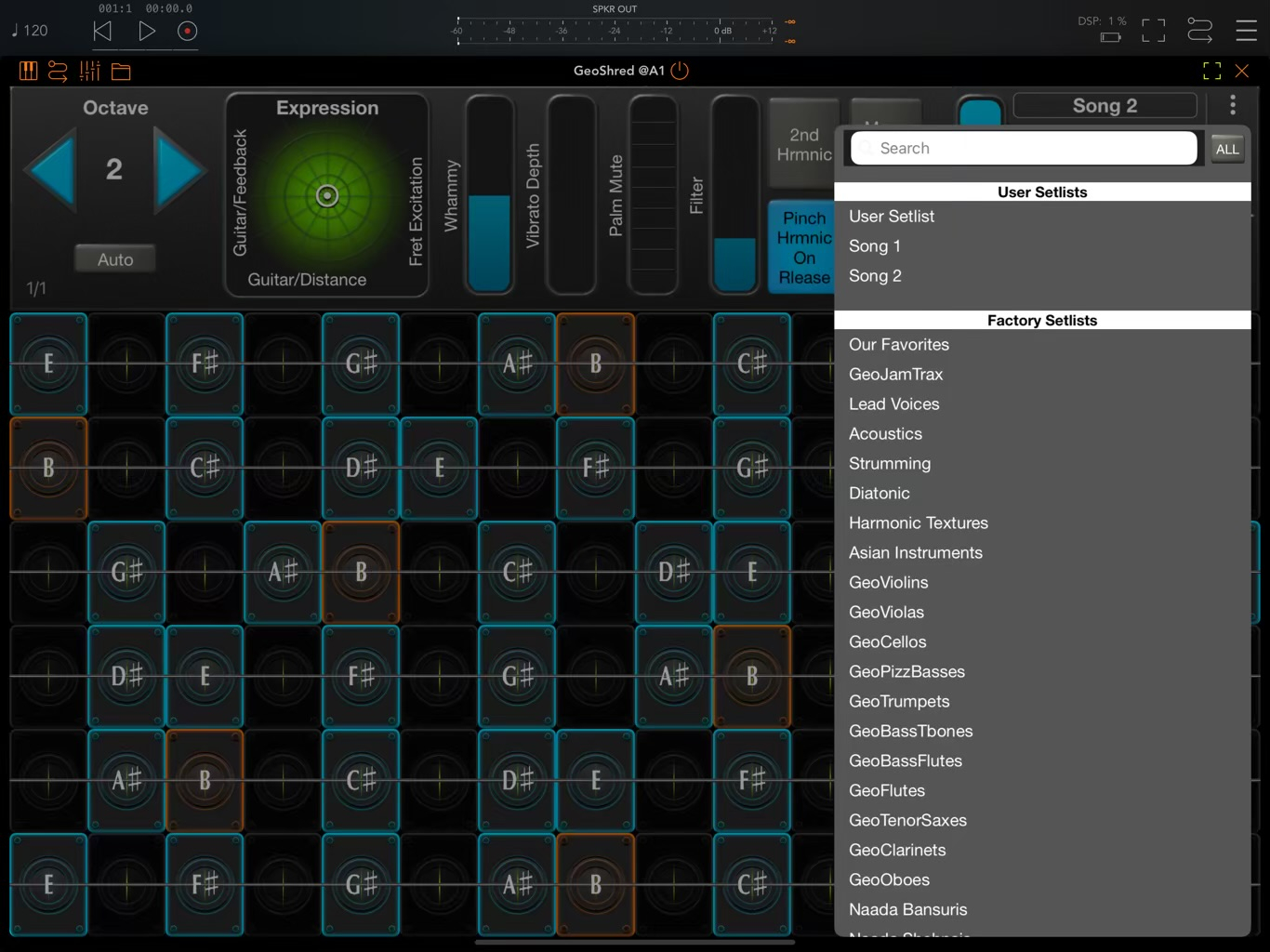
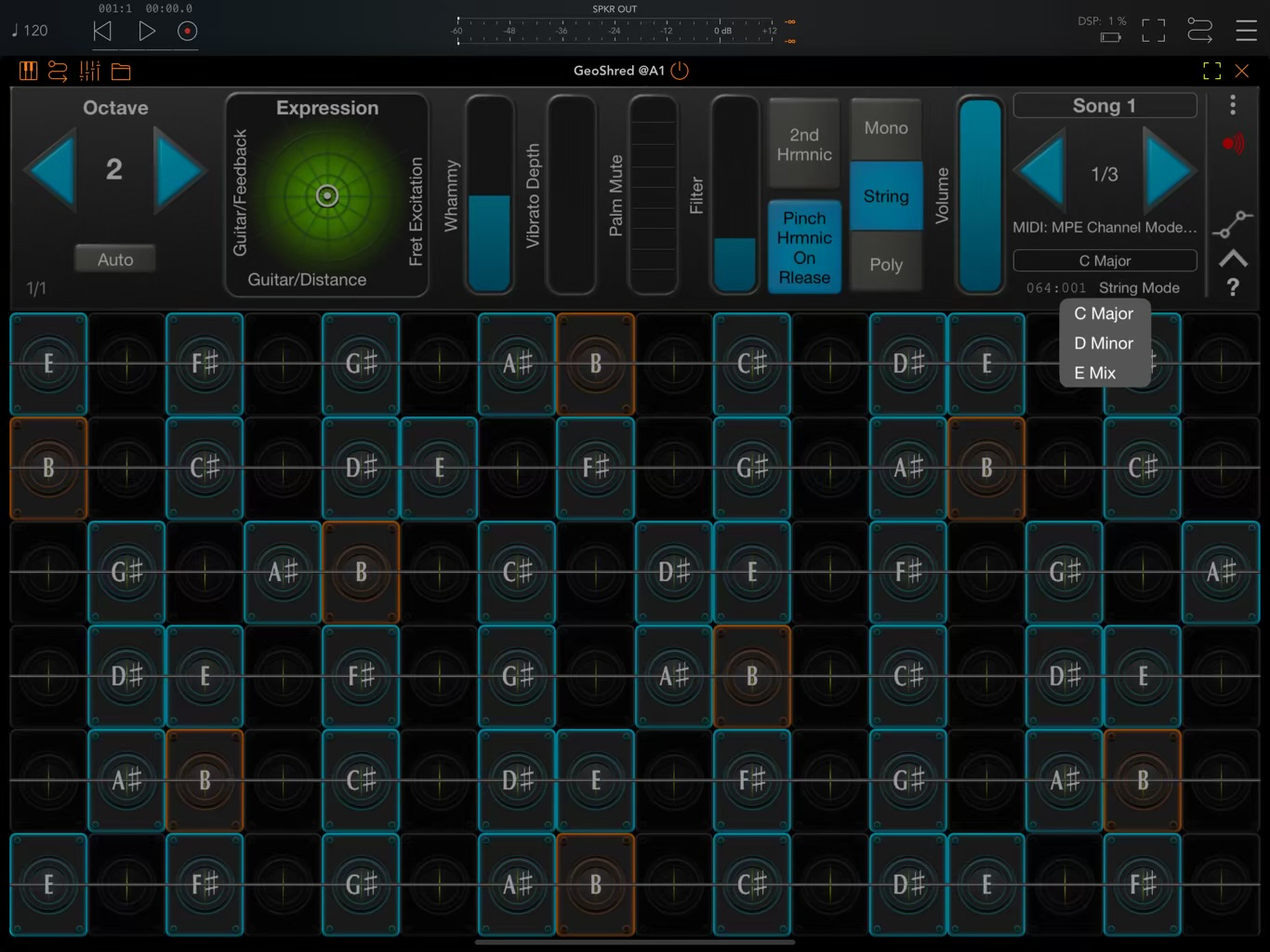
Can you not create a preset for each scale / instrument combination and then put these in a Setlist for each song. Only takes a few minutes.
In the example below I have created two Setlists, Song 1 and Song 2 and then put three different presets in them to represent the different scales etc.
GeoTony's solution is a good one. There are over 250 scales in GeoShred and selecting can be cumbersome. Creating a short set list with presets with just the scales you want is a great solution. You can just use the flipper to flip between them, or you can use the drop-down to directly select.
Just tried with the flipper, response is usably fast. I will use this, thanks @moForte and @GeoTony .
one more. Do you know that Root and scale respond to MIDI? You can assign control surface elements to a MIDI controller. For the scale you could have an external set of buttons on a MIDI button controller that sends the MIDI controller value for to select a particular scale.
Any link for this? It sounds very promising.