Loopy Pro: Create music, your way.
What is Loopy Pro? — Loopy Pro is a powerful, flexible, and intuitive live looper, sampler, clip launcher and DAW for iPhone and iPad. At its core, it allows you to record and layer sounds in real-time to create complex musical arrangements. But it doesn’t stop there—Loopy Pro offers advanced tools to customize your workflow, build dynamic performance setups, and create a seamless connection between instruments, effects, and external gear.
Use it for live looping, sequencing, arranging, mixing, and much more. Whether you're a live performer, a producer, or just experimenting with sound, Loopy Pro helps you take control of your creative process.
Download on the App StoreLoopy Pro is your all-in-one musical toolkit. Try it for free today.
Kraftwerk’s “The Model” Signature Synth sound [SOLVED]
Hi all,
This is a bizarre question, does anyone know where I can find the unique synth sound that plays all through The Model?
I have tried creating this sound in many iOS synth apps like Synthmaster 1&2, Moog Model D, Model 15, Mariana, DSP Discovery, OB-Xd3, but all I end up with is a typical filter sweep which sounds nothing like the original, perhaps there is a synth app that can do this?
Any help very much appreciated 🍻
Mike
Comments
Is a polymoog
Love that synth sound, actually there's a video demoing making it and other sounds from the song with Synthmaster 1, seems to get pretty close:
Good video for this purpose. I love videos recreating classic tracks and this guy does get pretty close
I watched this video a while ago but the sound he creates is just a typical filter “wow” sound. I have got near to the original with a lot of tweaking of a Synthmaster One preset, last night I used a reverb from the NuRackFX collection by 4Pockets, it greatly improved the sound, but there is still something missing at the end of each filter sweep, like a metallic “umf” right at the end of each note, it has become an obsession to get it sounding right.
Thanks for the helpful suggestion.
Mike 🍻
Thanks for your reply.
In Cubase on desktop I have searched the Mini Moog, Moog Modular and Memory Moog vst plugins, on iPad I have searched through what seems like thousands of presets on the Arturia iMini, Arturia iSEM, Moog Model D, Moog Model 15, Animoog Z with all the extra packs, Moog Mariana, but I don’t have the Polymoog. Kraftwerk used the Mini Moog quite extensively and they tweaked the filter as they played it, they also used what sounds like a gated reverb to give it that metallic sound.
As I just mentioned above to @Gavinski, the closest I have got to the original is a heavily tweaked Synthmaster One preset, looks like I must settle for the Synthmaster One, it’s the closest by far.
Thanks 🍻
Mike
Shouldn’t a moog app come the closest since it was a moog?
I would’ve thought so, but Synthmaster One is much easier to create complex presets and it has a selection of good sounding filters.
The polymoog was an odd beast. Its oscillators and filters didn’t sound like other Moogs.
I have just watched a couple of YouTube polymoog demo videos, very interesting, one of the sounds being used had a phaser down sweep synced to the envelope decay, this sounds very much like what I am after, this is food for thought, now I need to trigger a phaser with each new note, on the Mariana I can control the Moogerfooger-103s Phaser sweep directly from the Envelope, back to work lol
Thanks for the great mention, you have given me hope.
Mike🍻
A while ago, I found these Kraftwerk patches for the OB-Xd (and some accompanying samples) on Facebook.
There are both single presets and banks for five songs, including “Das Model.” Since the zip file is too large,
only the samples for “Das Model” are included here.
The creator of these presets is Hedge777. Maybe you'll find them useful.
@rapidfire
The Polymoog had a feature called Resonator. Resonator is likely responsible for the part of the sound that you feel is missing. Resonator is what made the Polymoog sound unique.The Polymoog also had separate outputs at the back for Resonator, filter, and direct. You could parallel process with those outputs. I believe you could also route an output back to the inputs for series processing.
It would not be surprising if Kraftwerk also had a Moog fixed filter bank. Similar in idea to Resonator, but with inductors, which would impart subtle distortion characteristics to whatever you ran through it.
Thanks for the zip file. Maybe I’ll find them useful…..are you kidding! they are absolutely superb and just what I have been searching for, literally for weeks, oh why didn’t I ask you guys sooner.
There are .fxp preset files and .FXP files in the , these are obviously bank files but they only import as one preset and wipe out all previously imported presets, OB-Xd is a strange beast, I don’t like the preset management at all! But most importantly - I now have the sound I’ve been searching for, thank you @ZankFrappa, very much appreciated 🍻🍻🍻
Mike
Kraftwerk were unique, and so were a lot of their sounds, you definitely highlighted their technical abilities with all things electronic.
There were lots of bands around in the early 70s like Chicory Tip, Curved Air, Ike & Tina Turner to name just a few who used the synth commercially, but Kraftwerk started experimented with them as soon as they became available to them, their first album titled Kraftwerk (1970), had no synths, they experimented with mics in swirling buckets of ice and fed into echo units and accompanied by flute, guitars, percussion, organ, it sounded ok back then, but if you listen to it today it would sound very boring, I’m not sure if I still have it in my collection
You only need to import the individual .fxb bank files (using "Import Bank" function). it contains all of the patches and won't erase any other patches.
Very nice, thank you! I didn’t have these!
🙏
/DMfan🇸🇪
Also had to share this cover of The Model from Klaus Devore, one of the best versions I’ve heard:
/DMfan🇸🇪
For synth one
Hmmm, I first created a new bank and titled it Kraftwerk, I then tapped the red MENU tab>File>Bank>Import Bank and navigated to the Files app>Das Model.fxp 147k, but this file is greyed out and I can’t select it. If I select Import Presets, all the .fxp and .FXP files then become available to import,
No, the OB-Xd
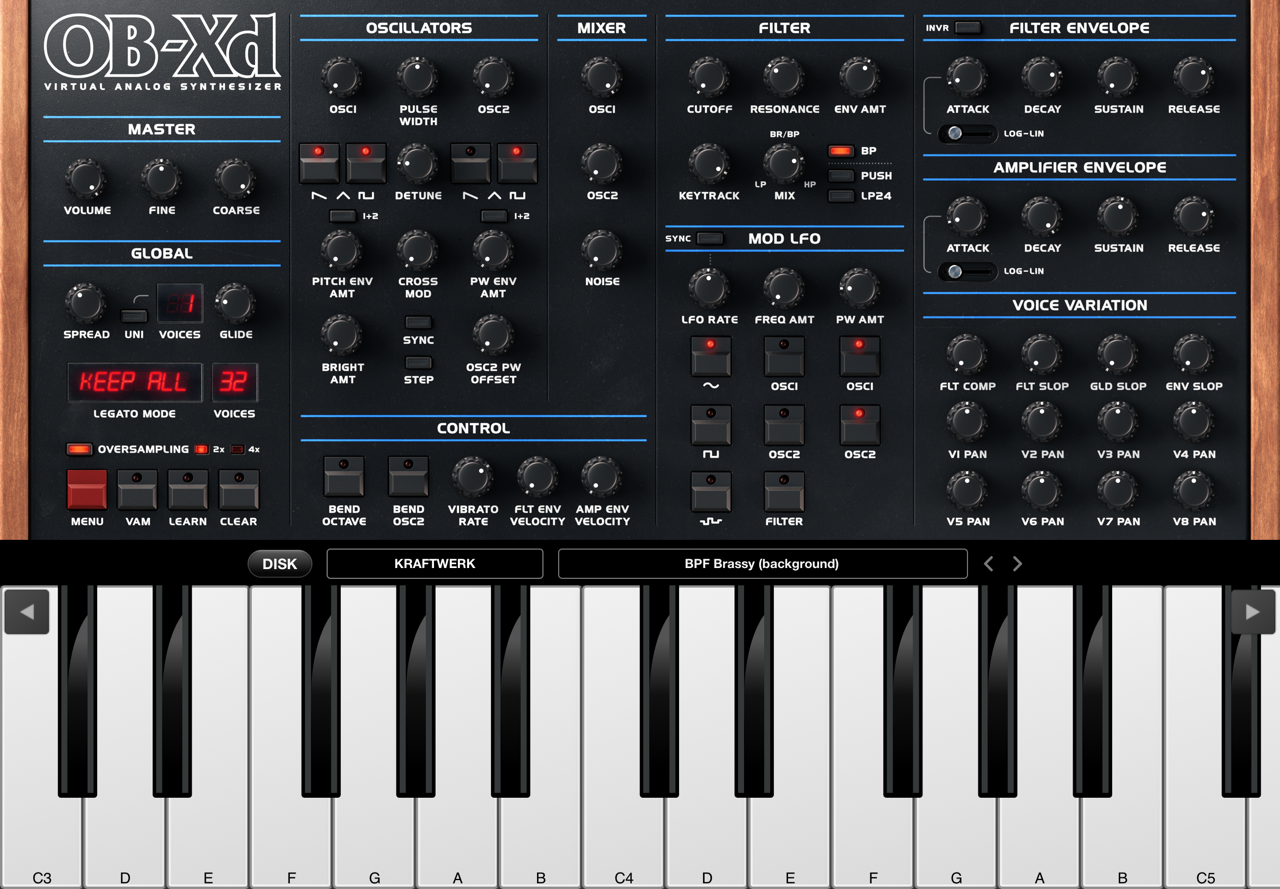
There should be an OB-Xd folder on your iPad. Copy the banks there, open the OB-Xd app, and import the banks via
“Menu (the red button) -> File -> Bank -> Import Banks from Shared Folder.”
If I remember correctly, all banks will be imported at once.
Look for a few YouTube videos on the Polymoog. It was very different from other synthesizers of the time, and from what I remember was designed around similar concepts as electronic organs.
There are definitely a few companies that produce desktop plugin emulations, but can’t speak to the accuracy of any of them.
I pasted the bank.fxp file inside the OB-Xd folder, went through the import routine, the moment I select Import From Shared Folder, I get a Import Summery - 0 Banks Imported, 0 Existing Banks Not Imported, and using other import routines already mentioned give no results
I watched a couple of YouTube videos and there is similar sounds to the Model riff on one of the demos. I want to keep everything on the iPad for live playing, getting a desktop version wouldn’t be any use to me unless I sampled the sounds, but now that I have a preset pack for the OB-Xd synth thank to @ZankFrappa, I have ended my search.
I also spent days looking for a specific organ sound for Autobahn, in the end I found the exact sound I was looking for in a synth app called Lorentz, but I expect that precise sound can be found in the Polymoog too.
I remember that there are/were import problems with OB-Xd 3 if you also have the old OB-Xd version installed.
I described this workaround somewhere here in the forum at the time:
--- I was only able to install OB-Xd 3 banks after uninstalling the old app version (if you already had your own banks installed, don't forget to backup).
I then copied the banks into the OB-Xd folder (which now also had the v3 app icon!!!). Started the app and selected “Import Banks from Shared Folder” in the menu. All banks loaded, also in the auv3 plugin.
I hope the description helps everyone who, like me, has the .fxb banks grayed out.
EDIT: In the system settings, “iCloud” was set as the storage location for both apps, I changed it to “on my iPad”. ---
Careful, I noticed that too late!!! Once the old version is uninstalled, it can no longer be loaded into existing projects, of course.
Before uninstalling the app, I should have checked all projects to see if they contained OB-Xd and made a note of the presets.
I have the OX-Bd 3 on both iPad Air 4 and Air 6, when I tried importing in AUv3 mode the Import From Shared Folder option is not available, all other options fail because the .fxp files are greyed out, except for the .fxp presets.
Import the banks using the standalone app, that should work.
Otherwise, hmmm, do you have both versions (OB-Xd and OB-Xd 3) installed on your iPads?
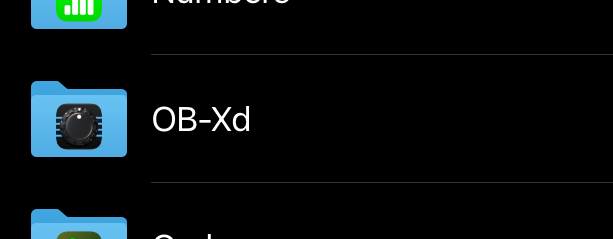
What does the app icon look like, like this (v3)?
FWIW, I put the fxb file in the Banks folder of the app and when I next opened the app, they were there. I can't for the life of me figure out how to get them into the AUv3. The bank files are grayed out when using import banks.
I only have the v3
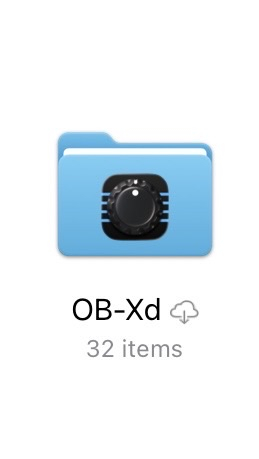
I hadn't realized that a second version of the app was released separately. Is the sound engine significantly different from the original release?
Your screenshot shows that the presets are stored in iCloud. The small cloud next to the folder name indicates that the folder or its contents have not yet been synchronized with the iPad. Press and hold the OB-Xd folder and then select “jetzt laden” (this is what it says in the German iOS system; in English, it should say “Load Now” or something similar). Then try importing the banks again via “Import From Shared Folder.”