Loopy Pro: Create music, your way.
What is Loopy Pro? — Loopy Pro is a powerful, flexible, and intuitive live looper, sampler, clip launcher and DAW for iPhone and iPad. At its core, it allows you to record and layer sounds in real-time to create complex musical arrangements. But it doesn’t stop there—Loopy Pro offers advanced tools to customize your workflow, build dynamic performance setups, and create a seamless connection between instruments, effects, and external gear.
Use it for live looping, sequencing, arranging, mixing, and much more. Whether you're a live performer, a producer, or just experimenting with sound, Loopy Pro helps you take control of your creative process.
Download on the App StoreLoopy Pro is your all-in-one musical toolkit. Try it for free today.
Routing Piano Motifs in dRambo
Hi Folks! How would I proceed to route Piano Motifs in dRambo? I have Piano Motifs on Track 1 and synths on Track 2 and 3. I went to the Main and routed the MIDI icon from 2 and 3 to 1. I clicked on both headers of 2 and 3 to say that I want to listen to MIDI channels 1 and 2 respectively. But somehow, the notes from channels 1, 2 and 3 come through.
Additionnally, how can I "dump"/record the notes received on each track?
Thanks in advance 
Comments
The MIDI channel settings in the Track module is for external MIDI. You want to put a Channel Filter module into the track in question. To record MIDI inside a track use a Sequencer module.
Thanks, the channel filter worked!
As for the recording, I meant recording into the tracks normal clips so I can launch them. Sorry for the confusion!
Well, you can arm the Piano Motifs AU but it might be tricky because it’s on another track. Not sure it would work. But using the Sequencer module works, just record into it and then you can drag the sequence into the clip launcher or copy/paste.
Got it working! I appreaciate your help @timfromtheborder
@timfromtheborder I saw another thread to use a MIDI Out module on MIDI Feedback to feed it into another track. I tried it an this permits to record directly into a clip without the Sequencer module. Is there anything wrong with this?
Here's the thread : https://forum.loopypro.com/discussion/60167/drambo-how-to-record-midi-to-track-2-from-track-1
Hey if it works it works. I find there’s usually ten different ways to get things done in Drambo, that might be the best solution.
And actually you don’t need the midi output module, you can set the track output to midi feedback. And you can set the input channel on the receiving track. Learn something new every day 😀
Nice, I'll try that! I have found that I still need the MIDI Filter module in front of the 2nd track or all the channels from Piano Motifs are played. But when I hit record only the channel I set the track input for is recorded into the clip, even without the MIDI Filter module. This is interesting and I begin to understand a bit better how things work. And I think I like it!
Once you have it all set up you could make it a template, but there’s another option that may be even better for you: put it all inside a rack module and save a preset.
I’m pretty sure this would work the same, and then you could drop it into any project. Just an idea.
Yeah I played a bit with Racks, it is neat! Are these renamed Track modules? I tried it and the function is cool, but I think the sub-tracks don't appear in the Mixer view? Regardless, I'll need to experiment a bit with routing stuff. There surely is a solution to that also!!
@timfromtheborder So I realised that the "Main" view is nothing more than a track with modules in it as well. Is there an option to have the subtracks modules show up in the Main page?
@oscillotus I don’t know why they wouldn’t. In the screenshot I shared, that’s the main view. Unless I’m not catching your meaning?
@timfromtheborder I meant something like this.
Finally, using MIDI Feedback doesn't work as expected, as it sends MIDI to all tracks by default. So I'd need to disable MIDI input for all other tracks, which is kind of a bother. Still looking for THE solution..!
Why wouldn't you put the Track module into Main? I'm not sure what you're trying to do with it there. I don't see any reason to nest Track modules. What I suggested was putting a Rack into Main, and putting Tracks inside the Rack there, so you can use the Rack as a preset.
Ah okay, got it now! I completely misunderstood your post... My bad! Still looking for a way to record directly into the clips, so if you eventually have a flash, let me know!! The sequencer module with dragging the clip is a solution, but I'm a big proponent of removing hurdles to make the workflow as fluid as possible
There's always the old hack of running Streambyter standalone, then using a midi out module to send to Streambyter, then using Streambyter as the input for each track. That basically sends the midi out to "bounce" off of Streambyter and then back in.
That's how we used to record midi plugins back in the old days. 😉
Yeah, from what I can tell, there is no other option. Something about how Tracks take MIDI input requires the source to be external, which is also how MIDI Feedback works. You could set the other Tracks to Drambo or whatever other MIDI source you may be using rather than disabling it altogether. And set that project file as a template. I think that's the only realistic option without using a third party app as @wim mentions above.
@oscillotus here is how I have recorded PM directly to clips in Drambo in the past, see the attached project.
I connect PM directly to the Channel filter on each track. I use a Drambo midi fx inside each of those tracks and arm the small Rec button on this module whenever I want to record directly to the clip.
Later, you’ll want to choose whether your playback uses the recorded midi clip or the current output of PM. The midi mixer mutes are for that purpose. In this way you can build up some interesting collection of clips.
@wim thanks for the idea, if I wanna record oldschool style I'll think about it
@timfromtheborder thanks for the explanation, the saving as template route was my next step. Knowing what's not possible saves me a lot of time.
@bleep the template is really awesome and works as expected. I'll need to study it a bit to wrap my head around it. This might be exactly what I needed!! Thank you for sharing it! What is the purpose of the Drambo MIDI FX?
@oscillotus the Drambo MFX lets you send the MIDI ‘outside’ of Drambo. You could also use Streambyter or Mozaic to do the same thing. It basically becomes the new source for the MIDI and because Drambo lets you record from MIDI Audio Units, you can record into the sequencer. It’s a good setup, the one downside is that you can’t host the ‘master’ Drambo inside another host, because you can’t host AUs inside an AU. But if you use Drambo in standalone then this would work pretty well for you I think.
Glad to hear it could be of help. The inner Drambo plug-ins are as said by @timfromtheborder for getting to record the midi to outer Drambo. It could be any midi plug-in that sends out its incoming midi. I chose D in the hope that almighty @giku_beepstreet has super optimized code between inner and outer Drambo. Perhaps choosing a more lightweight plugin is better, but this setup has served me well.
I first used the template to compare takes of the various comp styles in Piano Motifs to better understand them (I found it best to get the styles into separate columns/tracks, so using a slightly modified template).
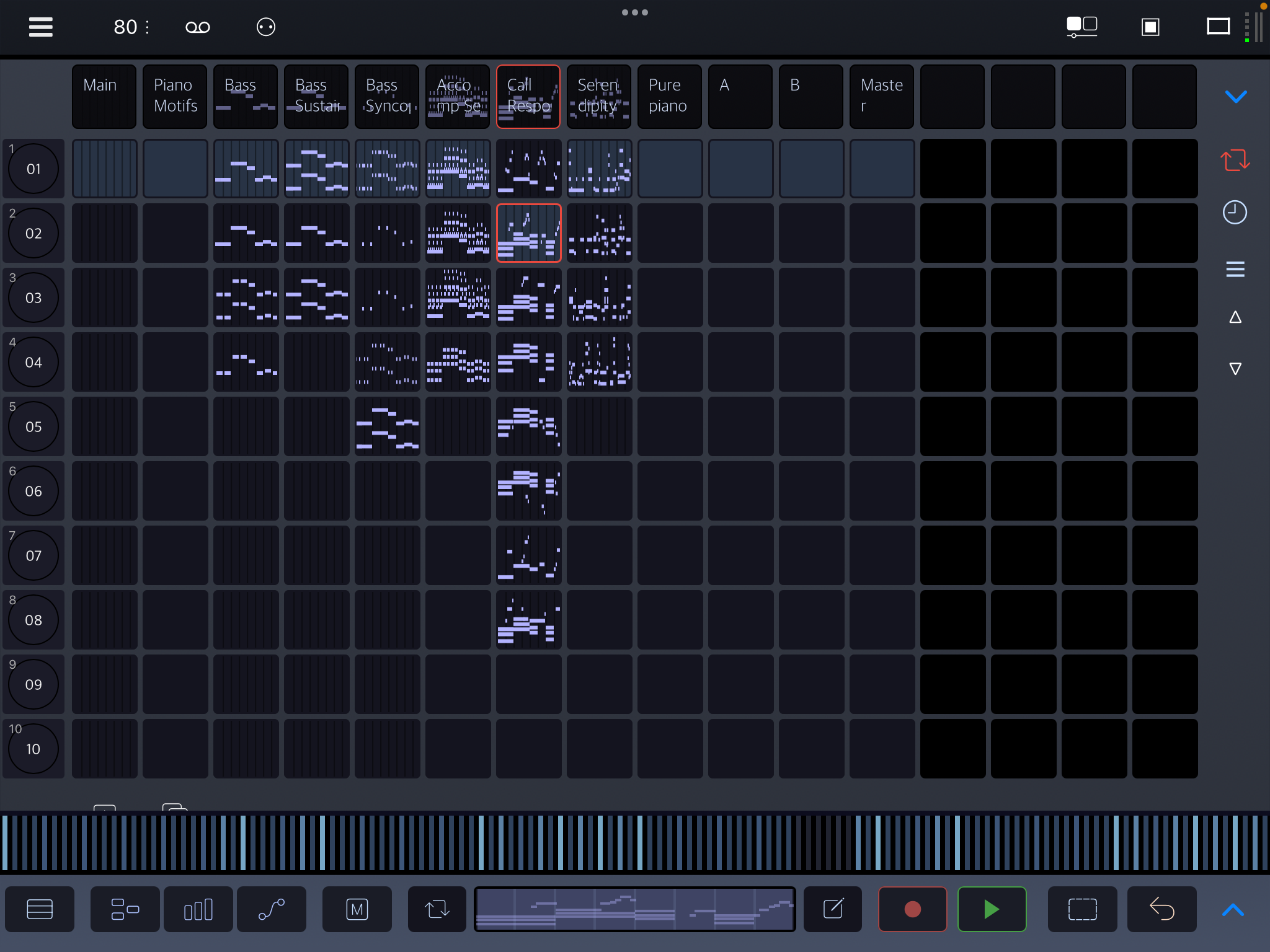
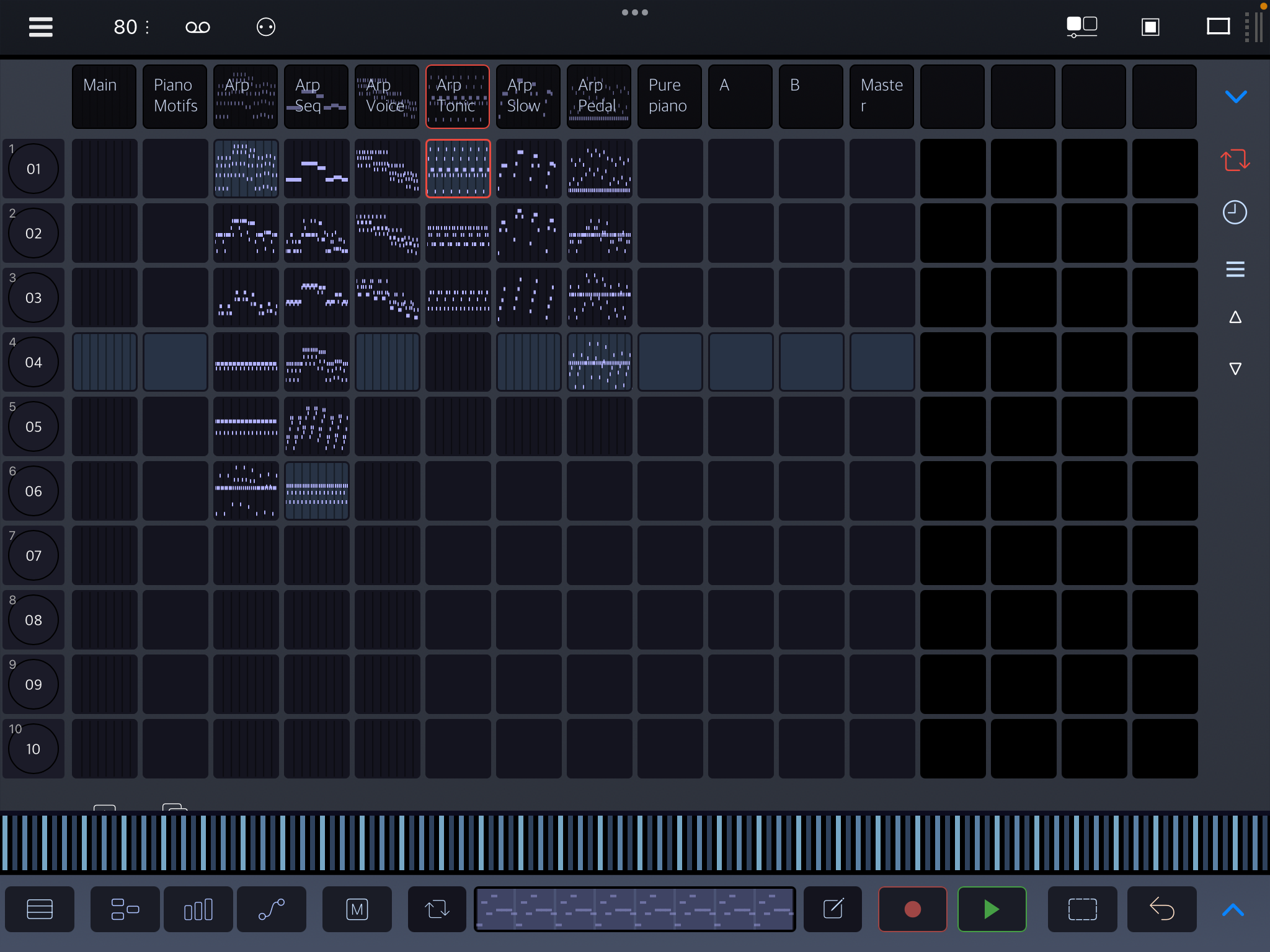
This is super inspiring. Didn't thought of using it this way! Will have a deeper dive tomorrow evening!
Thanks @timfromtheborder and @bleep for taking the time. I feel like Drambo is growing on me. But stay near, I'll surely have more questions soon 😅
I never thought of that. It's true, even Streambyter AUv3 can be used for this. I'm guessing that would be a much lighter weight choice than Drambo. Even if there are optimizations, I'm sure there's significantly more overhead in a Drambo AUv3 instance than something like Streambyter.
I tested in a project with just a Channel Filter module and Streambyter on each track. It works great.
Sure, just ask anything. Your enthusiasm is infectious 😊
Here is the modified template, in case you want to record melody or comp styles into columns. Note that channel filtering (melody or comp) is done right after PM, and then the tracks connect directly to this. Just modify PM settings to match your column where you record.
Thanks @wim, downloaded Streambyter and will try to replace Drambo as soon as I understand how the template works.
Thanks for the template! I will try to figure out the first one, then dive into this. I like the switch system, could be super useful for other things as well!
A thing I don't understand in the first setup is how you get MIDI out of the Piano Motifs track. I don't find anything that indicates how the MIDI is routed into the other tracks.
From the first post:
I connect PM directly to the Channel filter on each track.
This direct connection is perhaps easiest to see in multi-track view - engage that red square in upper right corner. Then pick a midi icon on one of the channel filters, tap it to get it blinking, and use left side to scroll up to see the PM connection.
I think in the beginning when Rec was first introduced, even an empty «Audio Unit MIDI Processor» module was enough! No plugin needed. But then I found that to be unreliable, and settled for D. Maybe there has been a fix and this is possible again, I haven’t tried.
(Or maybe my memory is fooling me, but I’m pretty sure it was possible at some point)
I just tried with two tracks and it worked for one track but not the other.
Exactly, it’s not as reliable. Perhaps a bug, or perhaps it never was intended that way.
Oh okay! I was under the impression that connections could only be made in the same track view and that weird workarounds were needed for inter-track connections...!! Awesome! Now I understand the template and will be able to recreate it for learning purpose. Woopwoop!