Loopy Pro: Create music, your way.
What is Loopy Pro? — Loopy Pro is a powerful, flexible, and intuitive live looper, sampler, clip launcher and DAW for iPhone and iPad. At its core, it allows you to record and layer sounds in real-time to create complex musical arrangements. But it doesn’t stop there—Loopy Pro offers advanced tools to customize your workflow, build dynamic performance setups, and create a seamless connection between instruments, effects, and external gear.
Use it for live looping, sequencing, arranging, mixing, and much more. Whether you're a live performer, a producer, or just experimenting with sound, Loopy Pro helps you take control of your creative process.
Download on the App StoreLoopy Pro is your all-in-one musical toolkit. Try it for free today.
Drum Pattern generators on Korg Gadget
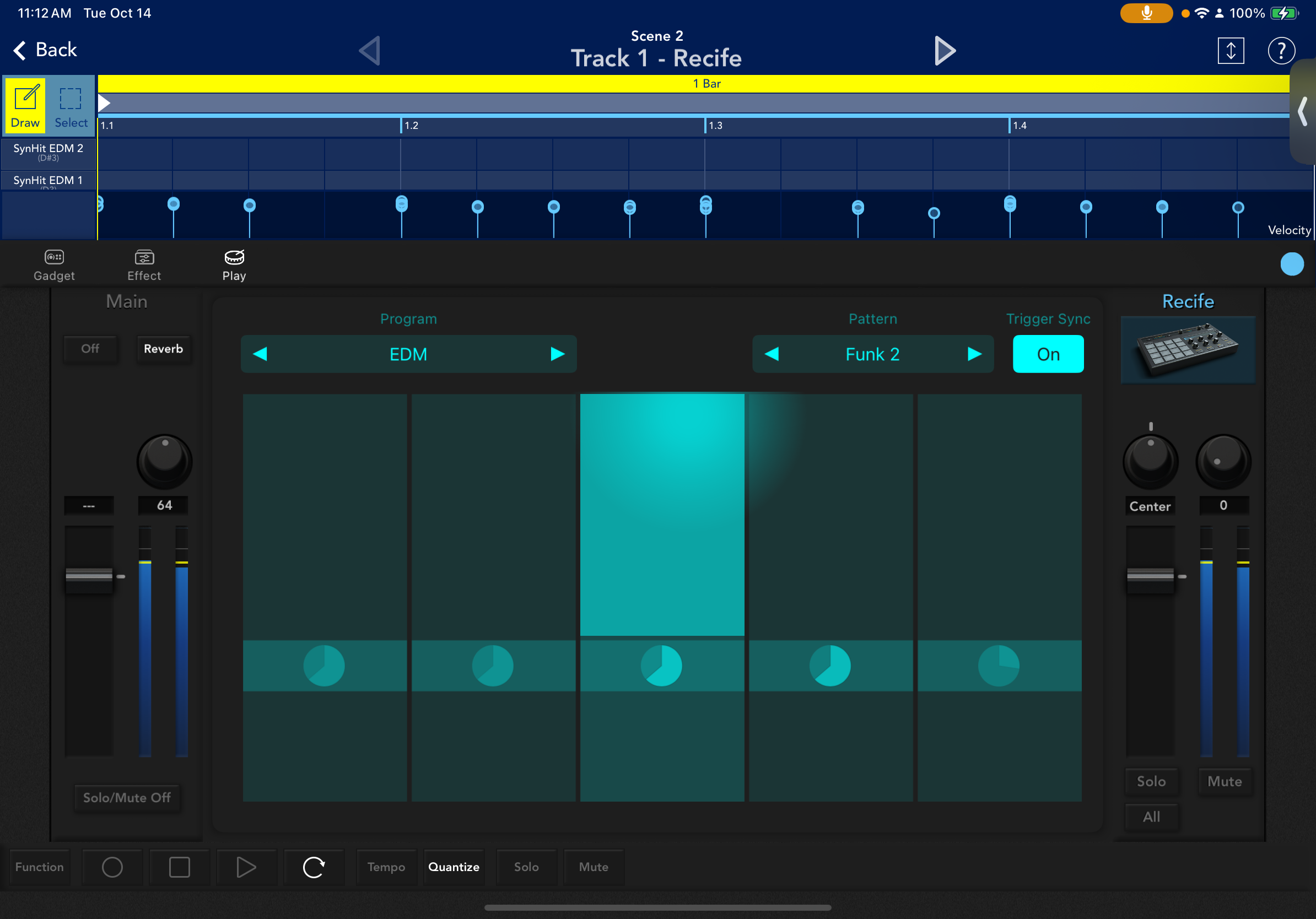
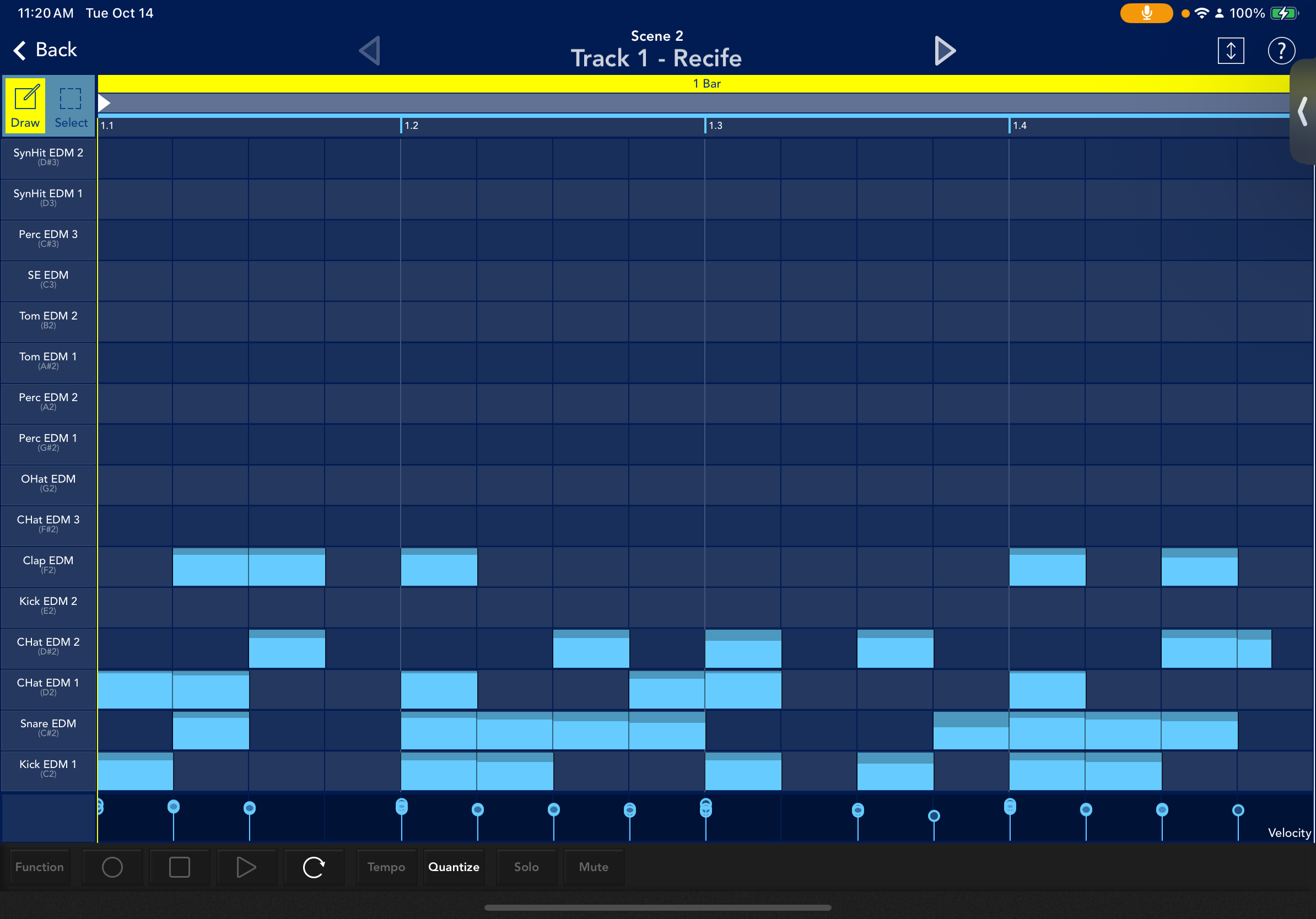
Two questions: Do the drum pattern generators in Korg Gadget vary depending on the drumkit program? Does it generate the same pattern each time the same selection is made?
I’ve been trying to use the same pattern selection across different programs and also repeating it on the same program but seem to get different results when recording. Maybe it’s just my timing of the start of the pattern, but I’m not sure. It seems like a great tool to generate drum MIDI patterns that you can export to drive other drum apps, but the note mapping between the different drum programs makes it tricky because they very so much.
Comments
Yeah, depending on where you touched each slider how far up and how far down depends on how complex and intense the drumming will be. Same with Left to right.
First you have the program and the pattern settings, at the top, which change the output or style of drumming, then separate sliders left to right, then each slider has several different points of contact up and down, so the pattern changes based on where you touch each slider on two axis.
The more left the slider the more simple, and minimal the drums, the more right sliders are more complex, adding more drum hits.
On each individual slider there are like 8 separate sections up and down. The lower on each slider the more simplistic, with just kick snare hat, and the higher you go on each slider the more complex more velocity, and more drum hits are added in to the pattern.
Plus, you can drag in between different sliders and up and down sections on each slider so it’s pretty hard to reproduce the same exact thing considering it’s so fluid.
It is a great tool, I would love to have them in the AU.
Absolutely. Good info - thx! I'm trying to see how I can stretch Gadget and do stuff outside the box. The MIDI export works pretty well, and you can do some interesting things like export those drum patterns and import them into something like Playbeat 4 or GR2, and I've experimented with copying and pasting the MIDI between Gadget tracks. Totally agree about that last part, there's a ton of cool things you can do in Gadget that I wish I could bring into a host.