Loopy Pro: Create music, your way.
What is Loopy Pro? — Loopy Pro is a powerful, flexible, and intuitive live looper, sampler, clip launcher and DAW for iPhone and iPad. At its core, it allows you to record and layer sounds in real-time to create complex musical arrangements. But it doesn’t stop there—Loopy Pro offers advanced tools to customize your workflow, build dynamic performance setups, and create a seamless connection between instruments, effects, and external gear.
Use it for live looping, sequencing, arranging, mixing, and much more. Whether you're a live performer, a producer, or just experimenting with sound, Loopy Pro helps you take control of your creative process.
Download on the App StoreLoopy Pro is your all-in-one musical toolkit. Try it for free today.
Loopy as a Sequencer Live

Technically I know it can be used as a sequencer to drive a click with keyboard tracks. My. concern is working with the band while using my iPad start and stop the seq, need to navigate to different timecodes, seems it would be very cumbersome.
Is there a way to have a type of marker so I know where I am?
Don't want to spend Cubasis $ right now (others don't suit my way of working)
This may not even work out with the drummer attempting this.
Comments
Where do you want the “marker” to appear?
There are actions to turn the sequencer on and off and position the playhead in the sequence. You could set up dummy clips at specific positions that could set a dial or radio button that would indicate where you were.
Thx for the ideas. Would not have known that.
If you tell us more about what you want to do. I can provide more ideas.
So right now I'm using Loopy as a sequencer with my band to run backing tracks and send click to drummer.
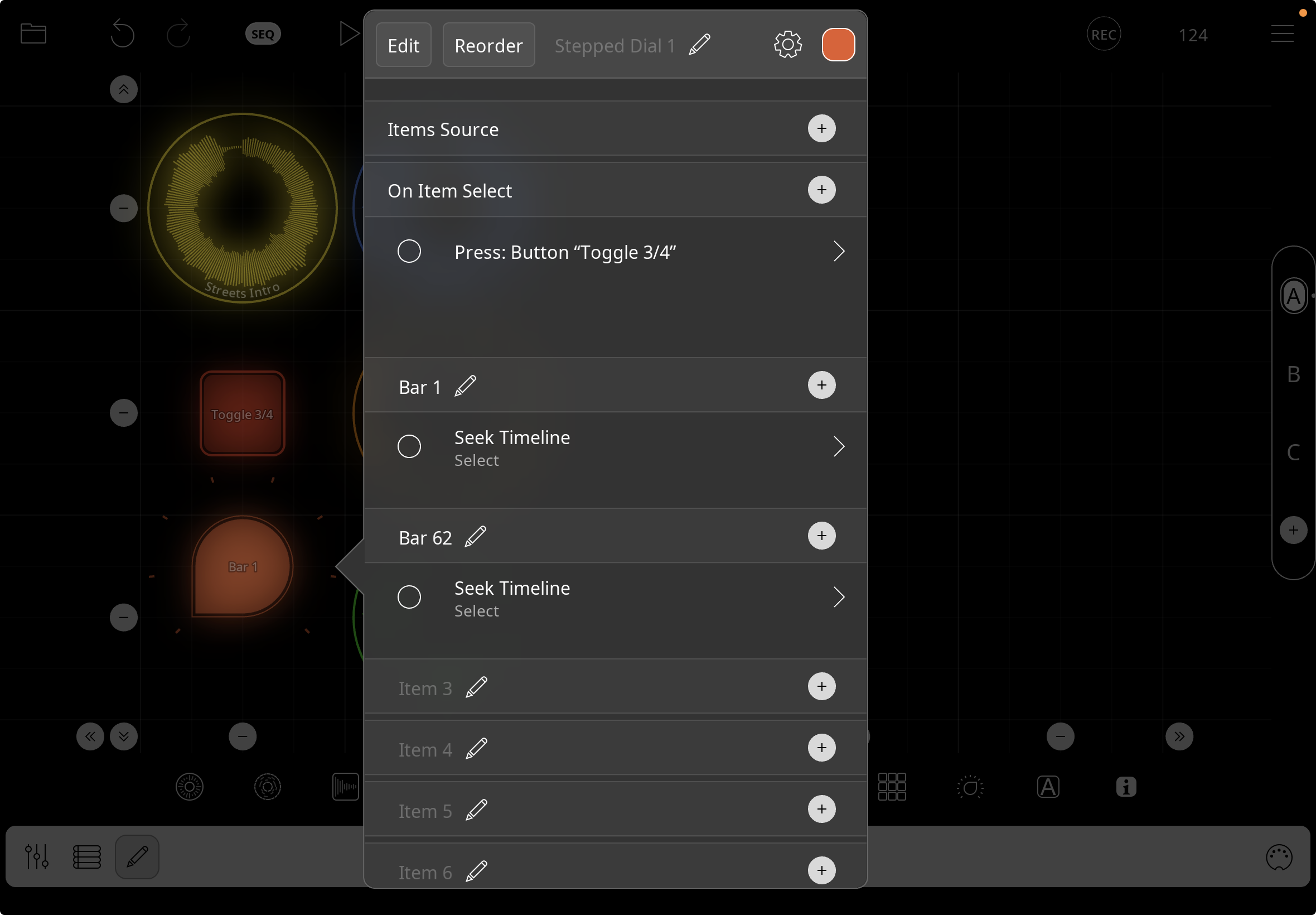
All is working thx to your guidance.
Have another question:
I have two sections I will trigger in the song, Intro and Extro.
Section 1 is 4/4, section 2 is 3/4.
I created a widget to change to 3/4 at bar 63.
Now I am using the stepped dial to navigate to the two sections.
I want to achieve 2 actions with one "step" > Go to section 1 or 2 and change and toggle time sig 3/4 or 4/4.
Only thing I'm missing is how to setup the multiple actions with one step.
Tried On Item Select but don't understand which item its referencing.
You can add as many actions as you want to a step. Tap the + icon to the right of the step.
On item select is there predominantly for use-cases where item source is used to populate the dial
Not sure why I didn't try that, thx.
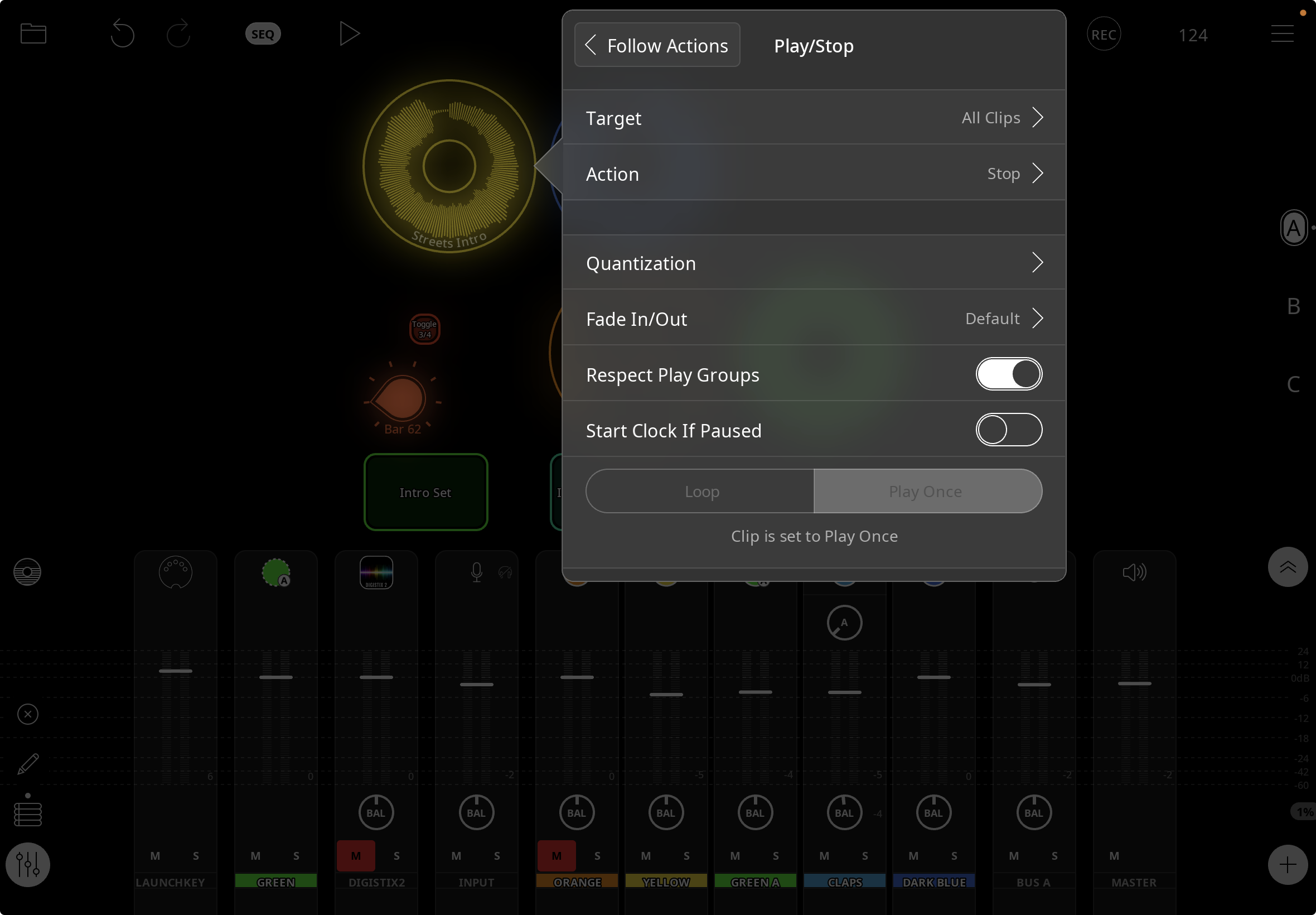
Now I'm trying to get all clips to stop after clip 1 is done.
Clip one is set to play once.
Not sure if it's relevant but the to start the song the clock is being triggered. That in turn plays 2 clips at the same time. The reason for needing this is that the next section will be started manually by a footswitch and is setup a few bars after the first section. Trying to avoid forgetting to stop the first section.
Tried follow actions but not working.
On further consideration, what Im actually trying to do is stop the timeline not the clips per se.
What Follow Action setup did you try that didn’t work?
There are several ways to accomplish what you want.
See:
https://wiki.loopypro.com/Actions_Tips
For some helpful information about sequencing actions.
Stopping a clip doesn’t stop the clock.
If you want to stop the clock after a clip or clips stop playing, have a stop clip action followed by Toggle Clock Pause set to Stop. In your screenshot, you are just stopping the clip.
Once again, stellar tech support. All up and running. Thx so much Edward.
Stomp pedal 1 and yellow and green play (Keys and click).
Follow action to stop clock after these play.
Stomp pedal 2 and blue and green 2 play (keys and click at 3/4)