Loopy Pro: Create music, your way.
What is Loopy Pro? — Loopy Pro is a powerful, flexible, and intuitive live looper, sampler, clip launcher and DAW for iPhone and iPad. At its core, it allows you to record and layer sounds in real-time to create complex musical arrangements. But it doesn’t stop there—Loopy Pro offers advanced tools to customize your workflow, build dynamic performance setups, and create a seamless connection between instruments, effects, and external gear.
Use it for live looping, sequencing, arranging, mixing, and much more. Whether you're a live performer, a producer, or just experimenting with sound, Loopy Pro helps you take control of your creative process.
Download on the App StoreLoopy Pro is your all-in-one musical toolkit. Try it for free today.
Setup issue

I have an apple lightning camera adapter at the input of my iPad going to my H8 zoom recorder and I have another cable going from the Apple camera adaptor to my powered hub to charge the iPad. I have another cable going from my guitar going into the H8 zoom recorder and I have a cable going from my M- audio keyboard going USB into the hub. The cable that comes as part of the hub is USB or USB-C. (it has both.) I am not sure where to put this? Maybe it should go into the camera adaptor but my camera adaptor has a lightning input which I’m using to charge the iPad. Maybe I have the wrong camera adapter? Maybe the camera adaptor has to allow USB or USB-C? The problem I am having:
The keyboard does not show on the list of midi options and I’m not getting signal from my guitar. Any help would be greatly appreciated. 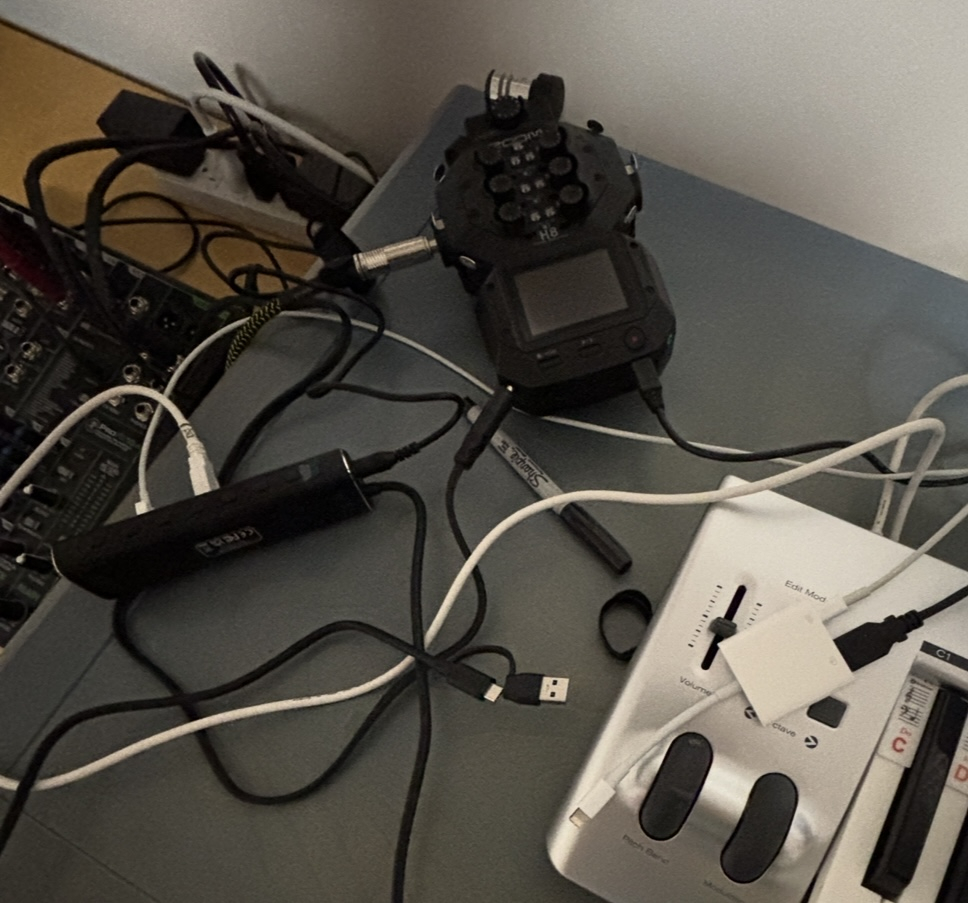
Comments
On my H8 zoom recorder , my path is “audio interface”, and then “stereo mix iPad”
Hi. You need to connect the hub host port to the Camera Adapter USB port. Then connect all your USB devices to the hub. The iPad should then "see" the H8 Zoom interface. Not sure about the Zoom settings, though. (The Lightning port on the Camera Adapter is for power only.)
Edit: By the way, when the Zoom is connected to the iPad, it becomes the only audio device for both input and output. So there will be no sound from tne iPad speakers or headphone jack. You will need to use the Zoom for output. That may be why you are not hearing your guitar.
Also, you'll need an app running in the iPad to route the guitar input to audio out; maybe an amp sim, or an app like Loopy Pro or AUM.
@randy :
Lightning USB adapter gets plugged into the iPad
Your regular iPad charging cable gets plugged into the adapter’s lightning port and your usual charger
Your powered usb hub plugs into the lightning-usb adapter
The zoom plugs into a port of the hub.
The midi keyboard plugs into another hub port
Plug all that in after you have booted the iPad
Launch the ShowMidi midi monitor in standalone mode and you should see the MIDI keyboard’s as an available device