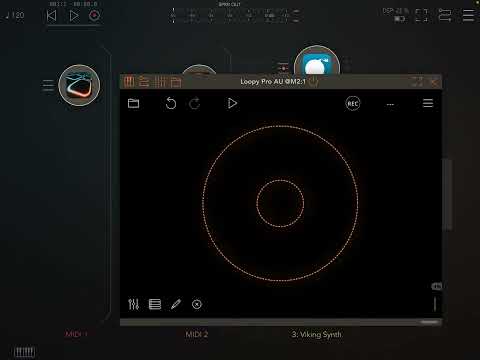
Loopy Pro: Create music, your way.

What is Loopy Pro?Loopy Pro is a powerful, flexible, and intuitive live looper, sampler, clip launcher and DAW for iPhone and iPad. At its core, it allows you to record and layer sounds in real-time to create complex musical arrangements. But it doesn’t stop there—Loopy Pro offers advanced tools to customize your workflow, build dynamic performance setups, and create a seamless connection between instruments, effects, and external gear.

Use it for live looping, sequencing, arranging, mixing, and much more. Whether you're a live performer, a producer, or just experimenting with sound, Loopy Pro helps you take control of your creative process.

Download on the App Store

Loopy Pro is your all-in-one musical toolkit. Try it for free today.

Sorta basic MIDI recorder/looper for AUM, etc.?

Overwhelmed with all the available options. I don't want to get too deep with something like Atom2 or Xequence2 or else I'd just use Drambo.

My primary use case is live-recording performances from a midi controller and setting loop sections on the fly. MIDI Tape Recorder and LoopBud came up, but neither allows for note editing or recording CCs. I could export the midi to Drambo for editing, but I might as well just do it all in Drambo if that's the case.

Any thoughts on the pros and cons of MTR, LoopBud, or Riffer, LK, Neon, Photon, or any other quick and dirty midi loopers? Or should I just keep using Drambo?

Comments

  • edited December 2025

    Helium but thats not too far off Atom 2. Atom 2 and helium can look complex with all the options on first sight but i find both easy to use for basic midi recordings, editing, sequencing.

    Loopbud is cool. It is on the simpler side, but I typically want a few more features so i reach for atom 2 as a default.

    Midi Tape Recorder is pretty dope, captures mpe and isn’t overly complicated.
    https://apps.apple.com/us/app/midi-tape-recorder/id1598618004

  • @watari_banzai said:
    Overwhelmed with all the available options. I don't want to get too deep with something like Atom2 or Xequence2 or else I'd just use Drambo.

    My primary use case is live-recording performances from a midi controller and setting loop sections on the fly. MIDI Tape Recorder and LoopBud came up, but neither allows for note editing or recording CCs. I could export the midi to Drambo for editing, but I might as well just do it all in Drambo if that's the case.

    Any thoughts on the pros and cons of MTR, LoopBud, or Riffer, LK, Neon, Photon, or any other quick and dirty midi loopers? Or should I just keep using Drambo?

    If you have Drambo, it seems like a good solution.

    Midi Tape Recorder does record CCs, but it has no editing.

    Do you need CC and other non-note editing?

  • Riffer doesn’t actually record midi, you can only manually set/edit the sequence, randomize the sequence, and then trigger an instrument.

  • @Poppadocrock said:
    Helium but thats not too far off Atom 2. Atom 2 and helium can look complex with all the options on first sight but i find both easy to use for basic midi recordings, editing, sequencing.

    Loopbud is cool. It is on the simpler side, but I typically want a few more features so i reach for atom 2 as a default.

    Midi Tape Recorder is pretty dope, captures mpe and isn’t overly complicated.
    https://apps.apple.com/us/app/midi-tape-recorder/id1598618004

    @Poppadocrock said:
    Riffer doesn’t actually record midi, you can only manually set/edit the sequence, randomize the sequence, and then trigger an instrument.

    Once again, it becomes apparent that the solution is multiple solutions lol. Maybe Helium paired with MTR or LoopBud is the ticket...

  • wimwim
    edited December 2025

    IMO, Just keep using Drambo.

  • @espiegel123 said:

    If you have Drambo, it seems like a good solution.

    I do have Drambo, but I like the idea of quickly grabbing a midi snippet and moving on.

    Midi Tape Recorder does record CCs, but it has no editing.
    Do you need CC and other non-note editing?

    Good question. I suppose I could just patch in another sequencer or use LFOs/envelopes.

  • wimwim
    edited December 2025

    @watari_banzai said:

    @espiegel123 said:

    If you have Drambo, it seems like a good solution.

    I do have Drambo, but I like the idea of quickly grabbing a midi snippet and moving on.

    Drambo is as quick as or quicker than anything else if you ask me.

  • @wim said:

    @watari_banzai said:

    @espiegel123 said:

    If you have Drambo, it seems like a good solution.

    I do have Drambo, but I like the idea of quickly grabbing a midi snippet and moving on.

    Drambo is as quick as or quicker than anything else if you ask me.

    Fair point. Doesn't have a huge CPU hit either when used that way.

  • For recording cc messages, this free app is quite interesting https://apps.apple.com/us/app/ddtctmcc-ff/id6460858922?platform=ipad

    There's currently a beta for the paid version, which is more interesting but a bit complicated in places and currently buggy as heck, at least on my device:

    https://testflight.apple.com/join/ciaWpGpN

  • edited December 2025

    Atom2 is easy and works well.

    Also, can Loopy do this? I was trying to set it up as a basic midi recorder/player in AUM but I couldn't get it working? (other synths not receiving the midi, LP not getting it from Velocity Keyboard)

  • @raindro said:
    Atom2 is easy and works well.

    Also, can Loopy do this? I was trying to set it up as a basic midi recorder/player in AUM but I couldn't get it working? (other synths not receiving the midi, LP not getting it from Velocity Keyboard)

    Loopy can do that. Post screenshots of your AUM routing and Loopy Pro’s mixer in extended view so that we can see your routing.

    I’ll try to put together a quick demo of the setup

  • @espiegel123 said:

    nice! that’s awesome thank you

  • @wim said:
    IMO, Just keep using Drambo.

    I was thinking that as well.

  • All excellent solutions above. I would also like to recommend one of my favorite MIDI utility apps, Takeamidi, which displays midi data graphically as well as diagnostically, and you can select a swath of MIDI data from the capture, and drag and drop it right out into the Files app and certain other MIDI FX apps, such as Helium. It’s very handy and quick if you just want to grab a chunk and throw it into another app.

  • @Gavinski said:
    For recording cc messages, this free app is quite interesting https://apps.apple.com/us/app/ddtctmcc-ff/id6460858922?platform=ipad

    There's currently a beta for the paid version, which is more interesting but a bit complicated in places and currently buggy as heck, at least on my device:

    https://testflight.apple.com/join/ciaWpGpN

    Thanks for posting this. This is a really useful and unique app and I'm glad to see he's finally going to fix it. The free version works well enough but the paid version with layers and morphing and other features did not work at all. I thought maybe he just gave up on it. So I joined the testflight; (thanks for the link) something I've never done before but this one could use some help.

  • @MrStochastic said:

    @Gavinski said:
    For recording cc messages, this free app is quite interesting https://apps.apple.com/us/app/ddtctmcc-ff/id6460858922?platform=ipad

    There's currently a beta for the paid version, which is more interesting but a bit complicated in places and currently buggy as heck, at least on my device:

    https://testflight.apple.com/join/ciaWpGpN

    Thanks for posting this. This is a really useful and unique app and I'm glad to see he's finally going to fix it. The free version works well enough but the paid version with layers and morphing and other features did not work at all. I thought maybe he just gave up on it. So I joined the testflight; (thanks for the link) something I've never done before but this one could use some help.

    Could be such a banger of an app if the bugs were fixed. The ui is a bit confusing in places too. Definitely an interesting concept tho

  • @EdZAB said:
    All excellent solutions above. I would also like to recommend one of my favorite MIDI utility apps, Takeamidi, which displays midi data graphically as well as diagnostically, and you can select a swath of MIDI data from the capture, and drag and drop it right out into the Files app and certain other MIDI FX apps, such as Helium. It’s very handy and quick if you just want to grab a chunk and throw it into another app.

    This is an interesting suggestion, but I have not been able to load it as AUv3 in iPadOS 18 or 26. It works normally on my older iPad 6 with iPadOS 17. Potential users shoild be aware of this.

  • @uncledave said:

    @EdZAB said:
    All excellent solutions above. I would also like to recommend one of my favorite MIDI utility apps, Takeamidi, which displays midi data graphically as well as diagnostically, and you can select a swath of MIDI data from the capture, and drag and drop it right out into the Files app and certain other MIDI FX apps, such as Helium. It’s very handy and quick if you just want to grab a chunk and throw it into another app.

    This is an interesting suggestion, but I have not been able to load it as AUv3 in iPadOS 18 or 26. It works normally on my older iPad 6 with iPadOS 17. Potential users shoild be aware of this.

    Hmm - that is odd because I’ve been using it on my iPad Pro M1 with iOS 17 and 18.x and now with iOS 26 on my iPad Pro M5 in AUM with no issues.

  • @watari_banzai said:
    Overwhelmed with all the available options. I don't want to get too deep with something like Atom2 or Xequence2 or else I'd just use Drambo.

    My primary use case is live-recording performances from a midi controller and setting loop sections on the fly. MIDI Tape Recorder and LoopBud came up, but neither allows for note editing or recording CCs. I could export the midi to Drambo for editing, but I might as well just do it all in Drambo if that's the case.

    Any thoughts on the pros and cons of MTR, LoopBud, or Riffer, LK, Neon, Photon, or any other quick and dirty midi loopers? Or should I just keep using Drambo?

    If you can cope with its complexity, then keep using Drambo. Currently, there is no better solution for AUM sequencing and automation.

  • @watari_banzai said:
    Overwhelmed with all the available options. I don't want to get too deep with something like Atom2 or Xequence2 or else I'd just use Drambo.

    My primary use case is live-recording performances from a midi controller and setting loop sections on the fly. MIDI Tape Recorder and LoopBud came up, but neither allows for note editing or recording CCs. I could export the midi to Drambo for editing, but I might as well just do it all in Drambo if that's the case.

    Any thoughts on the pros and cons of MTR, LoopBud, or Riffer, LK, Neon, Photon, or any other quick and dirty midi loopers? Or should I just keep using Drambo?

    Just to mention, if someone else hasn't mentioned it already, Midi Tape Recorder can in fact record CC messages. You can't edit them, yes, but you can definitely record them.

  • edited December 2025

    @EdZAB said:

    @uncledave said:

    @EdZAB said:
    All excellent solutions above. I would also like to recommend one of my favorite MIDI utility apps, Takeamidi, which displays midi data graphically as well as diagnostically, and you can select a swath of MIDI data from the capture, and drag and drop it right out into the Files app and certain other MIDI FX apps, such as Helium. It’s very handy and quick if you just want to grab a chunk and throw it into another app.

    This is an interesting suggestion, but I have not been able to load it as AUv3 in iPadOS 18 or 26. It works normally on my older iPad 6 with iPadOS 17. Potential users shoild be aware of this.

    Hmm - that is odd because I’ve been using it on my iPad Pro M1 with iOS 17 and 18.x and now with iOS 26 on my iPad Pro M5 in AUM with no issues.

    It may have to do with screen size. My device is iPad Air 11" M2. When opened stand-alone, Takeamidi crashes with SIGABRT from the system library (abort() called). Opened as AUv3 in AUM, it crashes with SIGSEGV (bad address). These are essentially immediate, and might be related to creating the screen graphics.

    Edit: It appears that the testflight version is required for use on current iOS versions. See this post for the testflight link.

  • @Gavinski said:

    @watari_banzai said:
    Overwhelmed with all the available options. I don't want to get too deep with something like Atom2 or Xequence2 or else I'd just use Drambo.

    My primary use case is live-recording performances from a midi controller and setting loop sections on the fly. MIDI Tape Recorder and LoopBud came up, but neither allows for note editing or recording CCs. I could export the midi to Drambo for editing, but I might as well just do it all in Drambo if that's the case.

    Any thoughts on the pros and cons of MTR, LoopBud, or Riffer, LK, Neon, Photon, or any other quick and dirty midi loopers? Or should I just keep using Drambo?

    Just to mention, if someone else hasn't mentioned it already, Midi Tape Recorder can in fact record CC messages. You can't edit them, yes, but you can definitely record them.

    I do like MIDI Tape Recorder a lot. So straightforward. If you don’t need to do editing within the recorder it’s great.

  • Nimble Looper script in StreamByter
    It’s pretty handy ..

Sign In or Register to comment.